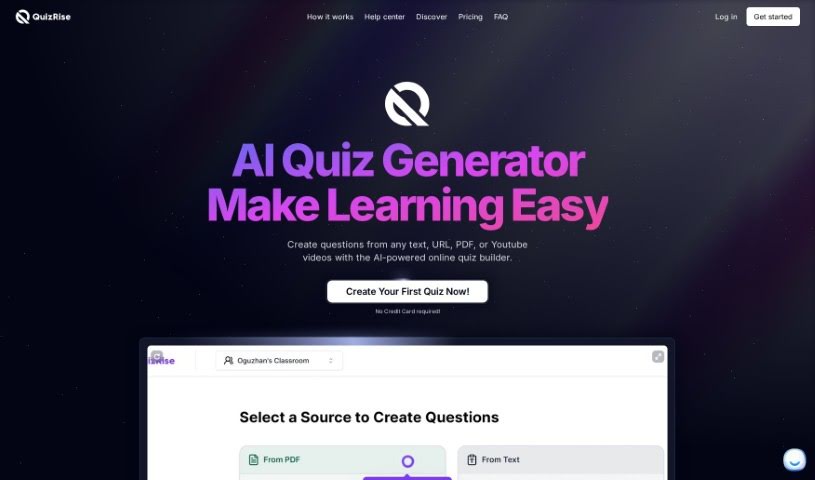
Screenshot of Quizrise

Quizrise

Discover what Quizrise is and how to use it effectively in 2025. Explore its features and see how it stacks up against other teacher tools.

Screenshot

What is Quizrise?

QuizRise is a smart platform designed to help you create engaging quizzes and flashcards really quickly and easily. Whether you’re an educator, a corporate trainer, or a content creator, you can upload your material – think PDFs, web links, or just plain text – and QuizRise’s AI will whip up a variety of question types. You’ll get multiple-choice, true or false, short answer, and fill-in-the-blank questions, all generated from your content. Plus, you can tweak these quizzes, share them in different ways, and even check out analytics to see how your students or trainees are doing. They’ve got plans that start free and go up to professional levels, so there’s something for everyone, and you don’t even need a credit card to sign up. It really changes the game for quiz creation by using smart AI to turn your content into interactive learning tools. You can also tweak the questions yourself, share them without any hassle, and get some great insights into how people are performing.

People who use it, like teachers and trainers, say QuizRise has completely changed how they create content. They love how efficient it is, how much they can customize things, and how it’s such a flexible tool for making assessments that actually get people involved. It works for all sorts of learning environments, from homeschooling families to big corporate training sessions, making learning more flexible and enjoyable for everyone involved. And speaking of plans, QuizRise offers a good range, so whether you’re just starting out with the free option or need more advanced features with the pro plan, there’s a good fit for your budget and needs.

Basically, QuizRise brings together AI-powered question generation, a bunch of different question types, easy customization, simple sharing, and helpful analytics. It’s a really complete package for anyone needing to create quizzes for education or training. It makes the whole process simpler, gets people more engaged, and gives you valuable information about how learning is happening.

Just so you know, the information about QuizRise here comes from a document called “quizrise.pdf” that we looked at.

Who created Quizrise?

Quizrise was actually started by Michael Nguyen. He’s a parent who homeschools and wanted to build a really innovative platform for making quizzes. Quizrise uses AI to create quizzes, and it’s perfect for teachers, corporate trainers, and anyone who makes content. You can easily turn your own material into custom quizzes and flashcards thanks to its smart AI technology. Just upload your content in different formats, personalize the quizzes, share them easily, and check out detailed analytics on how students are performing. Quizrise has pricing from free all the way up to professional, so it fits different needs.

What is Quizrise used for?

  • Making quizzes for students in class
  • Making corporate training programs run more smoothly
  • Creating interactive materials for online courses
  • Getting educational content made efficiently
  • Making homeschooling more engaging with fun quizzes
  • Creating quizzes that students will enjoy
  • Streamlining training for companies
  • Helping employees learn better
  • Building interactive content for online classes
  • Making content creation easier and faster
  • Developing dynamic assessments for college students
  • Creating quizzes for homeschooling families
  • Tracking how students are doing and what they’re learning
  • Customizing quizzes to match what you want to teach
  • Easily exporting and sharing quizzes in various formats

Who is Quizrise for?

  • Teachers
  • Corporate Trainers
  • Content Creators
  • College Professors
  • Education Content Creators
  • Homeschooling Parents
  • Online Course Creators
  • High School Teachers

How to use Quizrise?

Using QuizRise is pretty straightforward. Here’s a quick rundown:

  1. Add Your Content: First, get your material into QuizRise. You can type it in, paste a URL, or upload documents like PDFs. The AI will then use this to create questions and answers.
  2. Choose Question Types: QuizRise lets you create all sorts of questions – multiple-choice, true or false, short answers, and fill-in-the-blanks – based on whatever text or material you provide.
  3. Customize It: You can easily edit and customize the quizzes the AI generates to make sure they fit exactly what you want to teach. The interface is really user-friendly, so tailoring the content is simple.
  4. Share It Out: With just a click, you can export and share your quizzes as PDFs, TXT files, or even in Kahoot format. This makes it super quick to get them to the people who need them.
  5. Check the Analytics: QuizRise gives you helpful analytics so you can see how your students are performing, understand what they’re learning, and figure out where your content might need a little improvement.
  6. Look at Pricing Plans: QuizRise has a range of plans, from free to professional, so you can pick what works best for your needs. You don’t need a credit card to sign up, which is nice.
  7. See What Others Say: People using QuizRise, like educators, trainers, and content creators, have really praised how efficient and effective it is for creating content for all sorts of different uses.

By following these steps, you can really use QuizRise to create engaging quizzes and assessments that are perfect for education or training. Give it a try today and see how it can change the way you create interactive content!

Related AI Tools

Discover more tools in similar categories that might interest you

Academic Help Free Essay Generator

Education Academic Writing
Learn More

Stay Updated with AI Tools

Get weekly updates on the latest AI tools, trends, and insights delivered to your inbox

Join 25,000+ AI enthusiasts. No spam, unsubscribe anytime.