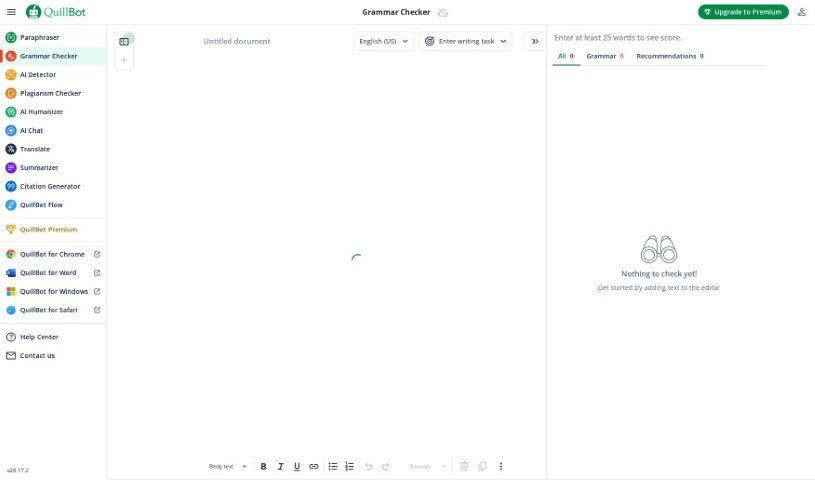
Screenshot of QuillBot Grammar Checker

QuillBot Grammar Checker

Curious about QuillBot's Grammar Checker? We'll walk you through what it is, how to use it in 2025, its key features, and how it stacks up against other grammar tools.

Screenshot

What is QuillBot Grammar Checker?

A grammar checker is essentially a digital assistant for your writing. Its main job is to spot and fix mistakes in your text, making your writing clearer and more professional. It is a proofreader that catches things like misplaced commas, spelling blunders, and awkward sentence structures. Beyond just fixing errors, these tools often offer helpful suggestions to make your writing flow better and sound more coherent. By pointing out mistakes and suggesting fixes, grammar checkers really help writers polish their work. This is super useful whether you’re a student, a professional, or just someone who wants their written words to be spot-on. Ultimately, they’re great tools for boosting your language skills and making sure your writing is accurate and easy to understand.

Who created QuillBot Grammar Checker?

QuillBot’s Grammar Checker was developed by a company also called QuillBot. Anil Jason is the founder, and he started the company with a clear goal: to boost human creativity. QuillBot’s mission is to offer innovative writing tools that empower people as they write.

How to use QuillBot Grammar Checker?

Using QuillBot’s Grammar Checker is pretty straightforward. Here’s a simple step-by-step guide:

  1. First off, head over to QuillBot’s official website.
  2. Look for “Grammar Checker” – you’ll usually find it under the “Language Correction” section.
  3. Once you click it, you’ll see the tool’s interface pop up.
  4. Now, just copy the text you want to check and paste it right into the text box provided.
  5. Hit the “Check Grammar” button (or something similar) to get the analysis started.
  6. The checker will then highlight any errors it finds and give you suggestions on how to fix them.
  7. Take a look at the suggested changes and decide which ones you want to apply to make your text better.
  8. Feel free to make any other small edits you think are needed.
  9. When you’re happy with all the corrections, you can easily copy your polished text to use wherever you need it.
  10. If you want to keep a record, you can save your corrected text.

Using this tool can really make your writing shine by ensuring your grammar and punctuation are correct. It’s a fantastic way to improve how clear and readable your content is.

Related AI Tools

Discover more tools in similar categories that might interest you

Academic Help Free Essay Generator

Education Academic Writing
Learn More

Stay Updated with AI Tools

Get weekly updates on the latest AI tools, trends, and insights delivered to your inbox

Join 25,000+ AI enthusiasts. No spam, unsubscribe anytime.