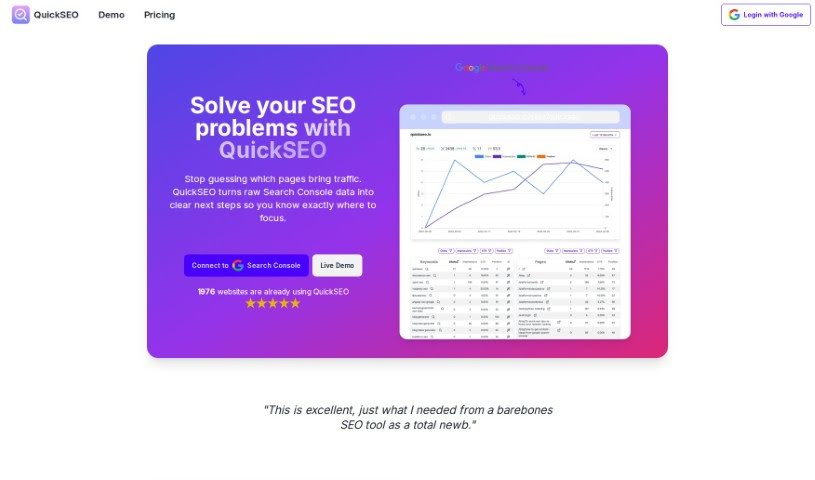
Screenshot of Quickseo

Quickseo

Discover what QuickSEO is and how to use it effectively in 2025. Explore its features, compare it to other Content Marketing Tools, and learn how it can boost your website's visibility.

Screenshot

What is QuickSEO?

QuickSEO is a really user-friendly platform for SEO analytics. It makes optimizing your website’s performance much simpler by keeping track of your keyword data. Plus, it gives you AI-generated content ideas based on those keywords. It is a helpful alternative to Google Search Console, offering features like SEO tracking, AI-powered content idea generation, easy-to-understand analytics, and advanced ways to filter and sort your data. QuickSEO connects with Google Search Console to pull in your website’s information, giving you actionable tips to improve your traffic. Right now, it’s free to use, but they’re planning a paid version soon, with a special lifetime discount for those who sign up early. This tool is designed to make SEO easier for everyone, whether you’re just starting out or you’re a seasoned pro. It offers a straightforward interface and valuable insights to boost your SEO performance without the usual complexity of tools like Google Search Console.

Who created QuickSEO?

QuickSEO was actually created by Tomas Laurinavicius. He’s the founder behind QuickSEO, which is this really user-friendly SEO analytics platform that provides great insights to help your website get noticed on Google. QuickSEO really simplifies the whole SEO process. It offers cool features like tracking keywords, generating content ideas with AI, and advanced filtering and sorting options. The platform is built to help both beginners and experienced SEO pros improve their website’s performance effectively.

What is QuickSEO used for?

QuickSEO is great for a bunch of things:

  • Generating content ideas using AI
  • Tracking how your keywords and pages are performing
  • Providing clear SEO analytics
  • Smart filtering for keywords and pages
  • A dashboard that shows all your connected sites
  • Making the whole SEO process much simpler
  • Coming up with content ideas with AI
  • Offering analytics that are easy to understand
  • Advanced filtering and sorting capabilities
  • Connecting directly with Google Search Console
  • Filtering keywords and pages effectively
  • Managing multiple sites from one dashboard
  • Generating content ideas
  • Analyzing keyword performance
  • Advanced filtering and sorting

Who is QuickSEO for?

QuickSEO is a fantastic tool for:

  • SEO professionals
  • Anyone new to SEO
  • Content creators
  • Startups
  • Small businesses
  • Agencies
  • Larger companies

How to use QuickSEO?

Using QuickSEO is pretty straightforward. Just follow these simple steps:

  1. Connect to Google Search Console:
    • QuickSEO will automatically grab all your websites directly from your Google Search Console account.
  2. Turn on Websites for Analytics:
    • Simply activate the websites you want to analyze within QuickSEO. This lets you see all your data presented in a really user-friendly way.
  3. Track Keywords Performance:
    • Keep a close eye on how your keywords are doing. You can monitor things like clicks, impressions, your click-through rate (CTR), and your average position.
  4. Generate Content Ideas with AI:
    • Pick out your top-performing keywords and let QuickSEO’s AI come up with content ideas. It can suggest ideas for blog posts, paragraphs, headings, Q&A sections, or even related keywords.
  5. Utilize Advanced Filters and Sorting:
    • Take advantage of the advanced filters and sorting features. They really help you dig into your keyword data and analyze it more effectively.
  6. View User-Friendly Analytics:
    • Access your Google Search Console data in a format that’s easy to understand, all within QuickSEO.
  7. Optimize SEO Results:
    • QuickSEO really simplifies the SEO process, making it a great fit for both beginners and experienced professionals alike.
  8. Maintain Data Security:
    • Just so you know, QuickSEO only stores your login data, not your actual analytics. This is to ensure your information stays private.
  9. Account Deletion:
    • If you ever want to delete your account and all your data, just send an email to [email protected].

By following these steps, you can really make the most of QuickSEO’s features to improve your website’s SEO performance efficiently and effectively.

Related AI Tools

Discover more tools in similar categories that might interest you

Stay Updated with AI Tools

Get weekly updates on the latest AI tools, trends, and insights delivered to your inbox

Join 25,000+ AI enthusiasts. No spam, unsubscribe anytime.