Qrious Art (Sales & Marketing)
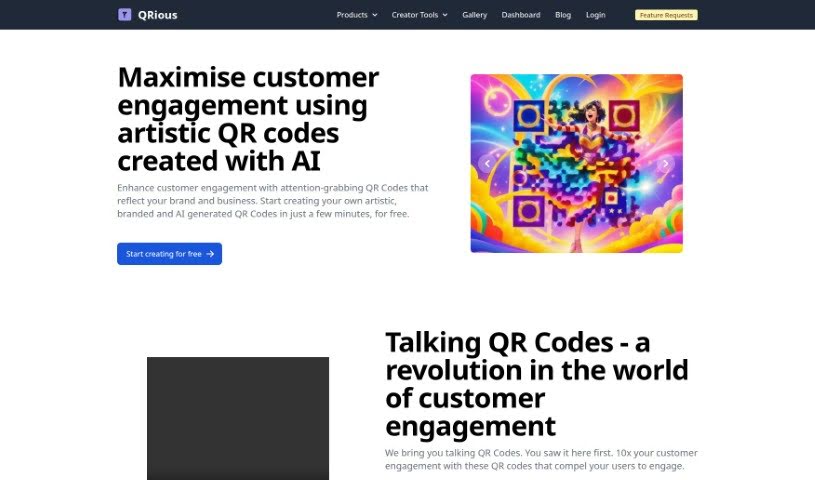
Screenshot of Qrious Art

Qrious Art

Discover Qrious Art, a generative AI platform for creating branded, artistic, and trackable QR Codes with dynamic redirection and API access.

Screenshot

What is Qrious Art?

Qrious Art is a platform for creating unique, personalized QR Codes using generative AI. You can design QR Codes that look artistic, match your brand, and capture customer attention. Features include branding, artistic designs, scan tracking and analytics, dynamic QR Codes you can edit later, themes, and API access.

Who created Qrious Art?

Qrious was started by a team focused on making QR code solutions more innovative. They offer generative AI tools for creating and tracking QR Codes, with artistic customization, scan tracking, dynamic redirection, and subscription plans sized to different usage needs. Detailed company and founder information is available directly from Qrious’s own sources.

What is Qrious Art used for?

  • Customer engagement: Make QR Codes more engaging through branding or AI-generated designs, including color, voice, and video elements.
  • Brand identity: Capture your brand’s essence directly in your QR Codes.
  • Verified codes: QR Codes are verified using advanced techniques, adding a layer of trust.
  • Performance analytics: Track scans and see how people engage with your codes.
  • Dynamic redirection: Change where dynamic QR Codes send people without reprinting.
  • Themes: Choose from hand-picked themes to create visually striking designs.
  • AI creativity: Use generative AI to produce distinctive QR Code designs.
  • Support: Premium support with fast responses and prioritized feature requests.

Who is Qrious Art for?

  • Marketing professionals
  • Business owners
  • Brands and businesses of all kinds

How to use Qrious Art?

  1. Visit the website: Go to https://qrious.art/create to start making QR Codes for free.
  2. Design your QR Code: Pick from existing templates or create your own using generative AI tools.
  3. Customize it: Add color, voice, and video to connect with customers.
  4. Track performance: Use analytics to see when people scan, what devices they use, and where they are located.
  5. Go dynamic: Choose dynamic QR Codes to change link destinations later without printing new ones.
  6. Pick a plan: Choose between the Free plan, Credits, a Subscription, or an Enterprise Subscription depending on usage.
  7. Explore themes: Browse pre-set themes for visually striking designs.
  8. Use the API: Integrate QR Codes into your own projects using the API, which comes with detailed documentation.

Related

Related AI Tools

Discover more tools in similar categories

New tools, in your inbox.

Weekly picks of the best AI tools we've researched and added — no spam, unsubscribe anytime.

Join 25,000+ AI enthusiasts. No spam, unsubscribe anytime.