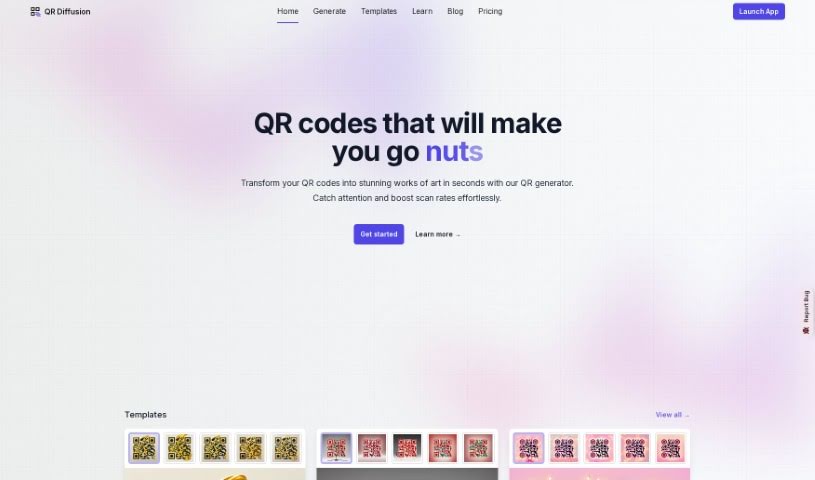
What is QR Diffusion?
QR Diffusion is a really neat Artistic QR code generator. It takes those standard black and white QR codes and turns them into eye-catching designs by blending AI with dynamic art. What’s great is that these codes aren’t just pretty; they work perfectly too, smoothly combining style with practicality. You can really make them your own, too, since customization is a big part of it. You can tweak templates for color, size, and design to fit exactly what you need. The platform also has ready-made templates if you’re in a hurry, and it’s designed for everyone, with settings for Beginners, Advanced, and Expert users. Plus, there’s an Outpaint feature that lets you add a special creative flair, making your QR codes truly unique compared to the usual ones. And with a fast GPU, generating and rendering your codes is quick, ensuring a smooth experience for everyone, whether you’re using it for free or as a premium user.
Who created QR Diffusion?
QR Diffusion was actually developed by Sergey Yakovski. He brought together his AI knowledge and a passion for dynamic art to create this innovative Artistic QR code generator. The company’s goal is to transform those plain black and white QR codes into visually stunning designs that are both appealing and fully functional. QR Diffusion offers customizable templates, a variety of features to personalize your codes, and a fast GPU for quick generation. It’s a really smart blend of art and technology, giving users an elegant and intelligent way to create unique QR codes.
What is QR Diffusion used for?
QR Diffusion is fantastic for a bunch of things:
- Creating artistic QR codes.
- Making QR codes that really grab attention.
- It’s a great example of combining AI knowledge with dynamic art.
- It’s basically the next step for standard black and white QR codes, turning them into captivating designs.
- It effortlessly marries style with utility.
- You can customize your QR codes extensively.
- Add a creative, distinctive look using the Outpaint feature.
- It offers fast QR generation and rendering thanks to its GPU.
- It opens up new marketing and design opportunities.
- It’s an innovative use of tech, working with Stable Diffusion and Control Net.
- You can create visually spectacular QR codes.
- It’s all about marrying style and utility in QR codes.
- Customizing QR code design is straightforward.
- The Outpaint feature lets you add creativity to your QR codes.
- QR codes are generated quickly.
- It helps enhance marketing efforts with new design possibilities.
- It uses AI knowledge for dynamic art in QR generation.
- You can create QR codes for all sorts of purposes.
- It showcases innovative tech applications with Stable Diffusion and ControlNet.
- You can customize QR codes with specific colors, sizes, and designs.
- It provides ready-made templates for quick and easy QR code creation.
- The Outpaint feature lets you add creativity to customize QR codes.
- The fast GPU feature ensures quick QR code generation.
- You can create artistic QR codes for a visually spectacular and functional design.
- It lets you choose settings tailored to different expertise levels: Beginner, Advanced, and Expert.
- It’s about marrying style and utility in QR code designs.
- You can make your QR codes stand out with distinctive looks.
- It helps enhance new marketing strategies with artistic QR codes.
- It’s a way to explore unconventional and creative approaches with QR Diffusion.
- It’s used for artistic QR code generation for visually appealing designs.
- It combines AI knowledge with dynamic art in QR codes.
- You can create visually spectacular and fully functional QR code designs.
- It allows for customizing QR code templates for unique designs.
- You can enhance QR codes with the creative Outpaint feature.
- It utilizes a fast GPU for quick QR code generation.
- QR Diffusion can be used for new marketing strategies.
- It provides designers with artistic QR code options.
- You can create Artistic QR codes for free for various purposes.
- It lets you add a distinctive look to QR codes with customization options.
Who is QR Diffusion for?
QR Diffusion is perfect for:
- Designers
- Marketers
- Graphic designers
- Artists
- Business owners
- Creators
- Brands
- Tech enthusiasts
- Marketing professionals
How to use QR Diffusion?
Using QR Diffusion is pretty straightforward. Just follow these steps:
- Access the Platform: Head over to the QR Diffusion website. You can register there to start creating Artistic QR codes for free.
- Choose Templates: The platform is really user-friendly. You can explore ready-made templates that are great for everyone, whether you’re just starting out or you’re already an expert.
- Customize: Make your QR code truly yours! You can adjust the colors, sizes, and designs to match exactly what you need.
- Select Settings: Tailor your experience by picking the expertise level that feels right for you – Beginner, Advanced, or Expert. This makes sure navigating the platform is comfortable.
- Use Outpaint: Want to add a special creative touch? Use the Outpaint feature to customize your QR codes and make them really stand out.
- Utilize Fast GPU: Take advantage of the fast GPU for quick generation and rendering of your QR codes. It’s available for both free and premium users.
By following these steps, you’ll be able to create visually spectacular and functional Artistic QR codes with QR Diffusion, smoothly blending art and technology. It’s a great way to experience the fusion of style, utility, and intelligence with this innovative tool.