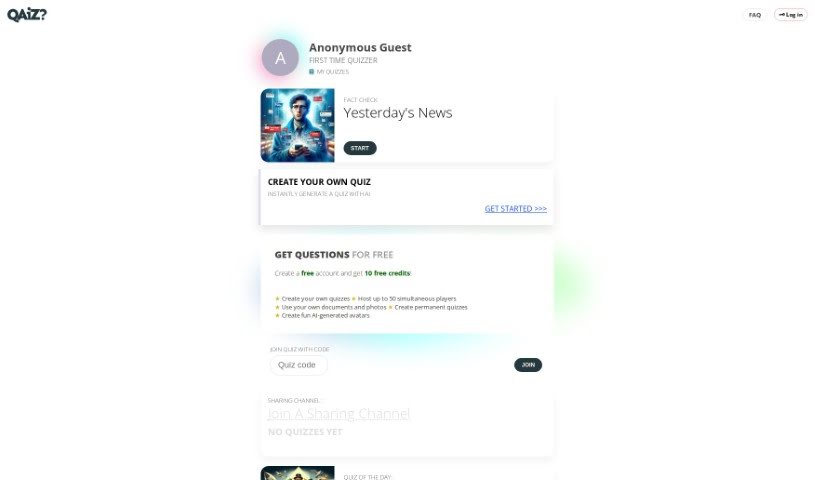
Screenshot of Qaiz

Qaiz

Discover what Qaiz is and how to use it effectively in 2025. Explore its features, compare it with other Teacher Tools, and learn how to create and join engaging multiplayer quizzes.

Screenshot

What is Qaiz?

Qaiz is a really neat online platform where you can create and play multiplayer quizzes on pretty much any subject you can think of. It’s designed to be super flexible, letting you tweak all sorts of settings – like how tough the questions are or how many there should be. What’s cool is that it really focuses on bringing people together and making things interactive. Plus, creating quizzes is a breeze thanks to an AI assistant named Quizabella, so you don’t need any special tech skills to get started. You can even enjoy fun features like voice quizzes, and the whole process of making a quiz is incredibly smooth. Qaiz also has a ‘Family Room’ feature, which keeps you updated with notifications about quizzes from your friends and family. If you run into any issues with your subscription, don’t hesitate to reach out to the customer support team at [email protected].

Who created Qaiz?

Qaiz was brought to life by a dedicated team who really wanted to build an exciting online space for multiplayer quizzes. They’ve made sure the platform has a super user-friendly interface, so anyone can easily create and jump into quizzes on all sorts of topics. Quizabella, their AI assistant, really helps to simplify the quiz creation process, making it accessible for everyone, no matter their tech background. Qaiz puts a big emphasis on community interaction, and they encourage everyone to join the ‘quiz club’ to unlock even more features, like those fun voice quizzes. The company also offers solid customer support to help with anything related to subscriptions or general questions.

What is Qaiz used for?

  • Create Quizzes Instantly: Get your quizzes ready in no time.
  • Play with Friends: Enjoy quizzes together with multiplayer support.
  • Tailor Your Quizzes: Adjust settings to fit your needs.
  • Get AI Help: Let Quizabella assist with question generation.
  • Share Easily: Various options to share your creations.

Who is Qaiz for?

  • Anyone who loves quizzes!
  • People looking for casual fun.

How to use Qaiz?

Getting started with Qaiz is pretty straightforward. Here’s a quick rundown:

  1. Creating a Quiz: Just head over to the Qaiz website. You’ll find a simple interface that lets you create quizzes on any topic, no tech skills needed. You can easily customize things like the number of questions and how difficult they are.
  2. Multiplayer Fun: Want to play with others? You can invite your friends and family to join your quizzes for a great multiplayer experience.
  3. AI Assistance: Make quiz creation even easier by using Quizabella, the AI assistant. It helps generate quiz questions, speeding up the whole process.
  4. Sharing Your Quizzes: You have options! Share quizzes privately within your family room or make them public so more people can join.
  5. Joining a Quiz: If someone shares a quiz with you, just use the code they provide to jump right in.
  6. Family Room Updates: The Family Room feature is handy for getting notifications about new quizzes from your friends and family.
  7. Subscriptions and Support: To create quizzes, you’ll need credits, which you can get by subscribing. If you have any questions about your subscription, the customer support team is ready to help at [email protected].

By following these steps, you can dive into the interactive and community-focused quiz experience that Qaiz offers, whether it’s for a family get-together or a larger public event. Don’t forget to join the ‘quiz club’ for even more features and a smoother way to create quizzes!

Related AI Tools

Discover more tools in similar categories that might interest you

Academic Help Free Essay Generator

Education Academic Writing
Learn More

Stay Updated with AI Tools

Get weekly updates on the latest AI tools, trends, and insights delivered to your inbox

Join 25,000+ AI enthusiasts. No spam, unsubscribe anytime.