123RF AI Image Generator
Creative Image Generation
Learn more
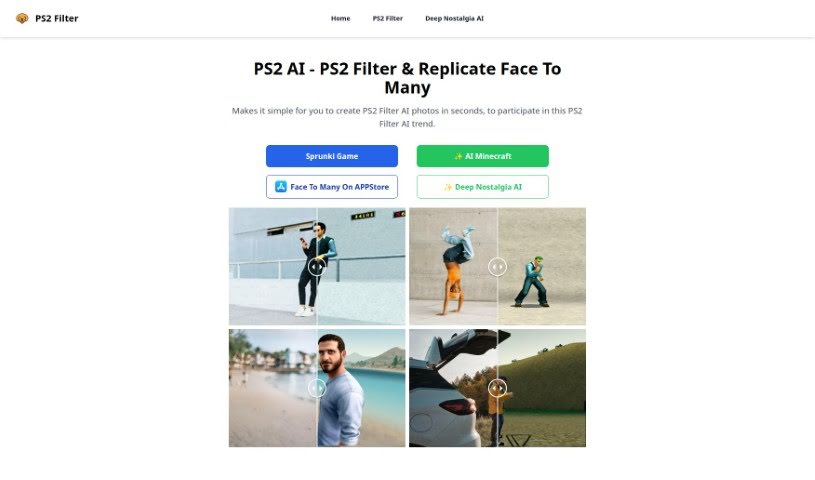
Discover the PS2 Filter, a tool that turns photos into PS2-style AI images in seconds and replicates faces across multiple images.
The PS2 Filter is a tool for creating PS2-style AI photos. It applies a retro video-game-inspired filter to your images, can replicate faces across multiple images, and generates results in seconds. It simplifies the process of applying this specific AI filter, making it accessible to anyone interested in this style of AI photo enhancement.
PS2 Filter is made by Deep Nostalgia AI, a company focused on AI solutions that make creating AI photos fast and straightforward. Detailed founder and company information isn’t publicly available.
The tool suits graphic designers, photographers, social media marketers, content creators, digital artists, advertising professionals, fashion designers, bloggers, influencers, and video game artists — anyone who wants to produce or share PS2-style AI-filtered images.
Visit the PS2 Filter website, click the “PS2 Filter” option on the homepage, and upload the photo you want to transform. Adjust the filter settings via the on-screen prompts, click “Apply Filter,” and wait while the AI processes your image. Once done, download the filtered photo to share or use as you like.
Related
Discover more tools in similar categories
Weekly picks of the best AI tools we've researched and added — no spam, unsubscribe anytime.
Join 25,000+ AI enthusiasts. No spam, unsubscribe anytime.