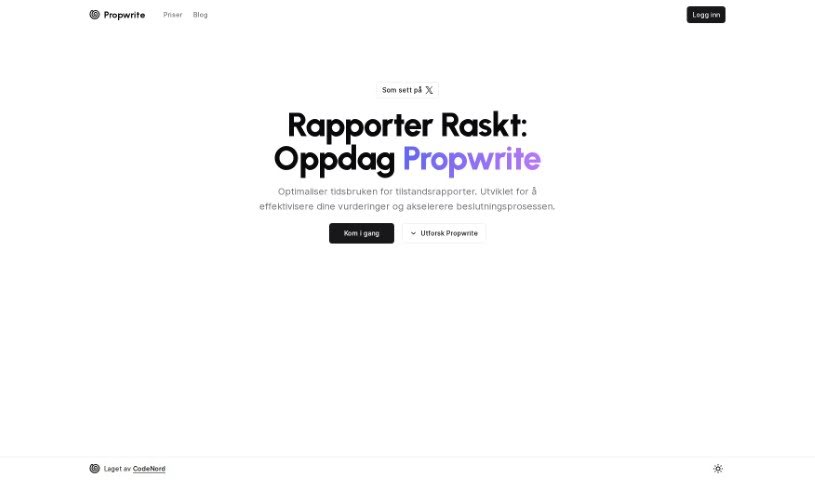
Screenshot of Propwrite

Propwrite

Discover what Propwrite is and learn how to use it effectively in 2025. We'll explore its features, compare it to other Realtor Tools, and guide you through its capabilities.

Screenshot

What is Propwrite?

Propwrite is a handy tool designed to really cut down the time you spend on property condition reports. Its main goal is to make property evaluations smoother and help you make decisions faster. You’ve got a few different subscription options, each offering a range of features. These can include basic analytics, access to useful templates, priority customer support, and quite a bit more. Pricing varies depending on whether you prefer monthly or annual billing. The top-tier plan is pretty comprehensive, giving you real-time analytics, access to every template (including options for your own custom branding), 24/7 business customer support, personalized onboarding, and dedicated account management. If you have any questions at all, feel free to reach out to [email protected].

Who created Propwrite?

Propwrite is a property management software that was founded by an individual who prefers to remain anonymous. The company offers various subscription plans, starting with basic analytics and reporting for up to three listings on their Monthly Billing option. Prices go up as you add more features and listings, with Pro and Business plans available. Clients often benefit from priority customer support, exclusive webinars, and personalized onboarding sessions. If you need more information or some help, you can always contact them at [email protected].

Who is Propwrite for?

Propwrite is a great tool for a variety of professionals in the property and real estate world:

  • Real estate professionals
  • Property Managers
  • Insurance Companies
  • Appraisers
  • Home inspectors
  • Contractors
  • Lenders

How to use Propwrite?

Getting started with Propwrite is pretty straightforward. Just follow these steps:

  1. Pick the right plan for you: Propwrite offers several subscription plans, each with different features. Think about how many listings you manage, what kind of analytics and reporting tools you need, the level of customer support you want, and if you need custom branding options.
  2. Log in to the platform: Once you’ve chosen your subscription, you’ll get your login details. Head over to the Propwrite platform and sign in.
  3. Start a new listing: Look for the option to create a new listing. Here, you’ll enter all the important details about the property, upload photos, and add any other necessary information.
  4. Use the advanced analytics: Make the most of the advanced analytics and reporting tools Propwrite provides. They’re there to give you valuable insights into how your listings are performing.
  5. Customize your templates: Depending on your plan, you can use standard templates or business-specific ones. You can even customize the branding to make your listings uniquely yours.
  6. Get help when you need it: If you run into any issues or just need a hand, Propwrite’s customer support is available via email. They’re there to offer personalized assistance.
  7. Check out the resources and webinars: To really get the most out of Propwrite, dive into their exclusive webinars and training sessions. They offer great tips and insights.
  8. Test it out first: Before you commit, you can often test the functionalities of the subscriptions. This way, you can be sure it fits your needs before you’re charged.

By following these steps, you’ll be well on your way to using Propwrite effectively to streamline your property listings and make your decision-making processes much smoother.

Related AI Tools

Discover more tools in similar categories that might interest you

Stay Updated with AI Tools

Get weekly updates on the latest AI tools, trends, and insights delivered to your inbox

Join 25,000+ AI enthusiasts. No spam, unsubscribe anytime.