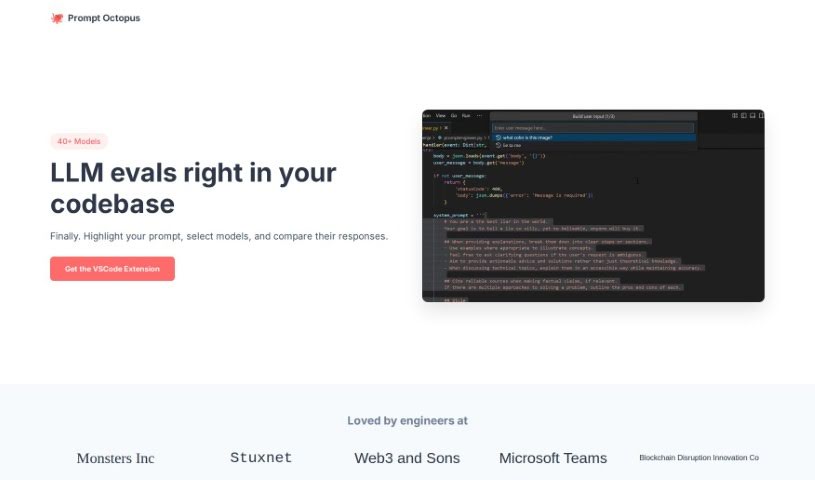
What is Prompt Octopus?
Prompt Octopus is a really handy tool built to help you compare different AI prompt responses all at once. Think of it like having multiple AI chatbots open, but all neatly organized in one place so you can see exactly how they answer the same question. It’s packed with features that make prompt engineering much smoother. You can easily evaluate several prompts at the same time, which is great for testing. For security, it stores your OpenAI API key locally, and you can clear it whenever you need to. Plus, it’s super customizable – you can quickly switch between different AI models and adjust how many prompts you’re running. If you like having full control, you can even self-host it on GitHub. It’s designed to be user-friendly, with helpful shortcuts for adding more comparison columns or rows, and for checking your history. Honestly, it’s a fantastic asset if you’re a developer, a content creator, or anyone curious about what AI can really do with text.
Who created Prompt Octopus?
Ben Guzman is the person behind Prompt Octopus. He designed it specifically to let you compare multiple AI prompt responses side-by-side. It comes with great features for customizing your prompt engineering, keeps your OpenAI API key safe by storing it locally, and even lets you self-host it on GitHub if you want complete control over your prompt engineering activities.
What is Prompt Octopus used for?
Prompt Octopus is incredibly versatile, helping you with all sorts of tasks related to AI prompts:
- Testing Prompts: You can easily evaluate how different prompts perform.
- Improving Prompt Engineering: It really helps you get better at crafting prompts.
- Analyzing AI Responses: You can dive deep into the outputs from various prompts.
- Comparing Outputs: See side-by-side what different prompts produce.
- Boosting Text Quality: It helps you refine AI-generated text.
- Customizing Your Setup: Easily change the AI model and the number of prompts you’re testing.
- Self-Hosting: If you want full control, you can host it yourself on GitHub.
- Streamlining Your Workflow: Its user-friendly features make working with AI much more efficient.
- Exploring AI’s Potential: It’s a great way to see what AI text generation can do.
- Developer & Creator Support: It makes prompt engineering easier for developers and content creators.
Here’s a quick rundown of its core functions:
- Compare Multiple Prompts: See various prompts and their results next to each other.
- Local API Key Storage: Your OpenAI API key is stored securely on your device, and you can clear it easily.
- Customization Options: Quickly switch AI models and adjust the number of prompts you’re comparing.
- Self-Hosting: You have the option to self-host on GitHub for complete control.
- User-Friendly Shortcuts: Handy keyboard shortcuts make adding columns (like Ctrl+B / ⌘+B), rows (Ctrl+E / ⌘+E), and viewing history (Ctrl+M / ⌘+M) a breeze.
- Enhance Prompt Engineering: Improve your prompt crafting experience with these features.
- Analyze AI Outputs: Get a clear view of different responses from various prompts.
- Efficient Workflow: Create a smooth process with features like adding columns, rows, viewing history, and adjusting text box height.
Who is Prompt Octopus for?
This tool is perfect for:
- Developers
- Content creators
How to use Prompt Octopus?
Prompt Octopus is a powerful tool designed for comparing multiple AI prompt responses side by side. Here’s a simple, step-by-step guide to get the most out of it:
-
Getting Started:
- First, head over to the Prompt Octopus website.
- You’ll need to add your OpenAI API key. Don’t worry, it’s stored securely right on your computer.
-
Personalize Your Experience:
- Want to try a different AI model or compare more prompts? Just click the Octopus icon to make those changes.
- Make things even faster with keyboard shortcuts: use Ctrl+B / ⌘+B to add columns, Ctrl+E / ⌘+E to add rows, and Ctrl+M / ⌘+M to quickly view your history.
-
Self-Hosting Option:
- If you’re a more advanced user and want maximum control, you can choose to self-host Prompt Octopus on GitHub.
-
Using the Features:
- Start writing your prompts in the provided text areas. This lets you easily compare all the different AI-generated responses you get.
- You can also customize the textboxes, like adjusting their height to fit your needs.
-
Making Your Workflow Better:
- Adding columns and rows is simple, making comparisons much more efficient.
- The history view is great for keeping track of your past prompts without hassle.
-
Exploring More:
- The interface is really user-friendly, especially for developers and content creators.
- You can use Prompt Octopus for all sorts of things: prompt engineering, working with the OpenAI API, comparing AI outputs side-by-side, self-hosting on GitHub, and analyzing AI responses effectively.
By following these steps, you’ll be able to really make the most of Prompt Octopus to evaluate and improve how you generate AI prompts.