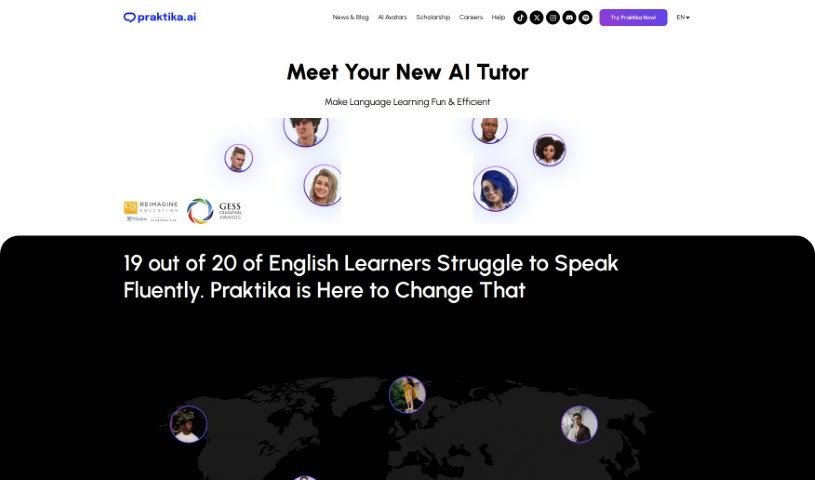
Screenshot of Praktika

Praktika

Discover what Praktika is and how to use it effectively in 2025. We'll explore its features and compare it to other student tools.

Screenshot

What Exactly is Praktika?

Praktika is a really neat language learning app that uses generative AI to give you interactive avatars for practicing your language skills. The whole idea behind this tool is to create a learning space that’s both engaging and easy to use, helping you get better at languages more effectively. It cleverly mixes technology with education, offering users a learning experience that feels natural, thanks to lifelike characters, immersive settings, smooth animated transitions, and navigation that’s been fine-tuned for both computers and phones. What really makes it stand out is how user-friendly the interface is and how smoothly everything works, making language learning feel dynamic and genuinely exciting.

Who’s Behind Praktika?

Praktika was actually developed by a company called Praktika.ai. While the specific founder’s name isn’t shared in the details I have, Praktika.ai is based in Palo Alto, California, and they’re really focused on creating new ways to learn languages. Their main product is this interactive language learning app that uses generative AI to offer a truly unique experience. With features like interactive AI avatars, an immersive learning environment, and a super user-friendly interface, Praktika is aiming to completely change how we learn languages by integrating advanced technology with solid educational principles.

Who Should Use Praktika?

  • Language Teachers
  • Language Learners

How Do I Get Started with Praktika?

If you want to use Praktika to boost your language skills, here’s a simple step-by-step guide:

  1. Download the Praktika App: Your first step is to grab the Praktika app. You can usually find it on the official website or your device’s app store.
  2. Create Your Account: Once downloaded, sign up for an account. This will give you access to all the features and lessons Praktika offers.
  3. Pick Your Language: Go ahead and choose the language you’re keen to learn. You can also set your current proficiency level so the lessons are just right for you.
  4. Chat with AI Avatars: Start interacting with the lifelike avatars. It’s a really dynamic way to practice speaking.
  5. Dive into Immersive Learning: Get yourself into a simulated real-life setting. Practicing in these environments is super effective for language acquisition.
  6. Enjoy the Animated Transitions: You’ll notice visually appealing transitions between different parts of the app. These are designed to keep you engaged and encourage you to spend more time learning.
  7. Navigate with Ease: Moving around the app is designed to be effortless, whether you’re using a mobile phone or a desktop computer.
  8. Practice On the Go: The app is optimized for mobile, so you can easily improve your language skills wherever you are, whenever you have a moment.
  9. Get Instant Feedback: You’ll receive real-time feedback on how you’re doing with the language, both during and after your practice sessions.
  10. Explore Lots of Lessons: There are over 1,000 lessons and characters available. Exploring these will really help enhance your language abilities.

By following these steps, you can really make the most of Praktika’s innovative AI approach to language learning. You’ll be able to unlock fluency in a new language thanks to the engaging features and the immersive environment that Praktika provides.

Related AI Tools

Discover more tools in similar categories that might interest you

Academic Help Free Essay Generator

Education Academic Writing
Learn More

Stay Updated with AI Tools

Get weekly updates on the latest AI tools, trends, and insights delivered to your inbox

Join 25,000+ AI enthusiasts. No spam, unsubscribe anytime.