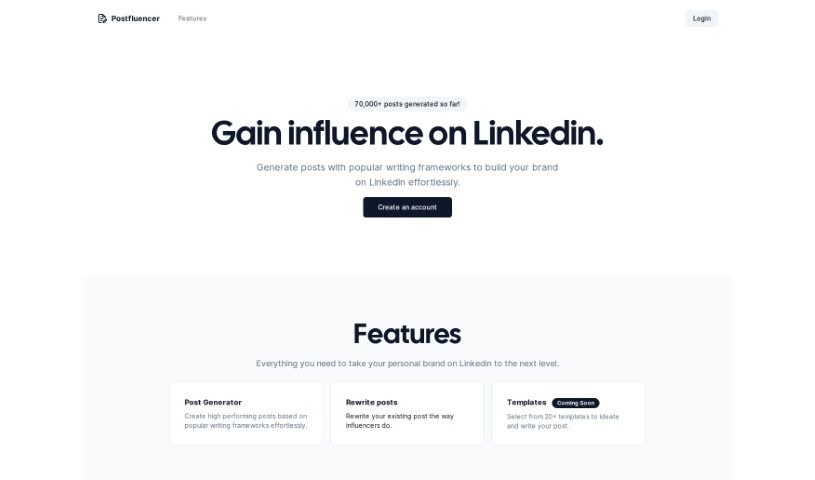
What is Postfluencer?
Postfluencer is a smart AI tool designed to automatically create LinkedIn posts for you. It is your personal LinkedIn content assistant. You simply provide the core idea or content, pick a writing style from its various frameworks – like the PCR framework, Story, Hero’s Journey, or a Simple format – and Postfluencer does the heavy lifting of writing engaging posts. It can generate content in different formats, whether you prefer a listicle or a paragraph style. This tool is a real time-saver, automating the often time-consuming process of crafting posts. It’s particularly great for boosting your personal brand and connecting more effectively with your professional network on LinkedIn.
Who created Postfluencer?
Sandeep Ravichandran is the mind behind Postfluencer, launching it on July 11, 2023. As mentioned, Postfluencer uses AI to automate the creation of LinkedIn posts. It’s a pretty neat system: you give it your content, choose from several frameworks – including PCR, ClearPAIPS, Story, Hero’s Journey, and Simple – and it generates engaging posts that are tailored to who you’re trying to reach. The main goal here is to help you build your personal brand, connect with people in your field, and generally increase your visibility on LinkedIn.
What is Postfluencer used for?
Postfluencer is incredibly versatile for anyone looking to make a bigger impact on LinkedIn. Here’s a breakdown of what it’s great for:
- Crafting Content Just for You: It helps create posts that are specifically tailored to your audience.
- Boosting Your Personal Brand: It’s a fantastic tool for building and strengthening your professional image.
- Automating LinkedIn Posts: Say goodbye to staring at a blank screen; it generates posts automatically.
- Enhancing Your Personal Brand: This is a key benefit, helping you stand out.
- Expanding Your Reach: Get your content seen by more people.
- Engaging Your Network: It helps you connect and interact with your professional contacts.
- Audience-Focused Content: It ensures your posts resonate with the people you want to reach.
- Easy Content Input: You can easily input your own ideas and information.
- A Convenient Solution: It simplifies the entire content creation process.
- Saving You Time: This is a major advantage, freeing up your schedule.
- Generating Engaging Posts: It’s designed to create content that grabs attention.
- Creating Viral Potential: Some posts might just take off!
- Saving Time: Again, a huge plus for busy professionals.
- Connecting with Professionals: It makes engaging with your network smoother.
- Expanding Your LinkedIn Reach: Get your profile and content in front of more eyes.
- Flexible Post Formats: You can choose to generate posts as listicles or in paragraph form.
- Personalized Content: It allows you to create content that feels uniquely yours.
- Tailoring for Your Audience: Making sure your message hits home.
- Content Input Flexibility: You’re not limited to what the AI suggests; you can guide it.
- Efficient Content Generation: Streamline your workflow significantly.
- Enhancing Personal Branding: A consistent focus on making you look good.
- Engaging Professional Connections: Building those important relationships.
- Expanding Your Reach: Getting your message out there further.
- Creating Viral Posts: The possibility of your content really taking off.
- Tailoring Content: Making sure it fits the specific needs of your audience.
- Content Input: The freedom to add your own thoughts and data.
- Efficient Post Generation: A smoother, faster process.
- Format Control: You decide if it’s a list or a paragraph.
- Saving Time: Reclaiming valuable hours in your week.
- Hashtag Inclusion: Helps increase your post’s visibility.
- Viral Post Potential: Giving your content a chance to spread.
- Enhancing Your LinkedIn Brand: Making your professional profile shine.
- Engagement: Keeping your connections interested and interacting.
- Expanding Reach: Reaching new audiences and opportunities.
- Visibility: Using hashtags to get noticed.
- Targeting Audiences: Focusing your efforts where they matter most.
- Listicle Posts: A popular format that Postfluencer can generate.
- Saving Time: Automating the process frees you up.
- Engaging Content: Creating posts that people want to read.
- Tailoring to Requirements: Meeting specific content needs.
- Saving Time: A recurring benefit that’s hard to ignore.
- Hashtag Visibility: A simple way to boost reach.
- Listicle Posts: Another format option for your content.
- Potentially Viral Posts: Aiming for content that spreads.
Who is Postfluencer for?
Postfluencer is a valuable tool for a variety of professionals who want to improve their LinkedIn presence:
- Marketing Professionals: To create engaging campaigns and content.
- Content Creators: To streamline their post-writing process.
- Social Media Managers: To efficiently manage and grow client accounts.
- Business Professionals: To enhance their professional networking and thought leadership.
- Personal Branding Experts: To build and maintain a strong online identity.
- LinkedIn Influencers: To consistently share valuable content with their followers.
How to use Postfluencer?
Using Postfluencer is pretty straightforward, and following these steps can help you get the most out of it:
- Create Your Account: First things first, sign up for an account on the Postfluencer website. This gives you access to all its features.
- Generate Posts: Head over to the Post Generator. You can use it to easily create posts that perform well, using popular writing frameworks.
- Rewrite Existing Posts: If you have older posts, you can use the tool to give them a refresh, making them more impactful, much like how influencers refine their content.
- Select Templates: Explore the different templates available. They can help spark ideas and guide your writing, boosting your creativity.
- Choose a Framework: Postfluencer offers several frameworks like PCR, Story, Hero’s Journey, and Simple. Pick the one that best suits the message you want to convey.
- Control Post Format: You have control over how your posts look. You can choose formats like listicles or standard paragraphs.
- Include Hashtags: To help more people discover your content, make sure to add relevant hashtags.
- Customize Your Content: Tailor your posts to match what your audience likes and expects. This really helps with engagement.
- Save Time: By automating the post generation, Postfluencer saves you a lot of time, making your content creation process much smoother.
- Enhance Your Brand: Use Postfluencer’s features to build your personal brand, connect with people, and grow your network on LinkedIn.
By following these steps, you’ll be well on your way to creating great, tailored LinkedIn posts that boost your presence and interactions on the platform.