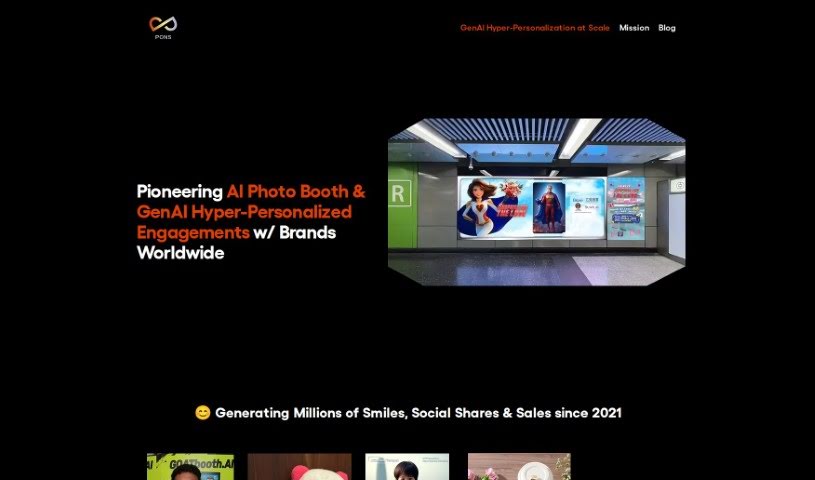
Screenshot of Pons Ai

Pons Ai

Discover Pons Ai in 2025! Learn what this unique AI greeting card generator is, how to use its 'AI Artist' feature for personalized designs, and how it stacks up against other design tools.

Screenshot

What is Pons Ai?

Pons Ai is a really neat SaaS tool that uses artificial intelligence to help you create one-of-a-kind, personalized greeting cards. What makes it stand out from other card-making tools is its ‘AI Artist’ feature. This lets you describe exactly what you want the AI artist to draw, giving you a huge amount of control over personalization and creativity. The tool guides you through everything, from entering the recipient’s details to quickly generating several card designs. It really simplifies the whole process of designing a card and even offers creative suggestions if you’re stuck.

Pons Ai is perfect for all sorts of occasions – think New Year, Christmas, birthdays, and more. It’s designed with a super user-friendly interface, and its automatic design generation makes creating beautiful cards a breeze.

Who created Pons Ai?

Goodwin GAW is the creative mind behind Pons Ai. They launched it on December 15, 2023. The company’s main focus is on hyper-personalization using generative AI. They offer a range of services, including an AI Photo Booth, AI Portrait Merch (like custom phone cases or mugs), AI-powered gift wrapping, and more, all designed to add a personal touch to special occasions.

What is Pons Ai used for?

Pons Ai is incredibly versatile! Here’s a look at what you can do with it:

  • Personalized Commerce: Create custom products that resonate with your customers.
  • AI Photo Booth: Generate unique, AI-enhanced photos for events or marketing.
  • AI Portrait Merch: Design personalized items like phone cases, mugs, or coasters featuring AI-generated portraits.
  • AI Portrait Wine / Coffee: Add custom AI portraits to wine bottles or coffee mugs.
  • AI Gift / Membership / Payment Card Skins: Design eye-catching custom skins for various cards.
  • AI Greeting / Invitation Cards: Craft truly unique and personal cards for any event.
  • AI Personalized Gift Wrapping: Make your gifts extra special with custom-wrapped paper.
  • AI Personalized Content for E-Mail Marketing: Boost engagement with tailored email content.
  • AI Personalized Discount Vouchers: Offer unique discounts that stand out.
  • Personalized greeting cards: The core function, making every card special.
  • Assists throughout design: Get help at every step of the creative process.
  • Designs based on description: Tell the AI what you envision, and it brings it to life.
  • Creative direction assistance: If you’re unsure, the AI can offer suggestions.
  • Generates multiple designs quickly: Get several options to choose from in no time.
  • Recipient information input: Easily tailor cards to the specific person.
  • Designs for various occasions: Perfect for holidays, birthdays, and everything in between.
  • Digital art capabilities: Explore its potential for creating digital artwork.
  • Automatic design generation: Let the AI do the heavy lifting.
  • Fast design solution: Get your cards ready in a flash.
  • Multiple card designs generation: Always have plenty of choices.
  • User preference input: The AI learns and adapts to what you like.
  • FAQ section for queries: Find answers to common questions easily.

Who is Pons Ai for?

Pons Ai is a fantastic tool for:

  • Brand’s events / marketing / advertising teams: Elevate your brand’s presence with personalized touches.
  • Any brand’s events/marketing/advertising teams: Whether you’re a large corporation or a small business, it’s a great asset.
  • Events/marketing/advertising teams: Streamline your creative process and impress your clients or audience.

How to use Pons Ai?

Ready to create some amazing personalized greeting cards with PONS.ai SaaS? It’s pretty straightforward! Just follow these simple steps:

  1. Input Recipient Information: First things first, enter the details about the person you’re sending the card to. This helps tailor the message and design.
  2. Describe Design Preferences: This is where the magic happens! Use the ‘AI Artist’ feature to describe exactly what you’d like the AI to draw. Be as creative as you like!
  3. Receive Creative Assistance: Feeling stuck? The tool can offer creative direction. Plus, the AI will quickly generate several different card designs for you to look at.
  4. Select Occasion: Let the AI know what the card is for – maybe New Year, Christmas, a birthday, or another special event.
  5. Review & Choose Designs: Take a good look at all the designs the AI has created and pick the one that you feel is the best fit.
  6. Personalize Further (if desired): Want to add a little extra something? You can always add your own personal touches or make small tweaks to make the design even more unique.
  7. Confirm Design: Once you’re happy with your chosen design, finalize your selection. You’ll then move on to the preview stage.
  8. Preview & Edit (if necessary): Take a final look at the complete design. If you spot anything you want to change, now’s the time for any last-minute adjustments.
  9. Order or Download: When you’re completely satisfied, you can either order a physical card to be printed or download the digital version to send electronically.
  10. FAQs for Queries: If any questions pop up along the way, the FAQ section on the PONS.ai SaaS website is a great resource for quick answers and further assistance.

By following these steps, you can efficiently create personalized greeting cards using the innovative features of PONS.ai SaaS. It’s a fantastic way to make any occasion feel extra special!

Related AI Tools

Discover more tools in similar categories that might interest you

123RF AI Image Generator

Creative Image Generation
Learn More

Stay Updated with AI Tools

Get weekly updates on the latest AI tools, trends, and insights delivered to your inbox

Join 25,000+ AI enthusiasts. No spam, unsubscribe anytime.