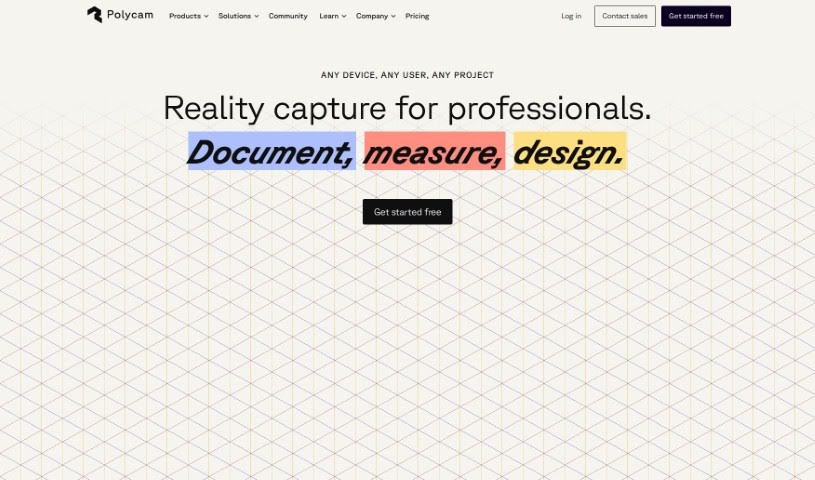
Screenshot of Polycam

Polycam

Discover what Polycam is and how to use it effectively in 2025. Explore its features for generating realistic 3D textures and see how it stacks up against other 3D Model Generators.

Screenshot

What is Polycam?

Polycam is a really neat AI tool that helps you create lifelike textures for your 3D projects. Whether you’re into 3D modeling, gaming, or animation, you can simply type in a description, and Polycam generates up to four seamless, tileable textures for you to download. These textures are perfect for popular software like Blender, Unreal Engine, SketchUp, and Unity. You’ll get essential maps like albedo, displacement, normals, and roughness, which are super useful for making 3D objects look great in video games, AR/VR experiences, digital art, and even VFX. You can even take these textures and apply them to your Polycam scans in other 3D software to really make them your own. The best part? You can use them commercially without any worries about restrictions or royalties – it’s completely watermark-free and royalty-free. Polycam is always looking for user feedback to make their tools even better, and you can try it out on the App Store, Google Play, or even their free web version.

Who created Polycam?

Polycam is the company behind this handy 3D texture generator. They launched the tool on December 8, 2022. Essentially, Polycam lets you generate realistic textures for 3D modeling, gaming, and animation just by typing in a text prompt. What’s great is that the textures it creates are seamless and tileable, meaning they can be repeated without obvious seams, making them ideal for all sorts of software like Blender, Unreal Engine, SketchUp, and Unity. You have the freedom to customize and apply these textures to scanned objects in external 3D applications, and you can use them for commercial projects without any restrictions or needing to pay royalties. Polycam really values what users think to keep improving their tools, and they offer these textures completely watermark-free and royalty-free for commercial use.

What is Polycam used for?

  • Making Realistic Textures: It’s fantastic for creating super realistic textures for 3D modeling, gaming, and animation.
  • Adding Detail: You can use it to add intricate details to 3D objects in video games, AR/VR experiences, digital art, and VFX.
  • Improving Scans: It helps enhance the look of scanned objects when you use them in other 3D applications.
  • Commercial Freedom: You can use the textures you create for commercial projects without any restrictions or needing to pay royalties.
  • No Attribution Needed: You don’t need to give credit when using the textures.
  • Easy Downloads: You can download texture zip files that include JPEGs for albedo, displacement, normals, and roughness maps.
  • Customization: It’s great for customizing and applying textures in various software like Blender, Unreal Engine, SketchUp, Unity, and many others.
  • Giving Feedback: You can share your thoughts with Polycam to help them improve the tool’s features and functionality.
  • Accessible Anywhere: You can access the tool through mobile apps or its web version.
  • Free Trial: You can try out the web version for free.

Who is Polycam for?

  • 3D Modelers
  • Game Developers
  • Animators
  • Digital Artists
  • VFX Artists

How to use Polycam?

Using 3D Textures by Polycam is pretty straightforward. Here’s a simple breakdown:

  1. Type Your Prompt: Start by typing a text prompt that describes the texture you want to create. This is your starting point for generating realistic textures for 3D modeling, gaming, and animation.
  2. Download Your Textures: Based on your prompt, Polycam will give you up to four seamless, tileable textures. You can then download these and use them in your favorite software, whether that’s Blender, Unreal Engine, SketchUp, Unity, or something else.
  3. Export the Texture Files: For each texture result you like, you can export it as a zip file. Inside, you’ll find JPEGs for the albedo, displacement, normals, and roughness maps.
  4. Explore the Applications: Think about all the ways you can use these textures! They’re perfect for adding detail to 3D objects in video games, making AR/VR experiences more immersive, creating stunning 3D digital art, or working on VFX projects.
  5. Customize Your Work: You can take the textures you’ve generated and apply them to your Polycam scans within external 3D applications. This lets you really customize and improve the look of your scanned objects.
  6. Commercial Use is Easy: Feel free to use these generated textures for any commercial projects. There are no restrictions, no royalties to worry about, and no attribution is required.
  7. Enjoy the License: You get to use the tool with a commercial license that’s completely watermark-free and royalty-free.
  8. Share Your Thoughts: Polycam loves hearing from users! Providing feedback helps them continuously improve the tool’s functionality and add new features.
  9. Try It Out: You can find links to download the mobile apps on the App Store and Google Play, or you can give the tool a spin for free on the web.

By following these steps, you’ll be able to effectively use 3D Textures by Polycam to create some truly amazing and realistic textures for all your creative projects.

Related AI Tools

Discover more tools in similar categories that might interest you

123RF AI Image Generator

Creative Image Generation
Learn More

Stay Updated with AI Tools

Get weekly updates on the latest AI tools, trends, and insights delivered to your inbox

Join 25,000+ AI enthusiasts. No spam, unsubscribe anytime.