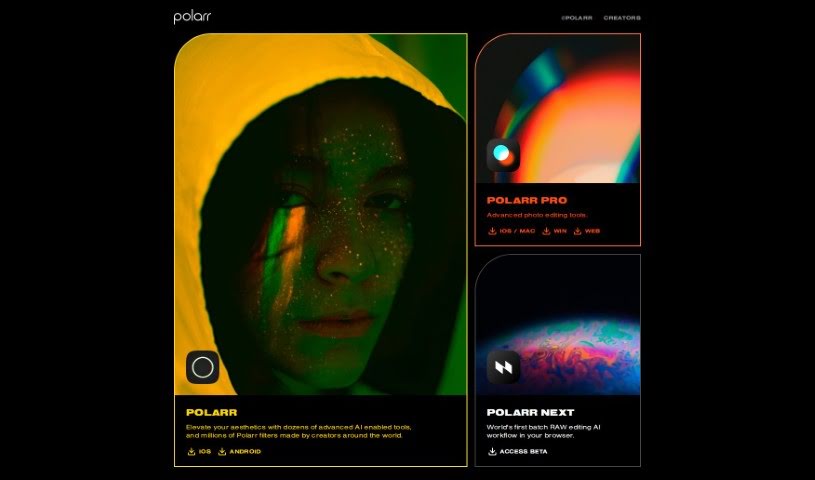
Screenshot of Polarr Copilot

Polarr Copilot

Discover what Polarr Copilot is and how to use it effectively in 2025. We'll explore its features and see how it stacks up against other photo editors.

Screenshot

What is Polarr Copilot?

Polarr Copilot is a really advanced platform that’s changing how we create things. It uses smart AI tools to help you edit photos, make videos, and design graphics. You can easily turn your ideas into amazing visuals, and there are plenty of options to tweak everything until it’s just right. The interface is super easy to use, no matter what style you’re going for. It really lets you be creative with your photos, letting your imagination guide the editing process. Polarr Copilot makes editing simpler by letting you just describe what you want to change, and then you get to watch the magic happen right there in the tool.

Who created Polarr Copilot?

Polarr Copilot comes from Polarr, a company that’s already well-known for its smart AI tools and filters, many of which are created by artists from all over the world. While we don’t have specific details about the founder, the company Polarr itself is a leader in redefining creative expression. They offer advanced AI-powered tools that are great for photo editing, video production, and creating designs.

What is Polarr Copilot used for?

  • Easy to Use: It has a really intuitive interface that turns your text descriptions into visual art.
  • Photo Editing: You can edit photos easily just by typing what you want to change.
  • Design Flexibility: You can fine-tune your creations to make them absolutely perfect.
  • Works Across Media: It’s great for all sorts of projects, whether you’re working with photos, videos, or designs.
  • Creative Freedom: It really encourages you to be imaginative with your editing and design work.

Who is Polarr Copilot for?

  • Photographers
  • Video Producers
  • Designers
  • Graphic designers
  • Content creators
  • Video editors

How to use Polarr Copilot?

Here’s a simple guide to using Polarr Copilot effectively:

  1. Get Started: First, open up Polarr Copilot. Remember, it’s a cutting-edge AI tool designed for editing photos, making videos, and creating designs.
  2. Explore the Interface: Take advantage of its intuitive interface. It’s built to easily turn your text descriptions into visually striking content.
  3. Edit Your Photos: Editing photos is a breeze. Just describe the changes you want to make using simple text, and the tool will handle it.
  4. Perfect Your Creations: Use the platform’s design flexibility to refine your work until it’s exactly how you want it.
  5. Use it for Anything: You can create amazing content for photos, videos, and design projects with Polarr Copilot.
  6. Get Creative: Don’t hold back! The tool offers so much creative freedom, so let your imagination guide you.
  7. Describe and See the Magic: It’s really cool to describe edits and then watch them come to life right there in the Polarr Copilot environment.

Following these steps will help you get the most out of Polarr Copilot’s advanced features and AI capabilities, really boosting your editing and design projects.

Related AI Tools

Discover more tools in similar categories that might interest you

123RF AI Image Generator

Creative Image Generation
Learn More

Stay Updated with AI Tools

Get weekly updates on the latest AI tools, trends, and insights delivered to your inbox

Join 25,000+ AI enthusiasts. No spam, unsubscribe anytime.