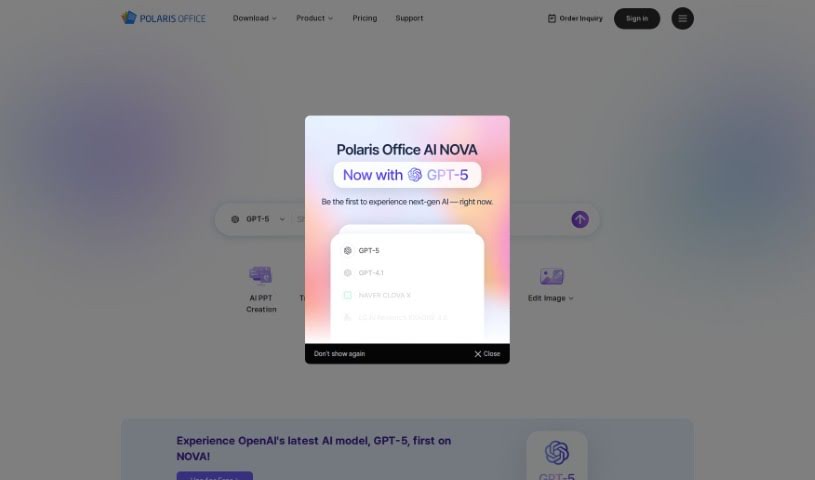
Screenshot of Polaris Office

Polaris Office

Discover what Polaris Office is and how to use it effectively in 2025. We'll explore its features and see how it stacks up against other content writing tools.

Screenshot

What is Polaris Office?

Polaris Office is a really smart office document tool that’s packed with generative AI. It’s designed to help you create documents much more efficiently. It is having a helpful assistant for all your writing needs. It offers a bunch of cool features, like helping you prepare documents, writing content with AI, and even chatting to make your workflow smoother. Plus, it can do things like summarize long documents, translate languages, and even create images just from text descriptions. Polaris Office AI works across different devices, so you can easily get to and edit your documents no matter where you are. What really sets it apart from other AI tools is how much it offers – it’s a great asset for both personal projects and professional work, covering a wide range of document tasks.

Who created Polaris Office?

Polaris Office was developed by Polaris Office Corp, a company that got started back in 2023. They officially launched the software on June 5, 2023. Since then, it’s been offering a solid set of features, including AI writing assistance, tools for preparing documents, a chat function for smoother workflows, and capabilities for summarizing, translating, and even generating images from text. The team at Polaris Office Corp really aims to create a platform that’s great for both individuals working alone and teams collaborating, and they’ve made sure it’s accessible on various devices to boost convenience and productivity.

What is Polaris Office used for?

Here’s a look at what you can do with Polaris Office:

  • Create images from text: Just describe what you want, and the AI can generate it.
  • Translate languages: Easily convert text from one language to another.
  • Personal Use: Great for your everyday document needs.
  • Summarize documents: Quickly get the main points from lengthy texts.
  • Create documents: Build new documents from scratch or with AI help.
  • Business purposes: Streamline your work and boost efficiency.
  • Professional use: Handle all your work-related document tasks.
  • Help with PowerPoint: Makes creating presentations much easier.
  • Generate reports: Aid in putting together clear and concise reports.
  • Find images for content: Quickly locate visuals without endless searching.
  • Collaborate on group projects: Makes working together on documents more intuitive.
  • Translate content: Ensure your message is understood across different languages.
  • Save time by not starting from scratch: Get a head start on your projects.
  • Prepare presentations: Helps you get your slides ready faster.
  • Generate text to image: Turn your ideas into visuals.
  • Offer copyright-free images: Use visuals without worrying about licensing.
  • Provide membership credits: Often included as part of a subscription.
  • Assist in completing PowerPoint presentations: Get help finishing your slides.
  • Image finding: A quick way to source relevant images.
  • Group projects: Facilitates teamwork on shared documents.
  • Reports generation: Helps you create professional reports.
  • Subsequent writing: Continue or expand on existing text easily.

Who is Polaris Office for?

Polaris Office is a versatile tool that can help a wide range of people, including:

  • Office workers: Streamline daily tasks and improve document management.
  • Business professionals: Enhance productivity and collaboration.
  • Students: Assist with assignments, research papers, and presentations.
  • Professors: Create course materials and manage academic documents.
  • Lawyers: Draft legal documents and manage case files efficiently.
  • Sales professionals: Prepare proposals, reports, and presentations.
  • Medical professionals: Manage patient records and research documents.
  • Engineers: Document designs, reports, and technical specifications.
  • Teachers: Develop lesson plans and educational materials.
  • Writers: Draft articles, stories, and other written content.
  • Designers: Create visual content and accompanying text.
  • Freelancers: Manage client projects and communications effectively.
  • Researchers: Organize data, write papers, and summarize findings.
  • Content creators: Generate text, find images, and prepare content for various platforms.
  • Professionals involved in document creation and collaboration: Anyone who regularly works with documents and needs to share them.
  • Individuals working on group projects: Makes teamwork smoother and more organized.
  • People working on presentations or reports: Helps you create polished final products.

How to use Polaris Office?

To really make the most of Polaris Office AI, here’s a simple guide:

  1. Device Compatibility: First off, Polaris Office AI is super flexible. You can use it on your PC, Mac, or even your mobile iOS device. This means you can work on your documents conveniently, no matter where you are or what device you’re using.
  2. Document Creation: Want to create a document? Just use the AI writing feature. Tell it what you want to write about, and it’ll help generate the content for you. This really speeds up your workflow and makes creating documents a breeze.
  3. Group Projects and Reports: Polaris Office AI is fantastic for team projects and reports. It helps generate content and ensures everything is well-organized. Plus, its collaboration features mean everyone on the team can contribute easily.
  4. Language Translation: If you’re working with people who speak different languages, or need to understand foreign text, the language translation feature is a lifesaver. It helps bridge communication gaps.
  5. Getting Started: It’s easy to jump in. You can access the platform right from their website, or if you prefer, download the application onto your device. Once you’re logged in, you can start creating and editing documents right away.
  6. PowerPoint Presentations: Need to get a PowerPoint presentation done quickly? Use the AI writing feature to generate content that fits your topics. It really streamlines the whole process of putting slides together.
  7. Image Finding: Polaris Office AI has a neat text-to-image feature. You just type in keywords for the kind of image you need, and the AI will provide relevant visuals. This saves you a ton of time compared to searching manually.
  8. Document Summarization: Got a long, detailed document? Use the summarization feature to quickly pull out the main points. It makes information much easier to digest and understand.
  9. Business Purposes: For any business needs, Polaris Office AI is a great tool. You can use its productivity-boosting features, like AI writing and document preparation, to create documents and manage projects more efficiently.
  10. Personal and Professional Use: Whether it’s for your personal projects or your professional work, Polaris Office AI is designed to fit. It caters to individual needs and also offers collaborative options for business use.

By following these steps, you’ll be able to use Polaris Office AI effectively for all sorts of document creation and management tasks.

Related AI Tools

Discover more tools in similar categories that might interest you

Stay Updated with AI Tools

Get weekly updates on the latest AI tools, trends, and insights delivered to your inbox

Join 25,000+ AI enthusiasts. No spam, unsubscribe anytime.