What is Pod?
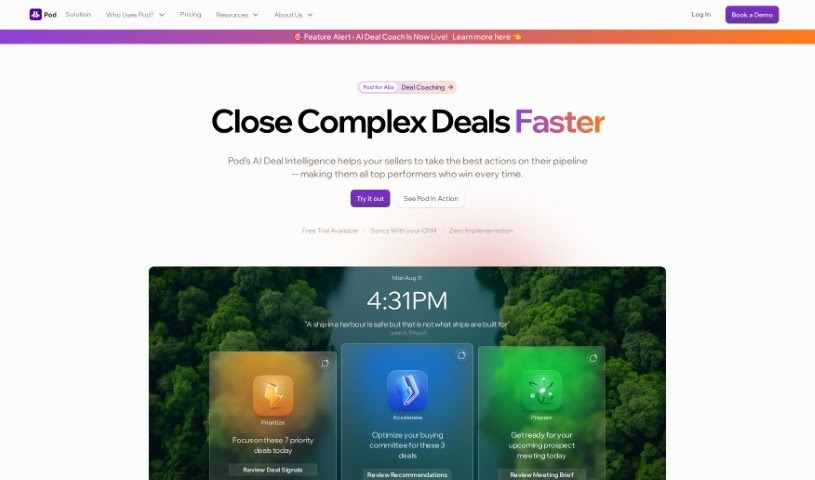
Pod is essentially an AI pipeline coach, built specifically for B2B sellers. It is a smart assistant for Account Executives, offering guidance on which deals to prioritize and providing the crucial information they need to close those deals faster and more efficiently. Pod cleverly combines generative AI with automation to really streamline how you manage your sales pipeline and speed up the process of closing deals. It’s designed to help sellers cut down on the time they spend on administrative tasks, freeing them up to concentrate on the more strategic aspects of selling and ultimately boosting their productivity.
With features like summarized knowledge bases, personalized email drafting, and automated data entry, Pod is all about optimizing the sales process. It’s a game-changer for account executives, sales leaders, and anyone in revenue operations.
Who created Pod?
Pod was founded by Joe Rainmaker. His company, Pod Inc., is the one behind Pod, which they proudly call the first AI pipeline coach specifically for B2B sellers. It’s designed to give Account Executives clear direction on which deals deserve their focus and the essential information needed to close them more effectively. Pod’s main goal is to empower sales professionals by using generative AI and automation to make pipeline management smoother and speed up deal closures.
What is Pod used for?
Pod offers a wide range of benefits for sales professionals:
- AI-powered pipeline coaching specifically for B2B sellers.
- Provides clear direction on which deals to focus your energy on.
- Delivers the information you need to close deals faster.
- Helps you maximize your sales potential by using generative AI and automation.
- Empowers you to streamline your pipeline management.
- Accelerates deal closures so you can move on to the next opportunity.
- Reduces the time you spend on administrative tasks.
- Allows you to focus more on strategic selling.
- Enhances productivity through personalized emails and automated data entry.
- Helps you understand the needs of account executives, sales leaders, and revenue operations professionals.
- You can ask Pod about your personal sales patterns to identify areas for improvement.
- Compare your average deal size to the maximum deal sizes within your territories.
- Link quota attainment directly to the roles of key stakeholders.
- Identify common stages where deals tend to get stuck, stall, or fall out of the pipeline.
- Analyze what makes selling successful across different industries, customer sizes, or geographies.
- Get AI-powered insights for engaging stakeholders efficiently.
- Create personalized email drafts with the help of AI.
- Automate data entry so you can spend more time actually selling.
- Optimize engagement to keep your deals moving forward.
- Boost productivity by organizing your workflows and managing CRM updates.
- Leverage AI and ChatGPT for real-time recommendations on how to engage stakeholders effectively.
- Create personalized email drafts with AI assistance.
- Streamline sales admin work through automated data entry.
- Boost productivity by organizing workflows and keeping your CRM updated with notes, tasks, and account plans all in one place.
Who is Pod for?
Pod is designed for:
- Account Executives
- Sales Leaders
- RevOps (Revenue Operations) professionals
- Account Executives (listed again for emphasis on its core user)
How to use Pod?
Using Pod is pretty straightforward. Here’s a simple guide to get you started:
- Download and Install: First, you’ll need to download and install the Pod software onto your device. It’s a quick process.
- Open and Set Up: Once it’s installed, open the application. You can either create a new project or select an existing one you’re working on.
- Explore Features: Take a moment to get familiar with what Pod offers. It has features like audio recording, editing tools, and various export options.
- Start Recording: Ready to go? Just click the record button and start speaking into your device’s microphone. It’s that simple.
- Edit Your Audio: After you’ve finished recording, you can use the editing tools to trim any unwanted parts, rearrange segments, or make other enhancements to your audio files.
- Save or Export: When you’re happy with how it sounds, save your project or export it in the audio format you prefer.
- Discover More: Don’t forget to check out the extra features! Pod includes things like sound effects, filters, and mixing options that can really make your audio creations stand out.
By following these steps, you can really make the most of Pod and let your creativity flow in the audio world.