What is Plurana?
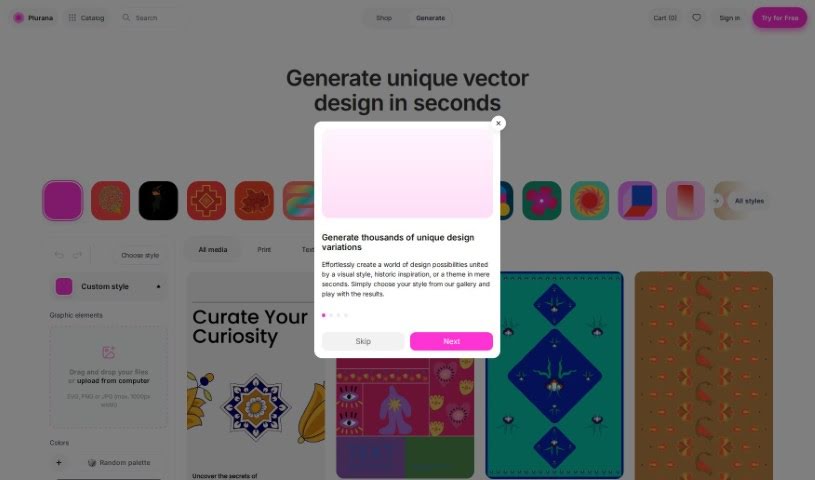
Plurana is a really neat tool that lets you create vector designs, specifically high-quality SVGs. It is a generative design assistant for things like patterns, prints, and graphics for your social media. What’s cool is that it can generate random design ideas, draw inspiration from cultural heritage for some truly unique looks, and you can even upload your own images to mix in. Plus, it works perfectly with Figma, which is a huge plus if you’re already using that popular design software. The designs you make here really feel inspired by different cultures, giving them a special touch.
With Plurana, you can whip up all sorts of design outputs – patterns, prints, social media graphics – all as crisp, high-quality SVGs. Want to add your personal flair? Just upload your own media. Plurana also has this neat random generation feature that can spark some interesting and diverse design options for patterns and prints, giving you plenty of creative starting points.
Who created Plurana?
Plurana was developed by Plurana BV and first launched on July 17, 2023. This company offers a generative vector design tool that helps users create high-quality SVGs for patterns, prints, and social media graphics. While the specific founder isn’t mentioned in the available information, the company’s main focus is on providing customizable designs that are inspired by cultural heritage. They also emphasize compatibility with Figma and the ability for users to upload their own media to personalize their creations.
What is Plurana used for?
- Customizable Designs: Tailor your creations to fit your exact needs.
- Patterns creation: Easily generate unique and repeatable patterns.
- Prints design: Craft eye-catching prints for various applications.
- Social media graphics creation: Make engaging visuals for your online presence.
- Generates high-quality SVGs: Get scalable vector graphics that look great at any size.
- Cultural heritage influenced designs: Explore designs inspired by diverse cultural aesthetics.
- Media upload capability: Personalize your designs by adding your own images or assets.
- Fully compatible with Figma: Seamlessly integrate Plurana into your existing Figma workflow.
- Creation of unique patterns and prints: Discover novel design elements you won’t find elsewhere.
- Suitable for graphic designers: A powerful tool for professionals in the field.
- Create high-quality SVGs for patterns: Generate intricate patterns with vector precision.
- Generate prints: Produce professional-looking prints for merchandise or marketing.
- Design social media graphics: Quickly create visually appealing content for platforms like Instagram or Facebook.
- Produce unique patterns and prints: Stand out with distinctive design elements.
- Incorporate cultural heritage in designs: Add depth and meaning to your work with culturally inspired motifs.
- Allow media upload for personalized designs: Make your designs truly your own by adding your own media.
- Generating random design results for exploration: Get unexpected ideas and starting points for your creative process.
- Providing starting points for further design customization: Use the generated outputs as a base to build upon.
- Creating scalable graphics for various purposes: Ensure your designs look sharp whether they’re for a small icon or a large banner.
- Enable seamless design workflows with Figma: Move your designs effortlessly between Plurana and Figma.
- Social media graphics generation: Efficiently create graphics for your social media campaigns.
- Unique patterns and prints creation: Develop distinctive designs that capture attention.
- Creating high-quality SVGs: Produce vector graphics that maintain clarity and detail.
- Seamless compatibility with Figma: Enjoy a smooth transition when working with both tools.
- Incorporating cultural heritage in designs: Infuse your work with rich cultural influences.
- Uploading custom media for personalized designs: Add your personal touch to any design.
- Generating random design results for exploration: Spark creativity with unexpected generative outputs.
- Providing starting points for further design customization: Kickstart your design process with ready-made elements.
Who is Plurana for?
- Graphic designers
- Artists
- Social media managers
- Marketers
- Content creators
How to use Plurana?
Getting started with Plurana is pretty straightforward. Here’s a quick rundown:
- Access Plurana: First, head over to the Plurana website. You might need to sign in if you have an account.
- Explore Features: Take some time to look around and see what Plurana offers. You can play with the random generative results, check out the designs inspired by cultural heritage, and see how easy it is to upload your own media.
- Design Outputs: Start creating! You can generate patterns, prints, and social media graphics, all in that high-quality SVG format.
- Compatibility: If you use Figma, you’ll love that Plurana is fully compatible. This means you can move your designs between the platforms really smoothly.
- Upload Media: Want to add your own touch? Use the media upload feature to incorporate your personal images or assets into your designs.
- Customization: Don’t be afraid to experiment! Plurana offers various customization options, so you can really tailor the designs to exactly what you envision.
- Generate Designs: Use Plurana to create those unique patterns and prints for whatever design project you have in mind.
- Social Media Graphics: Need graphics for social media? Plurana makes it easy to craft engaging and high-quality visuals.
- Random Results: If you’re stuck or just looking for inspiration, Plurana’s random generative results are a great starting point for further customization.
- Subscription Options: Plurana offers different plans to suit your needs. You can start with the free Starter plan, or opt for Plurana Light or Plurana Pro if you need more tokens and advanced design capabilities.
By following these steps, you’ll be well on your way to using Plurana effectively to create unique, high-quality vector designs that are perfect for your specific needs.