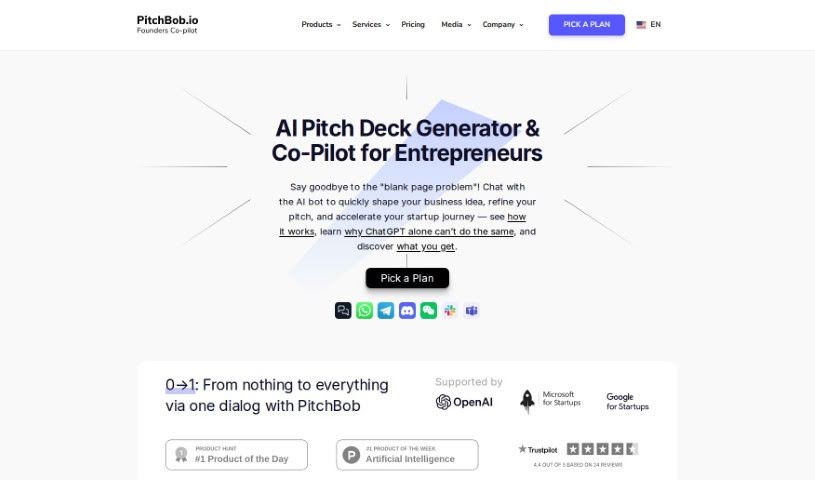
Screenshot of PitchBob

PitchBob

Discover what PitchBob is and how to use it effectively in 2025. Explore its features, compare it with other entrepreneurial tools, and learn how it can help your startup succeed.

Screenshot

What is PitchBob?

PitchBob is a really smart tool built to help entrepreneurs get their startup ideas ready and presented in the best way possible. It is your go-to assistant for everything from practicing how to answer tough investor questions to generating applications for accelerators. It also helps you put together investor kits and gives you access to a big database of investors, plus lots of other helpful resources for anyone starting a business. What’s cool is that PitchBob offers a bunch of unique presentation design templates, it can actually check your startup ideas and pitch decks against key metrics, and it even publishes articles about startups that link back to your site. Basically, it’s designed to help you tackle those tricky parts of coming up with and sharing your big ideas.

Who created PitchBob?

PitchBob was founded by Daniel Dahlstrom, who is also the CEO and Founder at Punch. PitchBob itself is an AI-powered tool that helps entrepreneurs create their pitch decks. It offers personalized tips and suggestions to help you really nail your message and show off what makes your startup special. The whole idea behind this platform is to make it much simpler to create those all-important pitch decks and other key documents you need for fundraising. It gives you the tools and resources to clearly explain your startup’s mission and strategy.

What is PitchBob used for?

  • Helping you shape your startup idea and pitch deck.
  • Getting you ready to answer questions about your startup.
  • Analyzing the market using collected data.
  • Refining your startup idea and pitch deck to make them stronger.
  • Giving you recommendations for your startup’s development.
  • Improving your pitch and your answers to common questions.
  • Providing training on entrepreneurship knowledge and skills.
  • Helping you understand your startup idea more deeply.
  • Generating unique presentation design templates.
  • Evaluating your startup idea and pitch deck against 11 different parameters and giving you feedback.
  • It trains you on how to answer around 340 questions that investors typically ask.
  • It can communicate with you and create documents in any language you prefer.
  • It creates and publishes an article about your startup, including a backlink to your website and LinkedIn profile.
  • It’s essentially an AI Pitch Deck Generator.
  • You can think of it as an All-in-One Startup Starter Pack.
  • It can help answer questions, and even answer them for you if you’re unsure.
  • It makes your pitch and responses fit neatly into presentation templates.
  • It offers basic training in entrepreneurial knowledge and skills for developing your ideas.
  • It checks your startup idea and pitch deck against 11 key parameters and provides feedback.
  • It helps you understand your idea better by offering insights into competitors, market size, and important metrics.
  • You get 10 unique, ready-made presentation design templates where your pitch content fits automatically.
  • It evaluates your startup idea and pitch deck against 11 parameters and provides feedback.
  • It generates pre-filled applications for top accelerators for you.
  • It creates a complete investor’s kit, including a pitch deck, sales deck, business plan, investor email, and a one-pager, all in editable pptx format.
  • You get access to a database with 100,000 investors, plus templates, legal documents, and other helpful materials for entrepreneurs.
  • It trains you on how to better respond to the 340 questions investors typically ask.
  • It communicates with you and creates documents in any language you choose.

Who is PitchBob for?

  • Entrepreneurs just starting out
  • People launching their first startup
  • Students interested in business
  • Indie hackers working solo
  • Founders who are the only one on the team
  • People working on new ideas within a larger corporation (intrapreneurs)

How to use PitchBob?

PitchBob is a really comprehensive tool designed to make creating a strong pitch deck and other essential documents for fundraising much simpler. Here’s a straightforward way to get started:

  1. First, sign up for PitchBob and pick the plan that best fits what you need – they have Basic, Advanced, Pro, and Super Pro options.
  2. Then, start using the platform’s features. You can choose from 10 unique presentation design templates that are made to automatically fit your pitch content perfectly.
  3. Go ahead and input your startup idea and pitch deck. PitchBob will then evaluate them against 11 different parameters and give you feedback.
  4. Make sure to take advantage of the all-in-one investor’s kit. This handy feature includes your pitch deck, sales deck, business plan, an investor email, and a one-pager, all provided in editable pptx format.
  5. You can also access the database that contains information on 100,000 investors, along with templates, legal documents, and other useful materials for entrepreneurs.
  6. PitchBob also offers training to help you get better at responding to the 340 questions that investors commonly ask.
  7. Feel free to communicate with PitchBob in your preferred language, and it will create documents accordingly.
  8. You can even create and publish an article about your startup through PitchBob, complete with a backlink to your website and LinkedIn profile.
  9. Don’t forget to benefit from the tool’s AI-driven features, like the AI co-pilot, personalized AI-written articles, and AI-generated applications for accelerators.
  10. Lastly, look out for various promo codes that offer discounts and special deals on different plans.

By following these steps, you can really make the most of PitchBob to streamline how you pitch and help your startup succeed with a great presentation and all the necessary documents.

Related AI Tools

Discover more tools in similar categories that might interest you

Stay Updated with AI Tools

Get weekly updates on the latest AI tools, trends, and insights delivered to your inbox

Join 25,000+ AI enthusiasts. No spam, unsubscribe anytime.