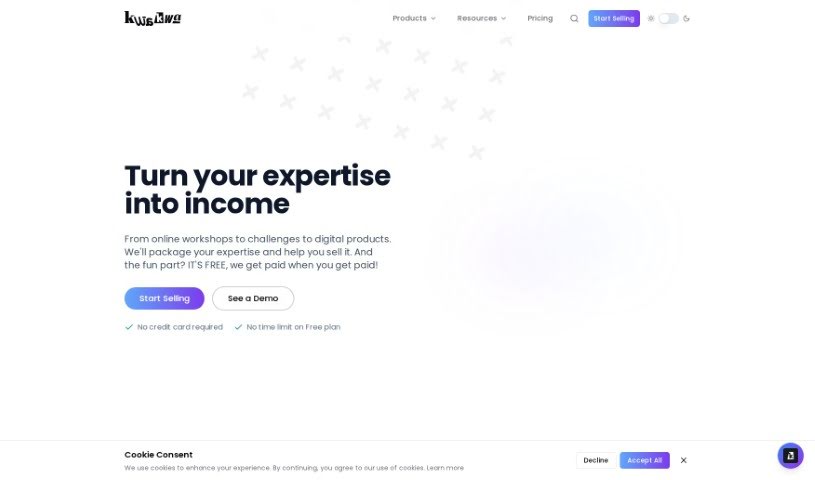
Screenshot of Piggy Quiz Maker

Piggy Quiz Maker

Discover what Piggy Quiz Maker is and how to use it effectively in 2025. Explore its features, who it's for, and how it stacks up against other content creation tools.

Screenshot

What is Piggy Quiz Maker?

Piggy Quiz Maker is a straightforward platform designed to help you create quizzes easily. You can use this tool to build interactive and engaging quizzes for all sorts of reasons – whether it’s for learning, training, or just for fun. Piggy Quiz Maker lets you customize your quizzes quite a bit. You can add different types of questions, include images and videos to make them more interesting, and tweak the settings to fit exactly what you need. The whole idea behind this platform is to make quiz creation simple, so you can produce professional-looking quizzes quickly, even if you’re not a tech whiz. Basically, Piggy Quiz Maker offers a user-friendly way to craft personalized quizzes that suit whatever purpose you have in mind.

Who created Piggy Quiz Maker?

Piggy Quiz Maker comes from a company called “Piggy Co.” They launched the platform on June 17, 2023. While the specific founder isn’t mentioned in the available information, Piggy Co. is the company responsible for developing and releasing this quiz-making tool.

What is Piggy Quiz Maker used for?

  • You can create and share quizzes on just about any topic you can think of.
  • It’s great for generating quizzes based on a topic you choose, a website URL, or even just some text.
  • You can make fun personality quizzes, challenging math quizzes, or even language translation quizzes, like turning English into Spanish.
  • It’s a neat way to test your own knowledge by taking the quizzes you’ve made.
  • You can easily share the quizzes you create with friends or embed them directly onto your own website.
  • There’s also an API available, which is handy if you want to integrate the quiz functionality into other systems or applications you might be using.
  • Plus, you get access to over 250,000 quizzes that are already built-in, which are perfect for inspiration or even as starting points.
  • The interface is really user-friendly, making quiz creation quick and simple.
  • It’s efficient because the method for creating quizzes is so straightforward.
  • For a better user experience, your data is stored locally in your web browser using cookies.
  • You can create personality quizzes.
  • Develop math quizzes.
  • Generate language translation quizzes, such as English to Spanish.
  • Take quizzes to test your knowledge.
  • Share your created quizzes with friends.
  • Embed quizzes on your website.
  • Access over 250,000 pre-built quizzes for inspiration or to use as examples.
  • Integrate the service into your systems or applications using the API.
  • Create quizzes efficiently with a user-friendly and straightforward interface.
  • Look for examples and inspiration from the huge collection of quizzes available.
  • Make personality quizzes, math quizzes, and language translation quizzes (like English to Spanish).
  • Test your own knowledge by taking the quiz yourself.
  • Share created quizzes with friends directly from Quiz Maker.
  • Enable API access for integration into your own systems or applications.
  • Embed created quizzes on your own websites.
  • Access over 250,000 built-in quizzes for use or modification.
  • Create language translation quizzes.
  • Make math quizzes.
  • Develop language translation quizzes (e.g., English to Spanish).
  • Test your own knowledge by taking quizzes.
  • Embed created quizzes on your website.
  • Access the API for integration with other systems or applications.
  • Find inspiration from the more than 250,000 quizzes available.
  • Modify existing quizzes to better suit your needs.
  • Create quizzes efficiently with the user-friendly interface.
  • Create and share quizzes on various topics.
  • Generate quizzes from input topics, URLs, or text.
  • Make personality quizzes.
  • Create language translation quizzes (e.g., English to Spanish).
  • Test your own knowledge using the quizzes you create.
  • Share the quizzes with friends.
  • Embed quizzes on your personal websites.
  • Access more than 250,000 quizzes for inspiration or modification.
  • Integrate Quiz Maker functions into your own systems or applications using API access.

Who is Piggy Quiz Maker for?

  • Educators
  • Training specialists
  • HR Professionals
  • Event organizers
  • Content creators
  • Marketers
  • Coaches
  • Tutors
  • Game developers
  • Researchers

How to use Piggy Quiz Maker?

Here’s a simple, step-by-step guide to using Piggy Quiz Maker:

  1. Get Started: First, head over to the Piggy Quiz Maker website. Just type the URL into your web browser.
  2. Sign Up: You’ll need to create an account. Follow the registration steps on the platform, providing your email address, a username, and a password.
  3. Log In: Once your account is set up, use your new login details to access your Piggy Quiz Maker dashboard.
  4. Create Your Quiz:
    • Click the “Create Quiz” button to begin.
    • Give your quiz a clear title so you can easily find it later.
    • Start adding questions. You can pick the question type (like multiple-choice or true/false) and then type in your question and the possible answers.
    • Make sure to mark the correct answer for each question.
    • Keep adding questions until your quiz is ready.
  5. Customize Settings:
    • Now, adjust the quiz settings. You can set time limits, decide how scoring works, and configure any other specific requirements you have.
    • Choose the settings that best fit your quiz and what you want to achieve with it.
  6. Preview Your Quiz:
    • Before you make it public, it’s a good idea to preview your quiz. This lets you check that everything looks right.
    • Go through the questions, answers, and settings to make sure the quiz is accurate.
  7. Publish It:
    • When you’re happy with how the quiz turned out, click the “Publish” or “Finish” button. This makes it available for people to take.
    • You can then share the quiz link with your audience via email, social media, or however else you prefer.
  8. Manage Your Quizzes:
    • Your account dashboard is where you can see, edit, or delete quizzes you’ve already made.
    • You can also keep an eye on how participants are doing, check their scores, and get insights into how well the quiz is performing.
  9. Analyze Results:
    • After people have taken the quiz, take some time to look at the results. This helps you understand their performance.
    • You can use this data to see how much they learned, figure out areas where they might need more help, or for any other evaluation you need.
  10. Log Out: For your security, always remember to log out of your Piggy Quiz Maker account when you’re done.

By following these steps, you can effectively use Piggy Quiz Maker to create, manage, and analyze quizzes for all sorts of purposes. Have fun engaging your audience with interactive quizzes!

Related AI Tools

Discover more tools in similar categories that might interest you

Stay Updated with AI Tools

Get weekly updates on the latest AI tools, trends, and insights delivered to your inbox

Join 25,000+ AI enthusiasts. No spam, unsubscribe anytime.