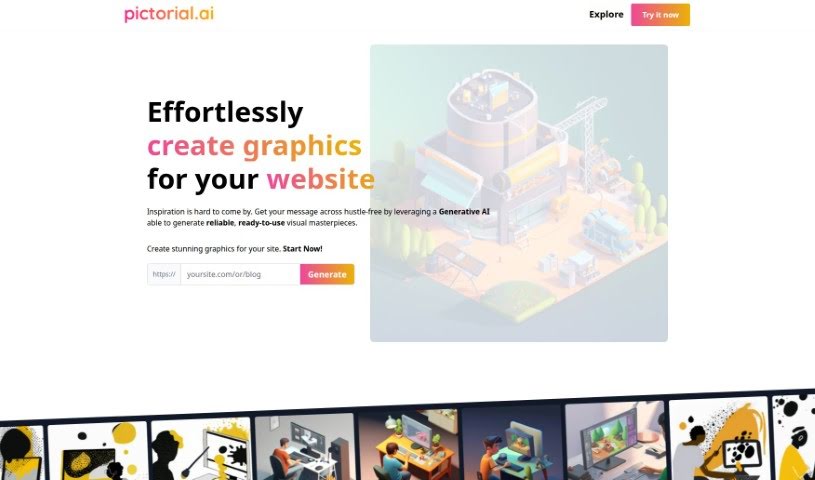
Screenshot of Pictorial

Pictorial

Discover what Pictorial is and how to use it effectively in 2025. Explore its features and see how it stacks up against other AI image generators.

Screenshot

What is Pictorial?

Pictorial is a really neat tool that helps you create graphics for your website or blog without any fuss, all thanks to Generative AI. You just give it the web address (URL) for your site, and the AI gets to work, creating high-quality images based on what’s already there. The whole idea is to make your website or blog look much better visually, and you don’t need to be a designer or know fancy prompt engineering to do it. They’re calling it the first AI-powered visual generator specifically for businesses, and it gives you lots of ways to make professional, eye-catching designs.

Who created Pictorial?

Pictorial was developed using Generative AI to make it super easy for businesses to create graphics for all sorts of needs. It’s perfect for anyone who wants reliable, good-looking designs. The company’s smart use of AI means you can generate great images just by sharing a URL – no design skills needed! Right now, Pictorial is busy making websites and blogs pop with AI-generated visuals. It’s a game-changer that really simplifies making compelling graphics.

What is Pictorial used for?

  • Easily create graphics for your website.
  • Having trouble with your site’s look? Let the AI handle it!
  • Get powerful visuals generated straight from a URL.
  • Pick from different design styles based on your input.
  • Fine-tune the AI’s creations by asking for variations or alternatives.
  • Be among the first to use this AI-powered visual generator for businesses.
  • Generate graphics from any kind of content using AI.
  • Give your website and blog a makeover with high-quality AI images.
  • Boost your website and blog’s visual appeal using Generative AI technology.

Who is Pictorial for?

  • Website designers
  • Bloggers
  • Website Owners

How to use Pictorial?

Pictorial is designed to be super easy to use, letting you create amazing graphics with Generative AI without much effort. Here’s how you can get started:

  1. First, pop in the URL for your website or blog. This is how the image generation process begins.
  2. Next, the Generative AI will dive into your URL, picking up on ideas, concepts, and the overall message to create visual masterpieces.
  3. You’ll then see a range of design options based on what the AI understood from your input. Pick the one that best suits your needs for a professional and appealing look.
  4. Don’t be afraid to tweak things! You can refine the generated designs by asking for different versions or alternatives until you’re really happy with the final image.
  5. Keep an eye out for updates! Pictorial is always improving as the first AI-powered visual generator for businesses.

With Pictorial, giving your website and blog a fresh look with high-quality AI-generated images is straightforward. You won’t need much design experience or complex prompt writing. Just embrace the power of AI to effortlessly enhance your online presence.

Related AI Tools

Discover more tools in similar categories that might interest you

123RF AI Image Generator

Creative Image Generation
Learn More

Stay Updated with AI Tools

Get weekly updates on the latest AI tools, trends, and insights delivered to your inbox

Join 25,000+ AI enthusiasts. No spam, unsubscribe anytime.