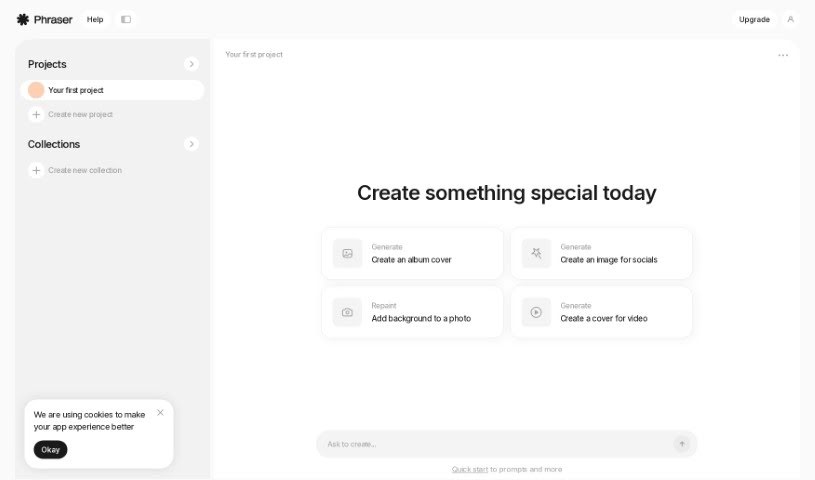
Screenshot of Phraser

Phraser

Discover what Phraser is and how to use it effectively in 2025. We'll explore its features and see how it stacks up against other AI image generators.

Screenshot

What Exactly is Phraser?

Phraser is your go-to creative assistant for digital content. It’s a tool designed to help you whip up all sorts of visuals, whether you need a cool album cover, eye-catching social media images, or even a professional-looking video cover. Essentially, Phraser aims to make generating visually appealing content for any purpose a breeze.

Who’s Behind Phraser?

Phraser was founded by Kyle Geiste. His company, Phraser Inc., is based right in Toronto, Canada. Their whole focus is on building AI-powered tools that really boost creativity and productivity for people who make content. Kyle’s main idea for Phraser was to create something straightforward and efficient – a tool that genuinely helps users create content quickly and without a fuss.

What Can You Actually Do with Phraser?

Phraser is pretty versatile! Here are some of the things you can create:

  • Design a unique album cover.
  • Generate an image perfect for your social media posts.
  • Easily add or change the background of a photo.
  • Create a compelling cover for your videos.

Who Would Find Phraser Useful?

This tool is a great fit for a variety of creative professionals:

  • Graphic designers looking for quick visual assets.
  • Marketers needing engaging images for campaigns.
  • Content publishers who want to enhance their posts.
  • Photographers aiming to add creative backgrounds or touch-ups.

How Do I Get Started with Phraser?

Using Phraser is pretty straightforward. Just follow these simple steps to get the most out of it:

  1. First off, head over to the Phraser website. That’s where you’ll find the tool ready to go.
  2. Once you’re there, hit the “Generate” button. This is your starting point for creating something special, whether it’s an album cover, a social media image, or even adding a background to a photo.
  3. If you’ve got an image you want to tweak for social media or any other creative project, the “Repaint” option is your friend.
  4. Got a video that needs a cover? Just select the feature specifically for designing video covers.

Quick Keyboard Shortcuts to Speed Things Up:

  • Want to save the site for later? Just press Ctrl + D.
  • Need to jump to the very top or bottom of the page in a flash? Use Ctrl + ↑/↓.
  • To sort your entries either by date or alphabetically, use Ctrl + ←/→.
  • You can easily move between different entries using the arrow keys (↑↓←→).
  • When an entry is highlighted, press Enter to open it in a new tab.
  • Alternatively, use Shift + Enter to open the selected entry in a new tab.
  • Want to expand or collapse the list of entries? Try Shift + ↑/↓.
  • To quickly find what you’re looking for, press the forward slash (/) to focus on the search bar.
  • If you need to get out of the search bar or a focused menu, just press Esc.
  • You can sort everything alphabetically (A-Z) and then jump straight to a letter by pressing that key.
  • Ready to add something new? Use the + symbol to submit your entries.
  • Need a little extra help? The ? key will bring up the help menu.

By keeping these steps and shortcuts in mind, you’ll be using Phraser like a pro in no time, creating all sorts of cool visual content efficiently.

Related AI Tools

Discover more tools in similar categories that might interest you

123RF AI Image Generator

Creative Image Generation
Learn More

Stay Updated with AI Tools

Get weekly updates on the latest AI tools, trends, and insights delivered to your inbox

Join 25,000+ AI enthusiasts. No spam, unsubscribe anytime.