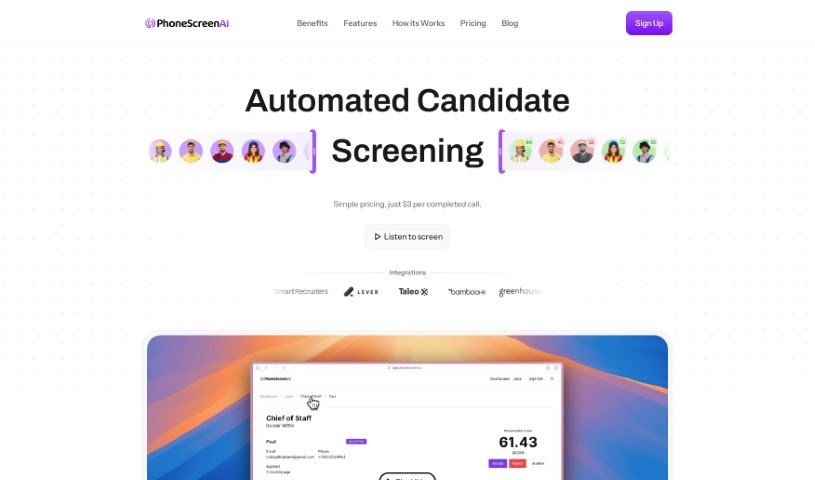
Screenshot of Phonescreen AI

Phonescreen AI

Discover what Phonescreen AI is and how to use it effectively in 2025. We'll explore its features, compare it to other recruitment tools, and guide you through its capabilities.

Screenshot

What is Phonescreen AI?

Phonescreen AI is an automated candidate screening service designed to help companies streamline their recruitment process. It offers simple pricing at $3 per completed call and provides access to pre-qualified candidates ready for interviews. Phonescreen AI aims to unburden hiring managers from sorting through piles of resumes by filtering out unqualified candidates and increasing the candidate pool. The service uses AI to ensure every candidate is treated consistently, eliminating bias and providing reliable, unbiased analysis. Additionally, Phonescreen AI accelerates candidate throughput, saves time and costs associated with scheduling and conducting phone screens, and offers a flexible, efficient, and equitable screening solution with pricing that scales as the company grows.

Who created Phonescreen AI?

Phonescreen was created on March 24, 2024. While the founder’s name isn’t explicitly mentioned in the provided information, the company focuses on offering a platform for automated candidate screening. Their goal is to streamline the recruitment process by using AI technology to ensure consistent and unbiased candidate evaluations. Phonescreen offers several benefits, like speeding up candidate throughput, saving time and money on scheduling and conducting phone screens, and generally reducing recruiting costs by removing the human element. The platform boasts features that make it flexible, efficient, and equitable for candidate screening, with pricing structures that adjust as your needs grow.

What is Phonescreen AI used for?

  • Automated candidate screening: It handles the initial screening of applicants.
  • Integration capabilities: It can connect with your existing systems.
  • Removing Bias in Candidate Evaluation: Ensures fairness by using AI for consistent assessment.
  • Accelerating Candidate Throughput: Helps move candidates through the hiring process faster.
  • Reducing Time and Cost for Phone Screens: Saves resources by automating this step.
  • Increasing Efficiency in Screening Process: Makes the overall screening much smoother.
  • Scalable Pricing for Growing Needs: The cost adjusts as your hiring volume increases.
  • Flexible and Equitable Features: Offers adaptable options that treat all candidates fairly.
  • Cost Savings in Recruiting Processes: Helps lower the overall expense of hiring.
  • Unburdening HR from Resume Screening Tasks: Frees up HR teams from manual resume sorting.

How to use Phonescreen AI?

To effectively use Phonescreen, just follow these simple steps:

  1. Accessing Phonescreen: Start by logging into your Phonescreen account. You’ll need your username and password for this.
  2. Navigating the Interface: Take a moment to get familiar with the user-friendly interface. You’ll see various tabs and options that make it easy to find what you need.
  3. Creating a New Project: Ready to start? Click the “New Project” button. Give your project a relevant name so you can easily identify it later.
  4. Uploading Data: Time to bring in your information. Select “Upload Data” and choose the files from your device that are relevant to your project.
  5. Data Cleaning and Preprocessing: Before diving into analysis, it’s important to clean and preprocess your uploaded data. Use the tools provided to ensure accuracy.
  6. Exploratory Data Analysis (EDA): Use the EDA tools to get a good feel for your data. You can explore its distribution, spot patterns, and understand relationships within it.
  7. Building Models: Based on what you need, you can now build predictive or descriptive models using the platform’s features.
  8. Evaluation and Tuning: Check how well your models are performing. You can then tune the parameters and optimize them for even better results.
  9. Interpreting Results: Make sense of the model outcomes and insights Phonescreen provides. This helps you make informed decisions.
  10. Exporting and Saving: Once you’re happy with everything, export your results in your preferred format and save your project so you can come back to it anytime.

By following these steps, you can really make the most of Phonescreen for your data analysis and model building. It’s designed to help you make smarter decisions.

Related AI Tools

Discover more tools in similar categories that might interest you

Adaface AI Resume Parser

Human Resource Recruitment
Learn More

Stay Updated with AI Tools

Get weekly updates on the latest AI tools, trends, and insights delivered to your inbox

Join 25,000+ AI enthusiasts. No spam, unsubscribe anytime.