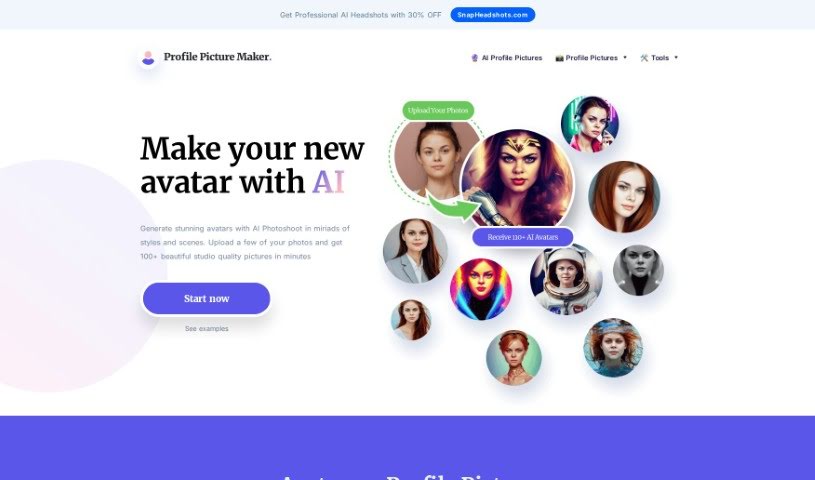
Screenshot of PFPMaker.com AI Avatar

PFPMaker.com AI Avatar

Curious about PFPMaker.com's AI Avatar? Discover what it is, how it works, and get step-by-step instructions for creating your own unique digital representation in 2025. We'll also touch on how it stacks up against other AI portrait tools.

Screenshot

What Exactly is a PFPMaker.com AI Avatar?

an AI Avatar is your digital twin, brought to life using smart artificial intelligence. These aren’t just static images; they’re designed to interact with you, whether through typing or talking, much like a real person. The goal is to create a personalized and engaging experience for anyone who interacts with them. You’ll find AI avatars popping up in all sorts of places – helping out with customer service, acting as virtual assistants, teaching in educational settings, or even just for fun in entertainment. By using clever machine learning, natural language processing, and other AI tricks, these avatars get better and better at chatting with you over time. Essentially, AI avatars offer a really interactive and dynamic way to connect with technology and get the information or services you need.

Who’s Behind the PFPMaker.com AI Avatar?

This AI Avatar was developed by a company that specializes in creating lifelike digital representations using sophisticated Artificial Intelligence software. The process is pretty neat: you upload your own photos, and the AI then generates avatars of you in a variety of different artistic styles. The company really emphasizes privacy, assuring users that their photos are only used internally for the AI to learn from. They promise not to share your pictures with anyone else unless they have your explicit permission.

Who Would Find a PFPMaker.com AI Avatar Useful?

This tool is fantastic for a wide range of professionals and creators:

  • Customer Service Representatives: Imagine having a consistent, friendly digital face for your support team.
  • Virtual Assistants: Create a more personalized feel for your digital assistant.
  • Educators: Engage students with a unique digital persona for lessons.
  • Content Creators: Add a distinctive visual element to your videos, streams, or social media.
  • Healthcare Professionals: Offer a approachable digital presence for patient information or virtual consultations.
  • Technical Support Specialists: Provide clear, visual guidance with a consistent avatar.
  • Sales Representatives: Build rapport with clients through a personalized digital representation.
  • Digital Marketers: Create eye-catching visuals for campaigns and branding.
  • Entertainment Producers: Develop unique characters for games or digital experiences.
  • Trainer Coaches: Enhance training sessions with a memorable digital coach.

How Do I Create My PFPMaker.com AI Avatar?

Getting your own AI avatar is straightforward. Just follow these simple steps:

  1. Upload Your Photos: Start by uploading at least 10 photos of yourself. It’s best if they’re taken from different angles and in various settings. This gives the AI a good range of data to work with.
  2. Let the AI Train: The AI system will then begin processing your images. It’s working to create a perfect avatar that looks just like you. This training phase can take up to about an hour, ensuring everything is as accurate as possible.
  3. Download Your Avatars: Once the AI has finished its training, you’ll be able to download over 100 different AI-generated avatars. These will be high-quality versions of you, reflecting various styles and scenes based on the photos you provided.

For the absolute best results, try to upload a good mix of photos. Include different environments, show various facial expressions, and experiment with different styles. Close-up shots of your face are great, but including photos that show your shoulders and even full-body shots can really help the AI generate more accurate avatars. Make sure the photos you upload follow the guidelines provided; this helps ensure you get the outcome you want, safely and effectively.

Just a reminder: your privacy is important to us. The photos you upload are used only for the AI’s internal processing. They won’t be shared with any third parties without your explicit consent. Plus, both your original photos and the AI model created from them will be deleted after 30 days. The system supports common photo formats like JPG, JPEG, PNG, and HEIC, so you should be all set.

By following these steps and keeping the guidelines in mind, you’ll be able to create some really great AI-generated avatars that truly capture your likeness in all sorts of cool styles and settings.

Related AI Tools

Discover more tools in similar categories that might interest you

123RF AI Image Generator

Creative Image Generation
Learn More

Stay Updated with AI Tools

Get weekly updates on the latest AI tools, trends, and insights delivered to your inbox

Join 25,000+ AI enthusiasts. No spam, unsubscribe anytime.