Petal Citation Generator: What It Is & How to Use It
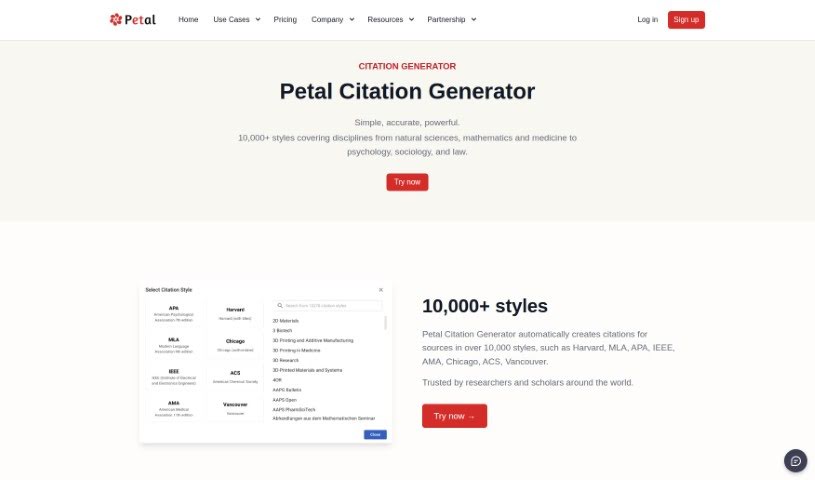
Screenshot of Petal Citation Generator

Petal Citation Generator

Discover what the Petal Citation Generator is and how it simplifies citing with over 10,000 citation styles and AI-assisted drafting.

Screenshot

What is Petal Citation Generator?

The Petal Citation Generator is a tool for creating citations in over 10,000 styles, including Harvard, MLA, APA, and IEEE. It covers fields ranging from the natural sciences to law, and is used by researchers and scholars who need accurate citations without manual formatting.

It also functions as an AI writing assistant. You can upload your references, specify the main points you want to make, and let the AI build drafts based on those sources.

Who created Petal Citation Generator?

Petal Citation Generator is made by Petal, a company that also offers an AI Writing Assistant for writing and citing papers using sources you specify. Petal AI is built on OpenAI’s GPT-3 language model, which helps it understand context.

Who is Petal Citation Generator for?

The tool serves researchers, scholars, academics, writers, students, librarians, editors, journalists, legal professionals, and educators — essentially anyone who needs to cite sources or draft academic writing.

Key features

  • 10,000+ citation styles covering natural sciences, psychology, sociology, law, and more.
  • Context-aware drafting: the AI only pulls information from the sources you provide, which supports academic integrity.
  • Multiple lookup methods: search for published books or journal articles by DOI, PMID, ArXivID, ISBN, ISSN, or EAN.
  • Export options: copy citations to your clipboard or export them in formats like Word or BibTeX.
  • No training required and completely ad-free.

How to use Petal Citation Generator?

  1. Sign up on the Petal AI website and open the Citation Generator section.
  2. Upload your references and specify the key points you plan to cover in your paper.
  3. Petal AI generates a draft based on the data you’ve provided, drawing only from your sources.
  4. Alternatively, search directly for published books or journal articles using DOI, PMID, ArXivID, ISBN, ISSN, or EAN.
  5. Choose from over 10,000 citation styles, then copy the citations to your clipboard or export them as Word or BibTeX.

Related

Related AI Tools

Discover more tools in similar categories

Academic Help Free Essay Generator

Education Academic Writing
Learn more

New tools, in your inbox.

Weekly picks of the best AI tools we've researched and added — no spam, unsubscribe anytime.

Join 25,000+ AI enthusiasts. No spam, unsubscribe anytime.