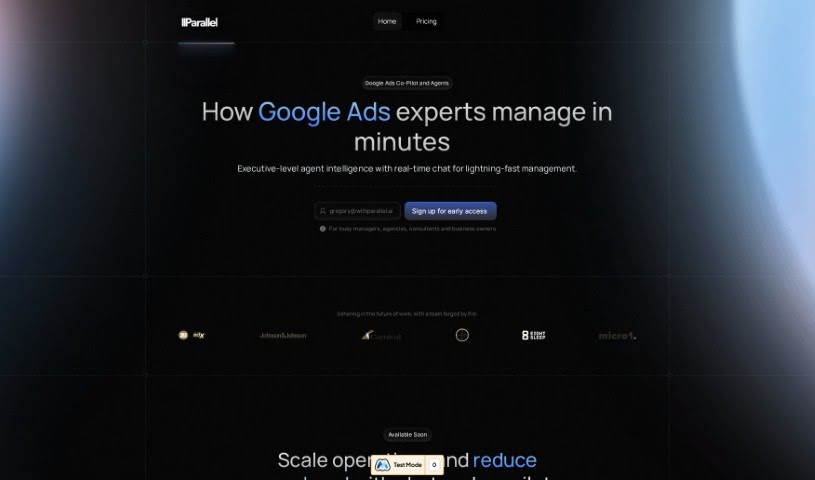
Screenshot of Parallel

Parallel

Discover what Parallel is and how to use it effectively for your Google Ads campaigns in 2025. We'll explore its features and compare it to other digital marketing tools.

Screenshot

What is Parallel?

Parallel is your AI co-pilot for Google Ads. It’s built to help Google Ads teams work much faster and manage campaigns almost automatically, even when you’re handling a lot at once. It takes care of those repetitive tasks, offers advanced features for programmatic advertising, helps manage your budgets and bids (including bid strategies), generates reports, and even forecasts how your YouTube campaigns will perform. It’s really designed to boost your team’s efficiency.

With Parallel, you can quickly create and manage ads, keywords, and entire campaigns. It helps you fine-tune your budget and bids, provides detailed reporting, offers smart suggestions straight from Google Ads’ own recommendation engines, and can predict the reach of your video ads across YouTube and Google Video Partners. Essentially, Parallel is for ambitious teams and individuals who want to use cutting-edge technology to get more done, faster.

Who created Parallel?

Andrew Searle is the founder behind Parallel. He launched the company on March 8, 2023. The core idea is an AI-powered co-pilot for Google Ads, specifically aimed at making work much more efficient by allowing for near-autonomous campaign management at scale. It’s a great fit for ambitious teams and individuals looking to use advanced technology to speed up their Google Ads management.

What is Parallel used for?

Parallel helps with a whole range of Google Ads tasks:

  • Reporting: It can automatically generate reports for you.
  • Campaign Management: You can pause campaigns, create new ads, and update shared budgets.
  • Budget & Bids: It helps manage your budgets, bids, and even your bid strategies.
  • Bidding Strategies: You can create and combine automated, goal-driven bidding strategies.
  • Forecasting: It predicts the commercial reach of your video campaigns.
  • Speed & Efficiency: It significantly increases how fast you can manage campaigns and improves overall effectiveness.
  • Recommendations: It provides suggestions based on Google Ads’ recommendation engines.
  • Task Automation: It automates many routine Google Ads tasks, like generating reports, pausing campaigns, creating ads, updating shared budgets, and managing budgets, bids, and bid strategies.
  • Budget Management: You can instantly update targets, pause campaigns, and add keywords to manage your budget effectively.
  • Natural Language Control: You can use plain language to manage your Google Ads account, handling complex tasks efficiently.
  • Performance Reporting: Get complete performance data for your Google Ads accounts.
  • Up-to-Date Advice: Receive current recommendations for managing your Google Ads.
  • Video Campaign Forecasting: Forecast commercial reach for campaigns on YouTube and Google Video Partners.
  • Scaling Output: It helps improve efficiency by scaling your output, reducing operational and execution hurdles, and speeding up campaign management.
  • Ambitious Teams: It’s designed for those embracing exponential technology to get tasks done quickly.
  • Ad, Keyword, Campaign Creation: Easily create and manage ads, keywords, and campaigns using natural language commands.
  • Early Access & Support: Get early beta access, comprehensive customer support, and choose from three pricing tiers (Starter, Pro, Enterprise) to fit your account needs.
  • Automating Google Ads: It handles reports, pausing campaigns, creating ads, updating shared budgets, managing budgets, bids, and bid strategies.
  • Complete Performance Reports: Generate full performance reports for your Google Ads campaigns.
  • Programmatic Functionality: Unlock advanced programmatic capabilities in your Google Ads management.
  • Natural Language Account Management: Use natural language to manage your Google Ads accounts.
  • YouTube & Video Partners Forecasting: Forecast for YouTube and Google Video Partners campaigns.
  • Google Ads Recommendations: Get recommendations for managing Google Ads.
  • Increased Operating Speed: Boost operating speed and throughput in Google Ads management.
  • Reduced Drag: Scale your output and reduce operational and execution drag.
  • Efficient Management: Aid in creating and managing ads, keywords, and campaigns efficiently.
  • Tiered Support: Provides customer support and pricing tiers tailored to different account capacities.

Who is Parallel for?

Parallel is a great tool for anyone working with Google Ads, including:

  • Google Ads specialists
  • Marketing professionals
  • Advertising professionals
  • Digital marketing managers
  • PPC specialists
  • Google Ads professionals
  • Digital marketers
  • Advertising specialists
  • Marketing Managers
  • Business owners
  • Google Ads managers

Basically, if you’re involved in digital advertising and want to make your Google Ads management more efficient, Parallel is likely for you.

How to use Parallel?

Here’s a straightforward guide to using Parallel effectively for your Google Ads campaigns:

  1. Sign Up: Start by signing up for early access on the Parallel website.
  2. Automate Tasks: Dive into Parallel’s automation features to simplify routine jobs like report generation, ad creation, budget updates, and bid management.
  3. Use Recommendations: Take advantage of the up-to-date recommendations Parallel offers, which come directly from the Google Ads recommendations engine.
  4. Leverage Forecasting: Use Parallel’s forecasting tools to predict the commercial reach of your YouTube and Google Video Partners campaigns.
  5. Boost Efficiency: Expect significant improvements in efficiency, including faster operating speeds and higher throughput, with the ability to scale your output and substantially reduce operational drag.
  6. Suitability for All: Parallel is designed for everyone, from large organizations to small teams, and for ambitious individuals aiming to optimize their work efficiency.
  7. Customer Support: You’ll get comprehensive customer support with all pricing tiers, ensuring you can use the tool effectively for managing your Google Ads campaigns.
  8. Choose Your Plan: Select from three pricing tiers – Starter, Pro, and Enterprise – each offering different levels of account support and features to match your needs.

By following these steps, you can really harness Parallel’s power to automate tasks, get valuable recommendations, and make your Google Ads management much more efficient.

Related AI Tools

Discover more tools in similar categories that might interest you

Stay Updated with AI Tools

Get weekly updates on the latest AI tools, trends, and insights delivered to your inbox

Join 25,000+ AI enthusiasts. No spam, unsubscribe anytime.