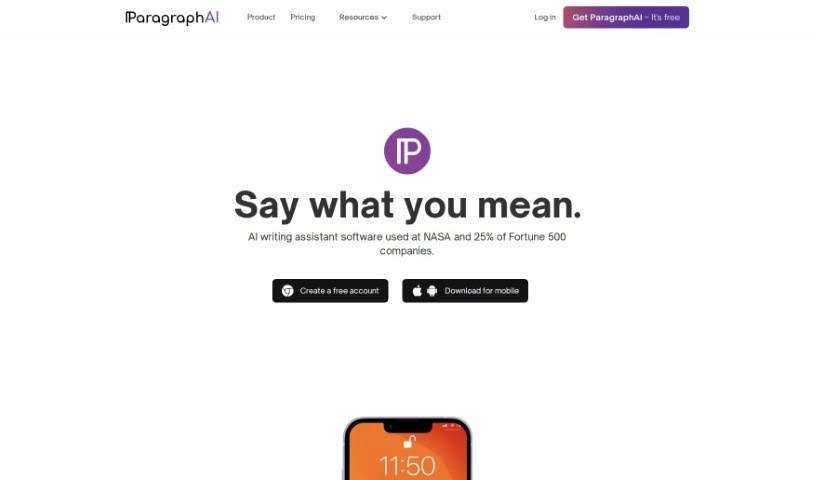
Screenshot of ParagraphAI

ParagraphAI

Discover what ParagraphAI is and how to use it effectively in 2025. We'll explore its features and see how it stacks up against other content writing tools.

Screenshot

What is ParagraphAI?

ParagraphAI is a sophisticated writing tool designed to really boost your writing experience. It uses artificial intelligence to offer suggestions for grammar, spelling, and style, helping you communicate more effectively. It is your personal writing coach! It doesn’t just fix mistakes; it also explains why a change is recommended and gives examples, so you can actually learn and get better at writing over time. Plus, it supports over 40 languages with personalized settings. For businesses, ParagraphAI offers advanced editing tools, the ability to customize your brand’s voice, and round-the-clock support. Whether you’re a seasoned writer, a student tackling essays, or just someone who wants to write with more confidence and accuracy, ParagraphAI is here to help.

Who created ParagraphAI?

ParagraphAI was brought to life by a dedicated team of creative professionals. They’re all about building a top-notch AI writing assistant, and they really value personal and professional growth, fostering a supportive and collaborative environment. You can try ParagraphAI for free, or opt for a Pro version that includes features like grammar correction, style improvements, and spelling error detection. The main goal is to help users sharpen their writing skills with smart, advanced suggestions.

What is ParagraphAI used for?

ParagraphAI is incredibly versatile and can help you with a lot of writing tasks:

  • Improve your writing style: Make your words flow better and sound more professional or engaging.
  • Instant grammar fixes: Correct grammar mistakes, like verb tense issues, subject-verb agreement problems, and punctuation errors, with just a single tap.
  • Effortless replies: Draft perfectly written responses to emails and messages in a snap.
  • Create diverse text: Easily generate everything from casual messages to formal business emails.
  • Refine your voice: Fine-tune your text to perfectly match your unique writing style and personality.
  • Global reach: Personalize language settings to match your fluency needs in over 40 languages.
  • Enhanced writing experience: Get helpful grammar, spelling, and style suggestions that make writing smoother.
  • Eliminate embarrassing errors: Catch and fix those pesky spelling mistakes that can sometimes slip through.
  • Boost your skills: Learn from the explanations and examples provided with each suggestion, helping you grow as a writer.
  • Refine sentences: Make your sentences more impactful and clear.
  • Improve flow: Ensure your writing is coherent and easy to follow.
  • Learn and develop: Continuously improve your writing abilities through guided feedback.
  • Draft emails quickly: Respond to your inbox efficiently and effectively.
  • Create text with ease: Generate various types of content without a struggle.
  • Adjust tone: Easily change the formality, friendliness, or length of your text.
  • Personalize settings: Tailor the tool to your specific preferences.
  • Empower collaboration: Work together more effectively as a team.

Who is ParagraphAI for?

ParagraphAI is a fantastic tool for:

  • Professional writers looking to polish their work.
  • Students needing help with essays, reports, and assignments.
  • Anyone who wants to improve their writing skills and communicate more clearly.

How to use ParagraphAI?

Getting the most out of ParagraphAI is straightforward. Just follow these simple steps:

  1. Sign Up: First, create your account on the ParagraphAI platform. It’s quick and easy.
  2. Choose Your Plan: Decide which plan works best for you. You can pick from Free, Pro, or Enterprise, depending on the features you need.
  3. Start Writing: You can either begin writing directly in the ParagraphAI editor or paste in text you’ve already drafted.
  4. Grammar Correction: Let the AI work its magic! It will analyze your text and correct grammar mistakes, like verb tense, subject-verb agreement, and punctuation.
  5. Spell Check: Use the built-in spell checker to catch and fix any misspelled words, ensuring your content is error-free.
  6. Style Enhancement: Get smart suggestions to refine your sentences, making your writing more coherent and impactful.
  7. Learn and Develop: Take advantage of the explanations and examples provided with each suggestion. It’s a great way to learn and improve your writing skills.
  8. Save Favorites: Use the History feature to keep track of your favorite messages or pieces of text for easy reference later.
  9. Customize Settings: Make ParagraphAI truly yours by personalizing language settings and other preferences.
  10. Support and Assistance: Especially if you’re on the Enterprise plan, you can enjoy 24/7 support via phone and email if you ever need a hand.

By following these steps, you’ll be well on your way to using ParagraphAI to boost your writing skills and create polished, impactful content with ease.

Related AI Tools

Discover more tools in similar categories that might interest you

Stay Updated with AI Tools

Get weekly updates on the latest AI tools, trends, and insights delivered to your inbox

Join 25,000+ AI enthusiasts. No spam, unsubscribe anytime.