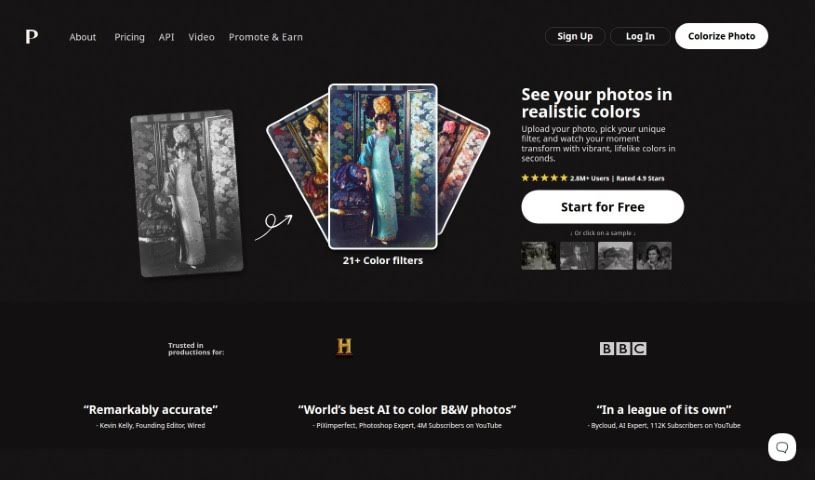
Screenshot of Palette.fm

Palette.fm

Discover Palette.fm, an AI colorization tool, and learn how to use it effectively in 2025. We'll cover its features, compare it to other image generators, and guide you through the process.

Screenshot

What is Palette.fm?

Palette.fm is a really neat AI tool that lets you add color to old black-and-white photos, jazz up artworks, or give modern images a fresh look. It’s super easy to use – you don’t even need to sign up, and uploading your photos is a breeze. They offer different styles and plans to fit what you need. What makes Palette.fm stand out are its advanced algorithms and machine learning. This means it’s great at getting the colors right, especially for skin tones. It handles details and tricky lighting really well, which is key to making images look vibrant and real. Whether you’re a pro at colorizing or just trying it out for fun, Palette.fm is a versatile and efficient way to bring your images to life with realistic colors.

Who created Palette.fm?

Emil Wallner is the creator behind Palette.fm. Essentially, it’s an AI colorizer tool designed to add color to black-and-white photos or to style artwork. You can even use it to transform current images with different styles, and the best part? No sign-up required!

How to use Palette.fm?

Palette.fm is a super user-friendly AI colorizer tool that makes it easy to add color to black-and-white photos or enhance contemporary images. Here’s a simple, step-by-step guide to get you started:

  1. Get to Palette.fm: Just head over to the Palette.fm website using the link. It’s straightforward to find.
  2. Upload Your Images:
    • Click the upload button. Then, pick the black-and-white photo or the modern image you’d like to colorize.
  3. Pick Your Styles:
    • You can browse through the various style options available, or if you prefer, just go with the default settings and see what happens.
  4. Let the AI Colorize:
    • The tool’s advanced algorithms will look at things like lighting conditions to create accurate and dynamic skin tones.
  5. Make Adjustments:
    • Want to tweak the colors? You can choose from over 21 color filters. There’s also an adjust icon to fine-tune the colors even more.
  6. Preview and Download:
    • You get unlimited previews, so you can see how your colorized image looks. Once you’re happy with it, just download the final version.
  7. Check Out the Plans:
    • Palette.fm has different plans to suit various user needs. Take a look and pick the one that works best for you.
  8. Try the Free Trial:
    • You can get a free trial credit for logo-free, full-resolution colorization. Plus, the free plan lets you colorize images at no cost, though they’ll be resized to a maximum of 500x500 pixels and will have a watermark.
  9. Share and Use Your Creations:
    • Feel free to use your newly colorized images for social media, make cool videos, or even offer photo enhancement services using the tool.

Palette.fm really offers a simple yet effective way to colorize images. It’s perfect for both beginners and professional colorists who want to breathe new life into old photos or add a unique touch to contemporary images. Why not give Palette.fm a try today? It’s a great way to unleash your creativity and effortlessly enhance your visual content.

Related AI Tools

Discover more tools in similar categories that might interest you

123RF AI Image Generator

Creative Image Generation
Learn More

Stay Updated with AI Tools

Get weekly updates on the latest AI tools, trends, and insights delivered to your inbox

Join 25,000+ AI enthusiasts. No spam, unsubscribe anytime.