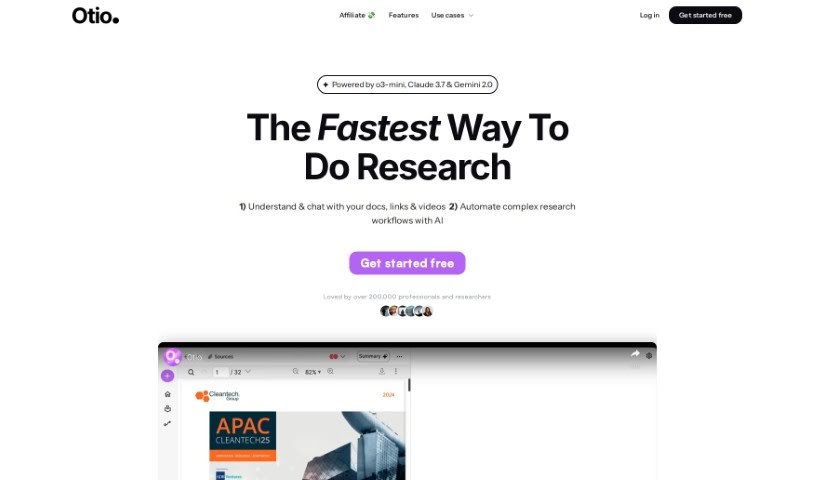
What is Otio?
Otio is a tool that’s become a favorite for over 50,000 researchers and students. It’s designed to help you manage all sorts of information. You can import sources like PDFs, Word documents, links to blog posts, and even YouTube videos, and Otio will automatically create summaries for you. Plus, you can actually chat with your documents to dig deeper and uncover insights. It also includes an AI text-editor that helps with writing, editing, and paraphrasing. Many users have found Otio incredibly effective for pulling out the main points from research papers, videos, and podcasts. They often mention its user-friendly interface, finding it much easier to navigate than other AI tools like ChatGPT. It’s also been called a lifesaver for keeping track of large collections of bookmarks, open tabs, and research resources. If you need to summarize podcasts or videos quickly, Otio really shines.
Who created Otio?
Otio was developed by Feng Chun, who has a PhD in Neuroscience. He created it because he found it to be an excellent resource for understanding complex research papers. Otio is genuinely valuable for anyone involved in research, studying, or analysis. It offers a range of helpful features, including the ability to import various content types like PDFs and videos, generate automatic summaries, chat with your documents using AI, and use an AI text-editor for all your writing and editing needs. Users consistently praise Otio for how efficiently it summarizes content and supports in-depth research tasks.
What is Otio used for?
Otio is incredibly versatile and can help you with many research and writing tasks:
- Importing Sources: Easily bring in content from PDFs, Word documents, blog links, and YouTube videos to help you understand them.
- Getting Quick Summaries: Review detailed, automatic summaries that highlight key points from extensive content, saving you hours of reading or watching.
- Extracting Insights: Chat directly with your documents and links to pull out specific information and deeper insights.
- AI-Powered Writing: Use the AI text-editor to write, edit, and paraphrase your reports and essays.
- Summarizing Key Takeaways: Quickly get the main points from research papers, long videos, or podcasts to see if they’re relevant or to recall important information.
- Deep Dives: It’s great for diving deep into collections of research papers.
- User-Friendly Experience: Otio provides a straightforward and intuitive interface, making research much simpler compared to other AI tools.
- Efficient Summarization: It’s particularly helpful for summarizing podcasts and videos efficiently, especially when you’re short on time.
- Better Quality Summaries: You can expect high-quality summaries and real text citations, often better than what you might get from tools like ChatGPT.
- Summarizing for Busy People: It makes summarizing podcasts and videos much easier for those with busy schedules.
- Versatile Importing: Import content from PDFs, Word documents, blog links, and YouTube videos for comprehensive understanding and analysis, complete with automatic summaries.
- Structured Summaries: Review detailed, structured automatic summaries to quickly grasp the essential points from large volumes of information.
- AI Conversations with Content: Engage in AI-powered conversations with your documents and links to extract deeper insights on specific topics.
- Refining Your Writing: Use the AI text-editor to write, edit, and paraphrase content, helping you outline and fine-tune your writing based on the sources you provide.
- Identifying Relevance: Summarize key takeaways from research papers, videos, and podcasts to quickly determine their relevance and revisit important points later.
- Quickly Grasping Information: You can gather key takeaways in less than 10 minutes, even from a 2-hour video.
- Efficient Research: It’s helpful for summarizing research papers and quickly identifying relevant research.
- For Everyone: Otio is useful for researchers, students, analysts, and professionals alike.
- Managing Resources: It helps you store and navigate through collections of bookmarks and open browser tabs.
- Intuitive Design: The interface is straightforward and intuitive, especially when compared to other AI tools.
- Summarizing for Understanding: Import sources like PDFs, Word documents, blog links, and YouTube videos to aid understanding and summarization.
- Quickly Grasping Key Points: Review detailed and structured automatic summaries to grasp key points quickly.
- Extracting Insights: Chat with documents using AI to extract insights.
- Writing Assistance: Write, edit, and paraphrase in an AI text-editor to outline and fine-tune your writing based on provided sources.
- Content Summarization: Summarize key takeaways from research papers, videos, and podcasts.
- Navigating Tabs: Helps you navigate overwhelming collections of bookmarks and open browser tabs for research purposes.
- Podcast Summaries: Summarize podcasts efficiently for users with limited time.
- Research Paper Management: Aids in summarizing a library of research papers and switching between important points precisely.
- Revolutionary Summarization: Offers revolutionary summarization of podcasts and videos for busy users.
- Accurate Citations: Provides real text citations and high-quality summaries, often outperforming tools like ChatGPT.
Who is Otio for?
Otio is a fantastic tool for a wide range of individuals, including:
- Researchers
- Students
- Analysts
- PhD students
- Post-doc researchers
- Pharmaceutical researchers
- ESG reporting analysts
- Neuroscience PhDs
How to use Otio?
To get the most out of Otio, here’s a simple guide:
- Import Your Sources: Start by importing whatever content you need to work with. Otio handles a variety of formats, from PDFs and Word documents to web links and videos.
- Review Automatic Summaries: Instead of spending hours reading or watching everything, you can get detailed, structured summaries very quickly.
- Engage with Your Documents: Use the AI chat feature to interact with your sources. This is a great way to dig deeper and pull out specific insights.
- Utilize the AI Text-Editor: Write, edit, and paraphrase your work using Otio’s built-in text-editor. The AI assistance can really help refine your content.
- Benefit from Real-Time Citations: You’ll appreciate the accuracy of real text citations, which is a huge plus, especially for researchers.
- Enjoy the Intuitive Interface: Otio offers a user-friendly and straightforward interface that makes navigating through information much simpler.
- Explore Summarization Features: Features like summarizing podcasts and videos are particularly helpful if you’re busy and don’t have a lot of time.
- Consider the Premium Version: Many users are really happy with the tools and features available in the premium Max version of Otio.
By following these steps and making use of Otio’s features, you can effectively summarize content, extract key insights, and really streamline your research process.