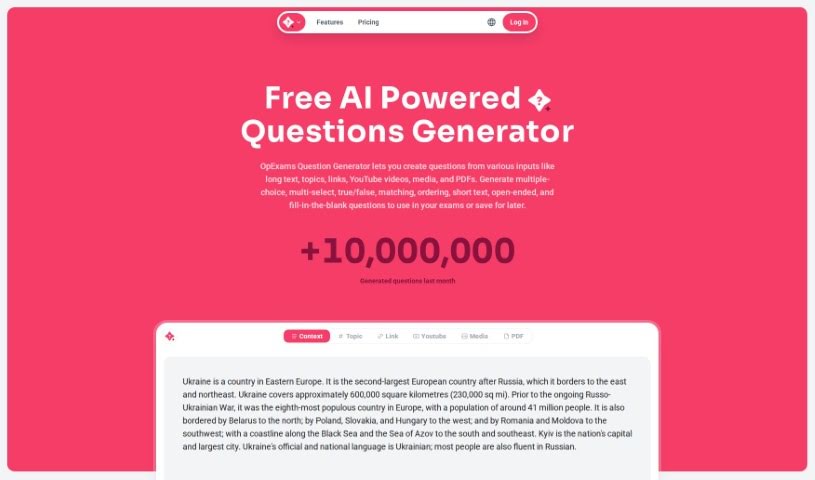
What is OpExams AI Questions Generator?
OpExams offers a free, innovative AI tool that helps educators and professionals create exam content. It is your go-to for generating all sorts of questions – multiple-choice, true/false, and open-ended – just by feeding it any text. It’s designed to make your life easier with features like organizing questions, supporting multiple languages, generating questions in bulk, keeping a detailed history, and letting you export everything to Excel and Word. Plus, they even have an API if you need to connect it with other systems. If you’re an enterprise user, you can get subscription discounts, and they keep you updated with a regular newsletter.
Who created OpExams AI Questions Generator?
OpExams, this handy AI-powered question generator, was started by an individual or team who prefer to remain anonymous. Their main goal is to make it simple for educators and professionals to create different kinds of questions. They support multiple languages, let you generate questions in batches, offer export options, and provide an API for integration. Basically, OpExams is built to help you out, with special discounts available for businesses that use it regularly.
What is OpExams AI Questions Generator used for?
Here’s a quick rundown of what you can do with OpExams:
- Generate questions: You can create true/false, multiple-choice, and open-ended questions from your text.
- Bulk Generation: Need a lot of questions quickly? This tool handles it.
- Multi-language Support: It works with questions in various languages.
- Save & Organize: Keep your generated questions tidy by saving them into different collections.
- Export Options: Easily get your questions into Excel or Word files.
- API Integration: Connect OpExams with other systems you use.
- Enterprise Discounts: Businesses can get special pricing.
- Stay Updated: Sign up for their mailing list to get tips on education, new features, and product news.
Who is OpExams AI Questions Generator for?
- Teachers and Educators
- Professionals
How to use OpExams AI Questions Generator?
Using OpExams is pretty straightforward. Just follow these simple steps:
- Get Started with OpExams: First, head over to the OpExams website. You’ll need to create an account to get access to the question generator tool.
- Generate Your Questions:
- Pick the text you want to base your questions on.
- Decide what types of questions you need – maybe multiple-choice, true/false, or open-ended ones.
- Let the tool do its magic to generate a good variety of questions efficiently.
- Save and Keep Things Organized:
- Once you have your questions, save them into collections. This makes them super easy to find later.
- You can create as many collections as you need, perhaps organizing them by subject or by specific exams.
- Export and Print Your Work:
- Need to edit your questions further or print them out? You can export them directly to Excel or Word.
- Alternatively, you can print them right from the application if you need them immediately.
- Explore Extra Features:
- Don’t forget about the multi-language support if you need questions in different languages.
- Keep track of your history – you can revisit and reuse questions you’ve generated before.
- And if you need to create a large batch of questions, definitely check out the bulk generation options.
- Need Help? Contact Support:
- If you have any questions about the product or run into any issues, feel free to email OpExams at [email protected].
- For details on enterprise subscriptions or to inquire about discounts, just reach out to them via email.
By following these steps, you’ll be able to use OpExams effectively to create all sorts of questions for your teaching or professional needs.