What is OpenSpace?
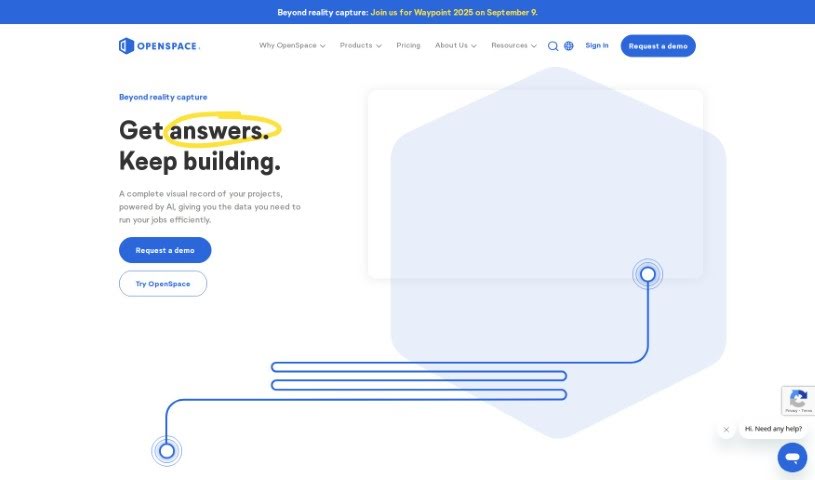
OpenSpace is a really smart software tool for construction, built specifically for capturing reality on-site. It helps builders easily document and then analyze their construction projects. How does it work? You simply attach a camera, record the area you need to capture, and OpenSpace’s VisionEngine automatically maps those recordings onto your site plans. This creates a complete, as-built record of your building, from the very beginning of construction all the way through to when it’s handed over and being operated.
With OpenSpace, you can keep a close eye on how the project is progressing, check that work is being done correctly, improve how everyone coordinates, and cut down on risks. Features like BIM Compare and Split View are super helpful for this. Plus, OpenSpace Track, which uses AI, really boosts your project management. It gives you tools like Field Notes, making it much simpler to communicate any changes, document quality checks, and manage punch lists and RFIs more smoothly. Lots of industry leaders trust OpenSpace because its integrations make workflows feel seamless.
Who created OpenSpace?
Jeevan Kalanithi is the person behind OpenSpace; he’s both the CEO and a Co-Founder. He started the company on January 20, 2022, with a clear goal: to offer easy-to-use tools for construction projects that make collaboration and efficiency better for teams all over the world.
What is OpenSpace used for?
OpenSpace is incredibly versatile for construction projects. Here’s a breakdown of what you can do with it:
- Document your site: Capture and record your construction sites using a camera to create detailed as-built records.
- Track progress: Keep up-to-date with how your project is moving along and verify that work is being completed as planned.
- Improve coordination & reduce risk: Use handy features like BIM Compare and Split View to make sure everyone is on the same page and to minimize potential problems.
- Boost project management: Leverage AI-powered OpenSpace Track to get more out of your project management.
- Streamline communication: Use Field Notes to easily share information about changes on site.
- Manage quality and lists: Document your QA/QC processes and make punch lists and RFIs much simpler to handle.
- Integrate your tools: Benefit from powerful integrations that create smooth workflows, often connecting with your existing project management software.
- Next-gen site capture: It’s a modern solution for capturing and analyzing construction sites.
- Easy project management: You can add new projects or products to your subscriptions without any hassle.
- Support and onboarding: Get efficient onboarding and ongoing technical help.
Essentially, it helps with:
- Documenting construction sites thoroughly.
- Capturing and analyzing sites effectively.
- Verifying that work is done correctly.
- Making coordination much smoother.
- Reducing project risks, especially with features like BIM Compare and Split View.
- Enhancing project management using AI-powered OpenSpace Track.
- Providing tools like Field Notes for simple communication of changes.
- Handling QA/QC documentation.
- Streamlining punch lists and RFIs.
- Offering strong integrations for seamless workflows.
- Documenting sites by attaching a camera and recording to get as-built records.
- Monitoring progress, checking work, and improving coordination with tools like BIM Compare and Split View.
- Reducing risk and improving project management with AI-powered OpenSpace Track.
- Making communication easier with Field Notes for changes, QA/QC, and punch lists/RFIs.
- Providing powerful integrations for smooth workflows, whether within OpenSpace or with other project management software.
- It’s already captured over 20 billion square feet and 1 billion images from active projects globally.
- It helps improve communication, build stronger tenant relationships, and generally enhance project management.
- Project teams get empowered with modern image-based workflows for faster, more efficient collaboration.
- Projects are presented like Google Street View, making navigation and visualization simple.
- You can effectively ‘time travel’ to see past site conditions and track how things have changed.
- Capture site data quickly and easily by attaching a camera and walking around to create a complete building record from start to finish.
- Document progress, verify work, and improve coordination with tools like BIM Compare and Split View.
- Reduce risk and streamline processes with Field Notes for communication, QA/QC, and punch list management.
- Integrate with other software for smoother workflows.
- Use AI-powered OpenSpace Track for better project management.
- Support reality capture for active projects, having documented over 20 billion square feet and 1 billion images worldwide.
- Customer feedback suggests it improves communication, tenant relationships, and project management.
- Visualize construction progress over time and manage project risks better.
- Navigate sites like Google Street View and see historical progress.
- Improve collaboration with unlimited team members, easy integrations, ongoing support, and simple onboarding.
- Capture and document construction sites with unmatched speed and simplicity.
- Map photos to site plans automatically using the OpenSpace Vision Engine.
- Stay on top of progress, verify work, and improve coordination.
- Reduce risk with tools like BIM Compare and Split View.
- Use AI-powered OpenSpace Track for advanced project management.
- Communicate changes, document QA/QC, and streamline punch lists and RFIs with Field Notes.
- Benefit from powerful integrations for streamlined workflows.
- Enhance communication, strengthen tenant relationships, and improve project management.
- Capture over 20 billion square feet and 1 billion images from active projects worldwide.
- Help builders work more efficiently and collaborate effectively.
- Document construction sites by attaching a camera and recording the area.
- Automatically map photos to site plans for a complete, as-built record.
- Stay on top of project progress, verify work, and improve coordination.
- Communicate changes, document QA/QC, and streamline punch lists and RFIs.
- Provide tools for easy communication, whether on the jobsite or in the office.
- Empower project teams with image-based workflows for efficiency.
- Improve communication and tenant relationships.
- Enhance overall project management.
Who is OpenSpace for?
OpenSpace is designed for a wide range of people and companies in the construction world:
- Builders
- Construction professionals
- Owners
- General Contractors
- Tradespeople
- Construction firms
- Specialty contractors
- Trades
How to use OpenSpace?
Using OpenSpace to document your construction sites is pretty straightforward. Just follow these simple steps:
- Get set up: First, attach a camera to your device and open the OpenSpace app.
- Start recording: Begin recording the area you need to capture. Make sure you walk around the construction site to cover everything you need.
- Automatic mapping: The OpenSpace VisionEngine takes over from here. It automatically maps all the photos you took onto your site plans. This creates a really detailed record of the building, from the very start of construction right through to when it’s handed over and in operation.
- Use advanced features: Take advantage of tools like BIM Compare and Split View. These help you keep track of project progress, confirm that work is done correctly, improve how teams coordinate, and reduce overall risks.
- Explore AI capabilities: Dive into the AI-powered OpenSpace Track to get even more advanced project management features.
By following these steps, you can efficiently document your construction projects, analyze site conditions, and really boost your project management with all the innovative features OpenSpace offers.