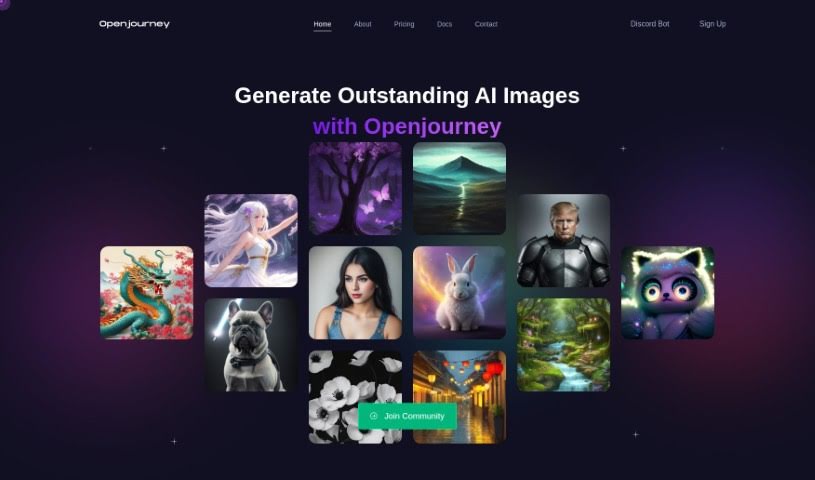
What is Openjourney Bot?
Openjourney Bot is a really cool AI art generator that can turn your ideas into unique artwork, and it does it super fast. It gives you a few different AI models to play with, lets you pick custom sizes, and offers a variety of styles. You can generate images quickly, download them directly, and use them royalty-free. The platform also has some nice accessibility features, and it keeps your images stored for up to a week on its Content Delivery Network (CDN). If you’re looking for more, Openjourney has premium plans with extra perks like special roles, shorter wait times between generations, and unlimited access to language models. It all started with a research project by a group of computer science students from different countries, and it’s now a public Discord bot that’s already attracted over 150,000 users across more than 8,000 servers.
Who created Openjourney Bot?
Openjourney Bot was actually brought to life by a team of computer science students hailing from Sri Lanka, the USA, Portugal, and Australia. They first launched it on April 3, 2023, as part of a research project. Later, on July 17, 2024, it became available to the public as a Discord bot. Since then, it’s really taken off, gathering more than 150,000 users and showing up on over 8,000 different Discord servers.
What is Openjourney Bot used for?
- It’s great for turning your text descriptions into art.
- You can get unique and beautiful images in less than 10 seconds.
- You get a monthly allowance of tokens to use.
- If you support them on Patreon, you’ll get shorter cooldown periods.
- You can also earn extra tokens by making donations.
- It’s really flexible – you can even combine different concepts and styles in your prompts.
- And the best part? It’s completely free to use!
- You can also quickly evolve existing images.
- There’s a supportive community, especially through Patreon.
- A cooldown period is in place to make sure everyone gets a fair chance to use it.
- Patreon supporters get bonus tokens as a thank you.
- You get free in-tool currency, called ‘bits,’ every month.
- They’re always adding newer, better models to the mix.
Who is Openjourney Bot for?
How to use Openjourney Bot?
Here’s a simple guide to get the most out of Openjourney Bot:
- Get the Bot: First, you’ll want to invite Openjourney to your Discord server. Just use the link they provide, and you’ll be ready to start creating your AI art.
- Understanding Bits: You’ll notice the platform uses ‘Bits’ as its currency. You use these for generating images and accessing other AI tools. Everyone gets 100 free Bits each month, and you can earn more by donating or supporting them on Patreon.
- Check Out Premium Plans: Openjourney offers different premium plans. Each one comes with its own set of benefits, like shorter cooldowns, the ability to generate uncensored images, and more direct support.
- Making Images: This is where the magic happens! Use the AI art generator to turn your text prompts into unique artwork in under 10 seconds. You can pick from several AI models, adjust the sizes, choose different styles, and then download your creations right away.
- Easy AI Tools: You’ll find better accessibility features designed to make your AI art journey smoother and more enjoyable.
- Stay Connected: Keep up with the community through Patreon support. They also regularly add new features and updates based on what users like you are asking for.
- Security and Quality: You can feel confident knowing your data is stored securely in an encrypted database. Plus, the platform is thoroughly tested to ensure it performs reliably and without issues.
By following these steps, you’ll be able to really make the most of Openjourney Bot for all your AI image generation needs, ensuring a smooth and creative experience with AI art.