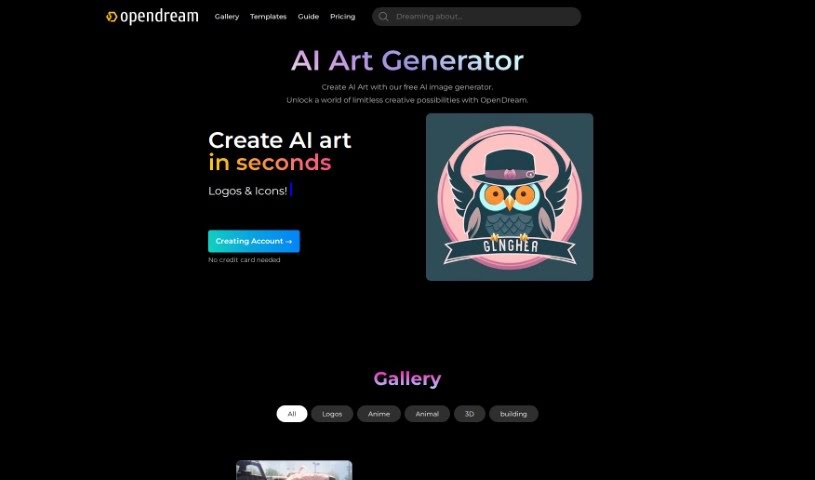
Screenshot of OpenDream

OpenDream

Discover OpenDream, a free AI art generator for 2025. Learn how to use its features, from anime generation to photorealism, and see how it stacks up against other image generators.

Screenshot

What is OpenDream?

OpenDream is a fantastic online platform that gives you a Free AI Art Generator to create truly stunning artwork. It’s built to be super easy to use, even if you’re new to this. You’ll find cool features like an AI Anime Generator, an AI Girl Generator, and lots of customizable templates that let you whip up art in just minutes. You can hop onto the platform right from your web browser and play around with different image generation models. Think Dreamlike Photoreal 2.0 for realistic looks, Dreamlike Anime 1.0 for that anime vibe, Stable Diffusion 2.1 for solid results, and Deliberate for even more options. Basically, OpenDream is here to spark your creativity and make the whole art-making process smooth and enjoyable for everyone, no matter your skill level.

Who created OpenDream?

A team of passionate developers and designers brought OpenDream to life. Their main goal? To make graphic design and art creation accessible to absolutely everyone. The platform itself is designed with a really user-friendly interface, giving you tons of ways to customize your images. You can pick from templates, change backgrounds, and play with fonts. The founders genuinely believed that everyone should have the chance to express their creativity, and they’re always working to make OpenDream even better, adding new features to make your creative process smoother.

What is OpenDream used for?

OpenDream is incredibly versatile! You can use it for:

  • Creating AI art and high-quality images from scratch.
  • Designing custom images that are uniquely yours.
  • Generating photorealistic and anime-style images.
  • Exploring limitless artistic possibilities and crafting stunning AI images.
  • Crafting unique anime characters and AI-generated artworks.
  • Generating AI Art and anime-style images with ease.
  • Producing photorealistic images and high-quality images.
  • Enjoying artistic expression without restrictions.
  • Generating virtual companions or creating virtual characters.
  • Making stunning AI images in minutes.
  • Crafting logos and icons.
  • Creating AI-generated art and anime characters.
  • Specifically, generating photorealistic images with the Dreamlike Photoreal 2.0 model.
  • Creating anime-style images with the Dreamlike Anime 1.0 model.
  • Generating high-quality images with the Stable Diffusion 2.1 model.
  • Exploring limitless possibilities with the Deliberate model.
  • Using preloaded templates to create unique images quickly.
  • Generating AI art with just a text prompt.
  • Creating AI-generated art for commercial purposes.
  • Accessing the platform easily through web browsers like Safari and Google Chrome.
  • Utilizing OpenDream for art creation, regardless of your skill level.
  • Exploring a gallery of AI-generated artworks for inspiration.
  • Generating AI-generated art and creating logos & icons.
  • Generating AI Girl characters and stunning AI images using templates.
  • Accessing pre-designed templates for art creation.
  • Exploring an inspiring Gallery of AI-generated artworks.
  • Getting step-by-step guidance for creating art.
  • Creating unique and captivating artworks easily.
  • Accessing core features without any hidden costs.
  • Experiencing limitless possibilities without restrictions with the Deliberate model.
  • Generating photorealistic images with Dreamlike Photoreal 2.0 model.
  • Creating anime-style images with Dreamlike Anime 1.0 model.
  • Generating high-quality images with Stable Diffusion 2.1 model.
  • Creating limitless possibilities with the Deliberate model.

Who is OpenDream for?

OpenDream is perfect for:

  • Artists looking for new tools.
  • Designers needing quick visuals.
  • Dreamers who want to bring their imagination to life.
  • Graphic designers seeking inspiration and efficiency.

How to use OpenDream?

Getting started with OpenDream is straightforward. Just follow these simple steps:

  1. First, sign up for an OpenDream account. It’s quick and easy.
  2. Next, select a template that catches your eye, or feel free to create your own if you have a specific vision.
  3. Then, provide a prompt or a description of exactly what you want the AI to generate. Be descriptive!
  4. Once you’re ready, just click on the “Create” or “Generate” button.
  5. Finally, save and share your amazing AI-generated art!

OpenDream really shines with its free AI Art Generator, offering quick and intuitive design tools, a super user-friendly interface, and a wealth of unique ideas to get you started. You can easily access the platform using modern web browsers like Safari or Google Chrome. Plus, you have several powerful image generation models to choose from, including Dreamlike Photoreal 2.0, Dreamlike Anime 1.0, Stable Diffusion 2.1, and Deliberate. While free users get access to two models, paid subscribers can unlock all four models and even more advanced features.

Just a friendly reminder to always respect the policies in place when you use the artworks you create on OpenDream, especially for commercial projects. Feel free to explore the platform through the web links provided, create some truly stunning AI-generated art, and just let your creativity flow with ease and innovation.

Related AI Tools

Discover more tools in similar categories that might interest you

123RF AI Image Generator

Creative Image Generation
Learn More

Stay Updated with AI Tools

Get weekly updates on the latest AI tools, trends, and insights delivered to your inbox

Join 25,000+ AI enthusiasts. No spam, unsubscribe anytime.