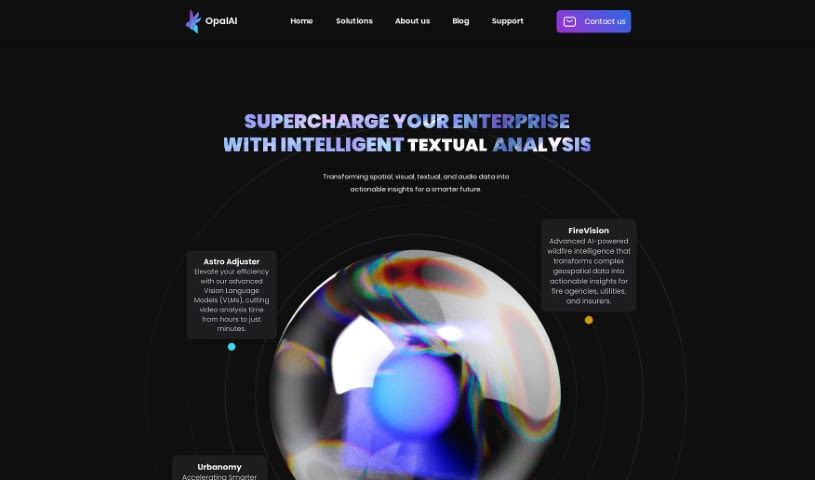
Screenshot of Opalai Scanto3D

Opalai Scanto3D

Discover Opalai Scanto3D, a powerful mobile app for creating detailed 3D real estate models. Learn its features, who it's for, and how to use it effectively in 2025, comparing it with other interior design tools.

Screenshot

What is Opalai Scanto3D?

Opalai Scanto3D is a mobile app from OpalAI that lets you create incredibly detailed 3D models of real estate properties. It’s designed for precision, making it easy to capture spaces. You can use your phone’s LiDAR or a 360 camera to record scans or video. The app then uses its AI technology to turn this data into full Building Information Models (BIMs). It’s a pretty straightforward process – you just do a quick walkthrough, and the AI handles the heavy lifting. With OpalAI ScanTo3D, you can instantly generate both 2D and 3D Computer-Aided Design (CAD) models, offering a super convenient and efficient way to create digital versions of physical spaces.

Who created Opalai Scanto3D?

Opalai Scanto3D was brought to life by Diego Silva, an entrepreneur who founded the company with a clear goal: to really shake up 3D scanning technology. His company, Opalai Scanto3D, focuses specifically on creating innovative solutions for 3D scanning. They’re all about high-quality, precise scanning devices and software. Diego Silva started Opalai Scanto3D with a commitment to pushing the limits of what’s possible in 3D scanning, always aiming to deliver cutting-edge products and services.

What is Opalai Scanto3D used for?

This app is incredibly versatile! Here’s a look at what you can do with it:

  • Create 2D floor plans: Get clear, accurate layouts of spaces.
  • Generate Building Information Modeling (BIM) models: Build detailed digital representations for comprehensive project management.
  • Produce stunning 3D visualizations: Bring spaces to life with realistic 3D views.
  • Scan spaces without restrictions: There’s no limit to the property size you can capture.
  • Add textures and colors: Make your digital models look just like the real thing.
  • Take measurements directly on the device: Get accurate dimensions right from your phone.
  • Edit scans before finalizing models: Make any necessary adjustments for perfect results.
  • Support various formats for sharing models: Easily export your work in formats like OBJ, GLTF, STL, and FBX.
  • Ensure ANSI regulations compliance: Calculations for Gross Living Area (GLA) meet industry standards.
  • Provide fast model delivery: Get your models back quickly, usually within 1-2 business days.

Who is Opalai Scanto3D for?

Opalai Scanto3D is a fantastic tool for a variety of professionals, including:

  • Real Estate Agents
  • Architects
  • Interior designers
  • Property Developers
  • Construction Managers
  • Surveyors
  • Urban planners
  • Virtual tour creators

How to use Opalai Scanto3D?

Using Opalai Scanto3D is pretty straightforward. Just follow these steps:

  1. Launch the software: Open the Opalai Scanto3D application on your computer.
  2. Start a project: Either begin a new project or open an existing one to work on your scan.
  3. Prepare your environment: Make sure the lighting is good and the object you’re scanning is positioned well.
  4. Set up equipment: Get your scanning gear ready, following the instructions that came with it.
  5. Calibrate the scanner: Follow the manufacturer’s guide to calibrate your scanner for the most accurate results.
  6. Begin scanning: Choose the right scanning mode for what you need to do.
  7. Scan smoothly: Move the scanner slowly and steadily around the object, keeping a consistent distance.
  8. Monitor progress: Keep an eye on the software interface to make sure you’ve covered everything.
  9. Refine the scan: Use any extra tools in Opalai Scanto3D to improve or adjust the scan if needed.
  10. Save and export: Once you’re done, save your project and export the scan data in your preferred format.

Following these steps will help you make the most of Opalai Scanto3D for all your scanning needs.

Related AI Tools

Discover more tools in similar categories that might interest you

123RF AI Image Generator

Creative Image Generation
Learn More

Stay Updated with AI Tools

Get weekly updates on the latest AI tools, trends, and insights delivered to your inbox

Join 25,000+ AI enthusiasts. No spam, unsubscribe anytime.