What is Onthefly?
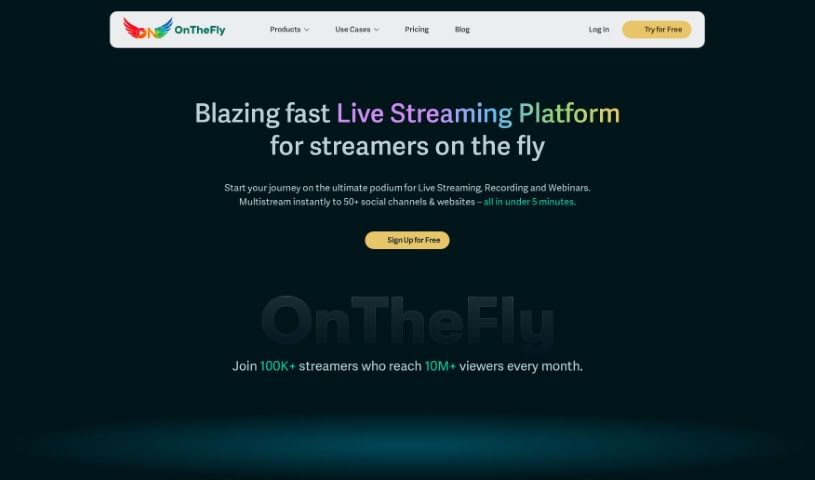
OnTheFly is your all-in-one live-streaming hub. It lets you stream videos, bring guests into your broadcast, share your screen, and do even more. Getting started is super simple: just create an account on their website, link your social media profiles, and you can begin streaming right away – no downloads or complicated installations needed. The core features are completely free, but if you want more advanced capabilities, you can upgrade to a paid plan. And don’t worry about commitment; you can cancel your plan anytime, and you’ll still have access to the paid features until your current billing period wraps up. Plus, OnTheFly offers custom plans for businesses and larger enterprises, and with their Custom RTMP feature, you can even stream to your own specific destinations.
Who created Onthefly?
OnTheFly was actually brought to life by an AI enthusiast. This platform is designed to offer live streaming solutions for all sorts of people – from content creators and businesses to individuals who want to broadcast to multiple social media platforms all at once. It packs in features like multistreaming, studio-quality broadcasts, and real-time analytics. The founder really focused on making it engaging, adding features like real-time chat, polls, and branding integration. This focus has made OnTheFly a go-to choice for anyone looking for a smooth, high-quality way to deliver live content.
What is Onthefly used for?
OnTheFly is incredibly versatile and can be used for a wide range of purposes:
- Product Launches: Announce new products with live excitement.
- Marketing: Cut down on marketing costs by using online demos to drive sales and conversions.
- Corporate Communication: Keep your team and stakeholders informed with live updates.
- Livestreaming Platform: A robust platform for all your general live streaming needs.
- Podcasts: Host live video podcasts and connect with your audience in real-time.
- Product Demos: Show off your products live, answering questions as they come up.
- Conferences: Host live conferences, bringing together participants from anywhere.
- Multistreaming: Reach a wider audience by streaming to over 50 platforms simultaneously.
- Global Delivery: Enjoy low-latency streaming thanks to a global CDN.
- Easy Streaming: Hassle-free live streaming to followers on any device.
- Product Demos (again!): Give live product demos that are easy to follow.
- Scheduling: Schedule conferences and events in advance.
- Town Halls: Conduct live town hall meetings for your organization.
- Unlimited Streaming: Live stream without limits!
- Webinars: Host webinars of any size, from small meetings to large-scale events.
- Extended Streaming: Multistream for up to 5 hours without interruption across multiple platforms.
- Cloud Storage: Store up to 5 hours of your stream recordings in the cloud.
- Custom Branding: Personalize your video streams and recordings with your logo, tags, overlays, and background.
- Webinar Capacity: Host webinars with up to 50 users per stream.
- More Cloud Storage: Record and store up to 40 hours of streams in the cloud.
- Multiple Destinations: Stream to 5 different destinations at once.
- Full HD Quality: Stream in crystal-clear Full HD 1080p.
- On-Screen Participants: Stream with up to 8 participants visible on screen.
- Performance Insights: Get real-time data on how your live streams are performing.
- Low Latency: Benefit from global CDN delivery for low latency RTMP ingestion.
- More Multistreaming: Multistream for 5 hours on multiple platforms.
- More Participants: Stream with up to 2 on-screen participants.
- On-Screen Interaction: Chat with participants directly on screen during live sessions.
- Event Planning: Schedule live streams and plan your events ahead of time.
- Larger Webinars: Host webinars for up to 50 or even 100 users.
- High-Quality Streaming: Stream in Full HD 1080p quality.
- Simultaneous Streaming: Stream to multiple destinations at the same time.
- Audience Engagement: Interact with your audience through live discussions, polls, and custom branding.
- Professional Broadcasts: Create professional, studio-grade live streams.
- Broad Multistreaming: Multistream to over 50 platforms.
- Content Archiving: Record live content for later use and repurposing.
- Scalable Webinars: Host live webinars of any scale.
- Audience Management: Manage your hosts and attendees effectively.
- Screen Sharing: Share your screen and use Q&A chat during webinars.
- Versatile Use Cases: Host live product demos, conferences, product launches, and corporate communications.
- Content Variety: Live stream videos, podcasts, and product demos.
- Interactive Features: Engage with live discussions, real-time chat, polls, and branding integration.
Who is Onthefly for?
OnTheFly is a great tool for a wide variety of users:
- Gamers: Stream your gameplay to your followers.
- Brands: Connect with your audience and promote your products.
- Educators: Deliver engaging online lessons and lectures.
- Content Creators: Share your passion and build your community.
- Businesses: Stream internal communications, product demos, and webinars.
- Fitness Influencers: Host live workout sessions and engage with clients.
- Podcast Hosts: Bring your podcast to life with live video.
How to use Onthefly?
Getting started with OnTheFly for your live streaming needs is straightforward. Here’s a simple breakdown of the steps:
- Sign Up: First, head over to https://console.onthefly.stream/register and register for a 7-day free trial. This gives you a great chance to explore everything the platform has to offer.
- Equipment: You don’t need a professional studio to start. A decent camera, a good microphone, and your passion for creating content are all you really need to begin live streaming.
- Live Streaming: Once you’re set up, you can use the platform for all sorts of things, like launching products, communicating with your team, or hosting events.
- Analytics: Make the most of your streams by checking out the valuable data and reports on your stream’s performance. This helps you understand your audience much better.
- Security: Rest assured, OnTheFly takes data safety seriously and uses leading security protocols to protect your information.
- Multistreaming: Want to reach more people? Stream to multiple social media platforms at the same time with ease.
- Interaction: Keep your audience engaged by inviting guests, co-hosting sessions, and using interactive features.
- Recordings: Your streams can be automatically stored for later use. You can also download them to repurpose into long-term content, like blog posts or social media clips.
- Access Recordings: Finding and managing your recordings is simple through the dedicated, user-friendly section within the platform.
- Customization: Make your content uniquely yours by branding it with your logos, colors, and other customization options.
- Webinar Features: If you’re hosting webinars, take advantage of interactive elements like polls, Q&A sessions, and custom registration forms to boost engagement.
- Upgrade: While the free basic features are quite capable, you always have the option to upgrade to paid plans for access to more advanced functionalities and higher limits.
Overall, OnTheFly is a really adaptable platform that works well for many different users, including gamers, brands, educators, and content creators. It offers a smooth live streaming experience packed with advanced features and plenty of customization options.