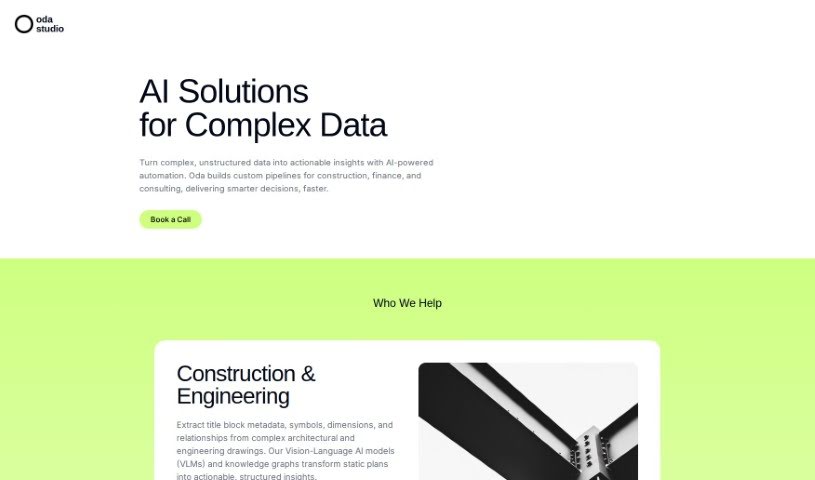
What is Oda Studio?
Oda Studio is a really neat platform that started up in 2020, created by a team of MIT graduates. It’s designed to help people, especially those buying or renting their first home, actually see and create the living space they’ve been dreaming of. They blend cutting-edge AI with interior design, offering cool services like virtual staging and digital asset management. Plus, their AI helps power personalized moodboards. You can even generate designs just by showing them your Pinterest ideas! They’ll give you curated styles and product suggestions based on those boards, and you can easily tweak your home design using their moodboard tool. Basically, Oda Studio wants to make designing your home simple, fun, affordable, and enjoyable for everyone.
Who created Oda Studio?
Oda Studio was actually founded by a group of MIT graduates back in 2020. This innovative company is all about using AI for interior design, especially for people who are buying or renting their first place. They first made a name for themselves with virtual staging and digital asset management tools for the real estate world. Now, Oda Studio has grown to serve people all over the globe, providing easy-to-use and sophisticated tools for designing living spaces. Their main goal is to make the home design process exciting and affordable for users. They do this by using artificial intelligence and computer vision to offer engaging services.
What is Oda Studio used for?
- It offers virtual staging and digital asset management solutions, which are super helpful for property managers and homebuilders.
- It supports all sorts of real estate businesses, helping them show off homes at their absolute best.
- It lets users visualize and bring their ideal living spaces to life.
- It really simplifies the whole process of designing a home, especially for first-time homebuyers and renters.
- You can create moodboards with designs and styles you can customize, like mid-century, modern, bohemian, or minimalistic.
- It’s easy to add things like plants, landscape wall art, and abstract art to your designs.
- You can see design changes happen in real-time, either by uploading your own photos or using Zillow posts.
- The platform uses AI to quickly and accurately tailor your home’s look to exactly what you want.
- It makes home design accessible and enjoyable, whether you’re a pro or just starting out.
- They offer a free trial so you can check out what the platform can do.
- You can create personalized moodboards for your home design, picking from lots of different styles and colors.
- You can see design changes happen in real-time by uploading your own photos or using Zillow posts.
- It’s easy to add elements like plants and wall art to your moodboards.
- AI is used to quickly and accurately tailor home designs.
- It helps first-time homebuyers and renters design their homes.
- You can create personalized moodboards in just seconds using Artificial Intelligence.
- It simplifies the creative side of home design.
- You can pick from styles like mid-century, modern, bohemian, or minimalistic.
- There’s a great palette of colors to choose from for customization, including navy, salmon, olive, beige, dark gray, mint, and mustard.
- You can try out the moodboard for free and see design changes happen right away.
- You can create original images for your projects if you go with the one-time-payment plan or the Designer plan.
- You can download images with a watermark for free, or get higher-quality, watermark-free images by upgrading or subscribing.
- You can design and customize your home with a personalized moodboard using Artificial Intelligence.
- You can create moodboards that are customizable with all sorts of styles and colors.
- You can visualize design changes in real-time by uploading your own photos or using Zillow posts.
- It’s easy to add things like plants and wall art to your design.
- AI-powered design is used for quick and accurate customization of your home’s look.
Who is Oda Studio for?
- Professional decorators
- Anyone looking to refresh their living space
- Professional decorators (yes, it’s that useful!)
- Homebuyers
- Renters
- Property Managers
- Homebuilders
- Real Estate Businesses
- Interior designers
- Home Decorators
- Design enthusiasts
- Homebuyers (again, for emphasis!)
- Renters (you too!)
How to use Oda Studio?
Here’s how you can get started with Oda Studio:
- Access the Platform: First, head over to the Oda Studio website. You’ll need to create an account to begin designing your home with their AI-powered tools.
- Explore Design Options: Jump into the moodboard tool to create a home design that’s all yours. You can pick from a bunch of different styles, like mid-century, modern, bohemian, or minimalistic.
- Choose Colors and Styles: Make your space unique by picking from a wide range of appealing colors. Think navy, salmon, olive, beige, dark gray, mint, and mustard – whatever matches your vision!
- Add Elements: Make your design even better by easily adding things like plants, landscape wall art, and abstract art to really bring your ideas to life.
- Visualize Changes: Upload your own photos or use Zillow posts to see how your design changes will look in real-time. It’s a great way to visualize your space.
- AI-Powered Design: Take advantage of the AI technology. It helps you tailor your home’s look quickly and accurately to your preferences.
- Download Designs: You can download your designs for free, but just a heads-up, these files will be lower quality and have watermarks. If you want higher quality, watermark-free images, you might want to upgrade your project or subscribe to a plan.
- Reach Out for Support: If you have any specific questions or need a hand, feel free to email Oda Studio AI at [email protected] or use the contact form on their website.
Oda Studio really wants to make designing your home easy, fun, and efficient for everyone, no matter your design background. Whether you’re a pro or just looking to spruce up your place, they’ve got you covered.