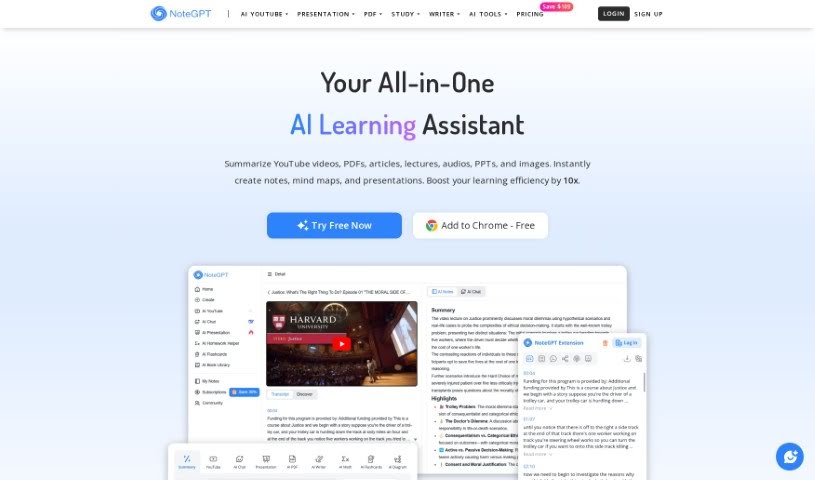
What is NoteGPT?
NoteGPT is a smart learning tool that uses advanced AI to help you create notes and summarize text and videos. It is your AI-powered study buddy! It’s packed with features like AI summarization for both text and videos, a handy “Smart Tab” to gather and summarize links, an AI Flashcard library to help you memorize things, and a timestamp feature so you can easily track specific moments in videos. Plus, you can manage all your notes with folders and even generate shareable links that include your screenshots, notes, summaries, and timestamped transcripts. This makes collaborating with others a breeze. Essentially, NoteGPT is designed to make learning and understanding information much smoother and more efficient.
Who created NoteGPT?
NoteGPT was actually started by Emily Johnson, who’s the Co-Founder & CEO of the company. They launched the platform back on July 16, 2023. Emily isn’t alone, though! The team is pretty impressive, including Michael Anderson as the CTO, Sophia Ramirez handling UX/UI Design, David Thompson as the Data Analyst, Olivia Parker managing Customer Success, Benjamin Collins as a Full Stack Developer, Ethan Carter working as a Software Engineer, Matthew Turner keeping things on track as the Project Manager, and Ryan Foster looking after the DevOps side of things.
What is NoteGPT used for?
NoteGPT is incredibly versatile, helping you with all sorts of learning and content tasks:
- Summarizing YouTube videos so you can get the main points fast.
- Generating AI Flashcards to help you study and memorize.
- Getting quick YouTube Summaries without watching the whole thing.
- Creating AI Mind Maps from your content to visualize connections.
- Chatting with an AI Assistant for a deeper understanding of complex topics.
- Converting AI content to text with a Timestamped Transcript.
- Taking notes with the handy Auto Snap feature while you’re working.
- Organizing all your notes easily using Folders.
- Sharing your notes with friends or colleagues.
- Generating and saving flashcards for later use.
- Handling complex content efficiently, saving you time.
- Extracting important information from videos and documents.
- Summarizing Books to grasp their core ideas.
- Summarizing Podcasts to catch up on audio content.
- Summarizing PDFs, making long documents digestible.
- Summarizing Articles to get the gist quickly.
- Summarizing PPTs, so you can understand presentations.
- Summarizing Images, extracting text or context.
- Summarizing Audios, turning spoken words into text.
- Extracting content specifically for tools like Quizlet and Cram.
- Creating mind maps from any content you upload.
- Chatting with an AI assistant for deeper insights into your material.
- Extracting content with just one click, including timestamped transcriptions.
- Taking notes while watching videos using the Auto Snap feature.
- Managing your notes effectively with folders, search, and tags.
- Supporting your summarization needs with a convenient Chrome extension.
- Accessing dozens of different summarizers and generators for smarter learning.
- Creating professional presentations using the PPT Generator.
- Quickly evaluating contracts and legal documents with the specialized PDF Summarizer.
- Summarizing virtually Any Content you throw at it.
- Generating AI Mind Maps to visualize your thoughts.
- Chatting with an AI Assistant for enhanced comprehension.
- AI Converting content to Text with a Timestamped Transcript.
- Taking notes with the helpful Auto Snap feature.
- Managing your Notes with organized Folders.
- It’s a lightweight Chrome extension, so it won’t slow you down.
- It supports your summarization tasks anytime, with a sidebar and an embedded panel.
- Get All AI Tools at Instant Access, ready when you are.
- Choose from dozens of Summarizers and Generators to find the perfect tool.
- It supports summarization tasks with both a YouTube Summarizer and a Web Summarizer.
- You can choose from dozens of Summarizers and Generators for smart learning and working.
Who is NoteGPT for?
NoteGPT is a fantastic tool for a wide range of people, including:
- Anyone needing an AI Transcriber / Converter.
- Those who want to be an AI Mindmap Generator.
- People looking for an AI Translator.
- Project Managers who need to stay organized.
- DevOps engineers managing complex systems.
- SEO workers optimizing content.
- Lawyers needing to review documents quickly.
- International trade specialists dealing with global information.
- Multilingual learners who need to understand different languages.
- UX/UI Designers creating user-friendly interfaces.
- Data Analysts working with large datasets.
- Customer Success Managers supporting users.
- Full Stack Developers building applications.
- Software Engineers creating new tools.
- Anyone interested in AI Mindmaps.
- Training professionals developing educational materials.
How to use NoteGPT?
Using NoteGPT is pretty straightforward. Here’s how you can get started:
- First, you can either log in using your Google account or install the official Chrome extension. Either way is quick!
- Once you’re in, open your workspace. This is where you can summarize all sorts of content – think YouTube videos, PDFs, images, audio files, and much more. You can also generate mind maps and take notes right there.
- Start building your personal learning library! You can review your notes and AI flashcards, keep them organized using folders, and even collaborate by sharing your notes with others.
NoteGPT really shines with its features like AI-powered summarization for both text and videos, a handy Smart Tab for compiling links, AI Flashcards for studying, and that useful video timestamp tracking. Plus, managing your notes with folders and sharing them via links makes collaboration simple. The AI text summarizer works by looking at the text you provide, pulling out the most important points, and then creating a short, easy-to-understand summary. This is super helpful for quickly getting the hang of complex texts. You can even connect NoteGPT with platforms like Quizlet and Cram to use your generated flashcards. The timestamp feature is great for videos, and you can use the AI Assistant for detailed explanations within videos. Managing your notes is a breeze with powerful filters and folders, and sharing them is easy with shareable links. And, the Chrome extension means you can access NoteGPT conveniently right from your web browser.
So, to sum it up, NoteGPT really simplifies learning and managing your content. It makes tasks like summarizing, taking notes, and collaborating much smoother and more effective.