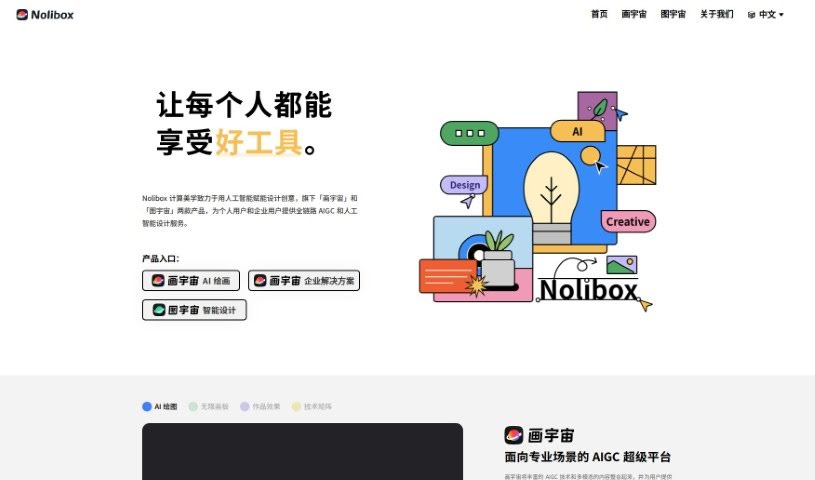
What is Nolibox?
Nolibox is an AI-powered platform designed to really boost your design creativity. It offers two main products: “画宇宙” and “图宇宙.” Together, they provide a full suite of AI-generated content (AIGC) and AI design services, perfect for individuals and businesses alike. The platform cleverly integrates various AI techniques within an expansive, infinite drawing space. This lets you do all sorts of cool things, like turning text into images, creating variations of existing images, editing images, and much more. Ultimately, Nolibox wants to make artificial intelligence capabilities easy, fun, and completely free for everyone to explore.
The Nolibox Creator tool is a key part of this. It’s built to be super user-friendly, letting anyone dive into and use AI capabilities without spending a dime. You’ll find a bunch of handy features here, including Txt2Img (text to image), VariationImg2Img (image to image variations), HD Erase & Replace, Inpaint (filling in parts of an image), Negative Prompt (telling the AI what not to include), Outpaint (extending an image beyond its borders), and Matting (isolating subjects). You can really tailor your experience by picking different AI models – whether you prefer General, Real, Anime, 3D Anime, or Dreamlike styles. Plus, you can switch between a Simple or Advance art mode. This tool lets you create all sorts of images, from anime characters and stunning landscapes to unique artistic styles and classic patterns. You can even select specific artists and optimizers to fine-tune your creations and easily share what you make right on the platform.
Who created Nolibox?
Nolibox was founded by a team of talented individuals who came from Tsinghua and Peking University. The company itself, Nolibox, officially got started in December 2020. It’s a technology company that’s really focused on the exciting space where artificial intelligence meets design creativity. Nolibox’s main products are “画宇宙,” which is aimed at creators as a powerful productivity tool, and “图宇宙,” which features a high-quality intelligent design engine. Their core mission with these products is to make design and creativity accessible to absolutely everyone.
What is Nolibox used for?
Nolibox is incredibly versatile and can be used for a wide range of creative and business needs:
- Publishing: Creating illustrations for non-resale books, newspapers, and magazines (up to 500,000 copies).
- Advertising & Marketing: Designing materials like non-resale advertising posters, brochures, leaflets, store displays, coupons, and pull-up banners (under 500,000 copies).
- Events: Developing design materials for offline events, such as company annual meetings and award ceremonies.
- Digital Displays: Creating visuals for screen displays in offline stores, chain organizations, and institutional electronic screens.
- Business Proposals: Crafting non-resale business proposals for web design, VI design, marketing plans, and project proposals.
- Merchandise: Producing cultural derivative products like textiles, phone cases, greeting cards, calendars, mugs, T-shirts, pillows, and bags for non-resale purposes.
- Social Media: Generating new media images for platforms like WeChat, Weibo, and TikTok.
- Online Video: Creating visuals for online media videos on platforms such as Douyin and Bilibili.
- E-commerce: Producing images for online stores on platforms like Taobao, JD.com, and Pinduoduo.
- Web Design: Creating graphics for websites, apps, and H5 pages.
- Online Promotion: Developing visuals for network promotion on websites and online stores.
- Film & TV: Assisting with low-budget film and television productions, including graphics.
- Electronic Publications: Creating images for electronic publications.
- Offline & Transformation: Supporting offline needs like book publishing, printing, and event materials.
- Custom AI Models: Designing custom AI models tailored to specific needs.
- Business Visuals: Serving as a visual design platform for businesses.
- New Media Graphics: Creating graphics for platforms like WeChat, Weibo, TikTok, and Bilibili.
- E-commerce Visuals: Generating visuals for platforms like Taobao, Tmall, JD.com, Pinduoduo, and Xiaohongshu.
- Web Design Graphics: Producing graphics for websites, apps, and H5 pages.
- Online Marketing Visuals: Creating visuals for websites, email campaigns, and Baidu promotion.
- Low-Budget Film/TV Graphics: Providing graphics for productions under 100,000 RMB.
- Book Illustrations: Creating illustrations for publications under 500,000 copies.
- Print Advertising: Designing print advertising materials under 500,000 copies.
- Event Materials: Supplying design materials for offline activities like corporate events and award ceremonies.
- Cultural Products: Creating non-resale cultural derivative products such as textiles, phone cases, and T-shirts.
Who is Nolibox for?
Nolibox is a fantastic tool for a wide range of users, including:
- Artists
- Designers
- Creatives of all kinds
- Marketers
- Game developers
- Anyone interested in AI
- Content creators
- Individual users exploring their creativity
- Enterprise Users looking for design solutions
- Marketing professionals
- Creators who want to leverage AI
How to use Nolibox?
To get the most out of Nolibox Creator, just follow these simple steps:
- Get Started: Head over to the Nolibox website and log in to the Nolibox Creator tool.
- Play with AI: Dive into the various AI techniques available. You can use Txt2Img, VariationImg2Img, HD Erase & Replace, Inpaint, Negative Prompt, Outpaint, and Matting to create all sorts of different images.
- Fine-Tune Your Settings: Adjust the parameters to your liking. You can pick from different models like General, Real, Anime, 3D Anime, and Dreamlike. Also, choose whether you want a Simple or Advance art mode, depending on what you’re aiming for.
- Make Your Art: Start generating images! You can create anime characters, beautiful landscapes, unique artistic styles, and traditional patterns using all the tools Nolibox Creator offers.
- Polish Your Work: Make your creations even better with features like auto arrangement for a balanced look, ‘Generate circular textures’ for special patterns, and ‘HD Erase & Replace’ for precise edits.
- Share and Connect: Use the ‘Share’ feature to easily show off your work. If you ever need help, don’t hesitate to reach out to the support team.
- Learn Faster: Check out the ‘Show Tips and Shortcut Keys’ option to speed up your workflow and discover more about what Nolibox can do.
- Experiment Freely: Really explore everything Nolibox Creator has to offer. There are no real limits to unleashing your creativity here!
By following these steps, you’ll be able to use Nolibox Creator to make amazing, personalized artwork quickly and easily. It’s a really smooth and user-friendly platform, built for everyone, no matter your skill level.