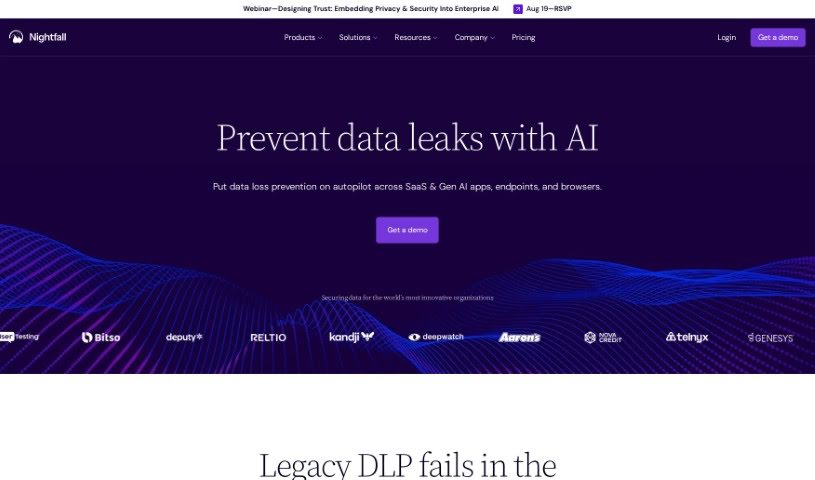
What is Nightfall AI?
Nightfall AI is a really thorough, AI-native platform built for data security. Its main job is to keep sensitive information safe across all sorts of places you use every day – think SaaS apps, those new GenAI tools, your email, and even your computer’s endpoint. What’s cool about it is how it proactively spots security risks, protects data in real-time and when it’s just sitting there, and even has automated ways to fix problems. Plus, it empowers your users to sort out data exposure issues themselves. Nightfall does a deep scan of everything, including unstructured and archived data, so it doesn’t miss a thing. It also hooks up easily with your company’s apps and devices, letting everyone work securely with AI without getting in their way. By keeping an eye on risky content and behavior, letting you set up flexible policies, and automatically protecting data, Nightfall helps companies stay ahead of threats and keeps you in full control of your sensitive information.
Who created Nightfall AI?
Nightfall was actually started by a team of four: Isaac Madan, Rick Wootten, Rohan Sathe, and Ajay Bhave. They officially launched it on June 18, 2024. Essentially, Nightfall is a data security platform designed to protect sensitive information wherever it lives digitally. Isaac Madan is the Co-Founder and CEO, leading the company. Rick Wootten is the Chief Marketing Officer, handling how they communicate their value. Rohan Sathe is a Co-Founder and the Chief Technology Officer, likely overseeing the technical side. And Ajay Bhave serves as the VP of Engineering, managing the development team.
What is Nightfall AI used for?
Nightfall AI is really handy for a few key things:
- Stopping Secret Sprawl: It helps prevent sensitive information like API keys or passwords from being scattered everywhere.
- Preventing Data Exfiltration: It works to stop sensitive data from being stolen or sent out of your organization without permission.
- Safeguarding Personal Information: It’s designed to protect things like names, addresses, and other personally identifiable information (PII).
- AI Data Governance: It helps manage and control how data is used, especially with AI tools, to ensure compliance and security.
- Handling External Threats: It provides a layer of defense against threats coming from outside your organization.
- Real-time Detection: It can spot suspicious files and messages as they happen.
- Building Custom Rules: You can create detailed detection rules that fit your specific needs.
- Automated Fixes: It sets up workflows to automatically handle security issues when they’re found.
- Identifying Sensitive Data: It’s great at finding and identifying PII, PCI (payment card information), and PHI (protected health information).
- Detecting Credentials & Secrets: It specifically looks for things like login credentials and other secrets that shouldn’t be exposed.
Who is Nightfall AI for?
Nightfall AI is primarily built for:
- Security Teams: Those responsible for the overall security posture of an organization.
- IT Teams: The folks who manage the technology infrastructure and ensure it runs smoothly and securely.
- Top Security Teams: This likely refers to specialized or advanced security groups within larger organizations that require robust, AI-driven solutions.
How to use Nightfall AI?
To get the most out of Nightfall, here’s a straightforward way to approach it:
- Set Up the Detection Engine: Nightfall has a really top-notch detection engine built right in. It’s designed to find sensitive information like credentials, PII, and PHI with great accuracy. The AI models are already fine-tuned, which means you’ll get fewer false alarms and won’t have to spend time manually adjusting detection rules.
- Connect with Your Company Apps: Nightfall integrates smoothly with the enterprise applications and devices you already use. Since it’s a cloud-native platform, you can connect it to your existing apps without causing any network disruptions. This ensures you can keep working securely with AI-driven tools without interruption.
- Create Policies and Monitor Data: You can set up specific policies that match the biggest risks in your environment and the compliance rules you need to follow. By monitoring content and behavior that’s considered high-risk, you can effectively prevent incidents where data might be exposed.
- Automate Data Protection: Nightfall lets you take immediate action on sensitive data. This can include things like redacting sensitive parts, deleting files, quarantining them, or encrypting them. These automatic responses help reduce the number of security incidents by handling them quickly.
- Empower Your Users: Instead of just blocking people, Nightfall actually tells users when they’ve exposed data and gives them the tools to fix it themselves. This approach helps build a stronger cybersecurity culture and encourages people to be innovative without compromising security.
- Integrate into Security Workflows: The detection engine is available as an API, which means it can easily connect with your SIEMs, ticketing systems, and other security tools. This integration helps make your Security Operations Center (SOC) more efficient.
By following these steps, Nightfall offers comprehensive data security. It uses AI technology to protect sensitive information across many platforms, including SaaS apps, email, GenAI tools, and endpoints. Using these guidelines will help you effectively boost your data protection strategies with Nightfall.