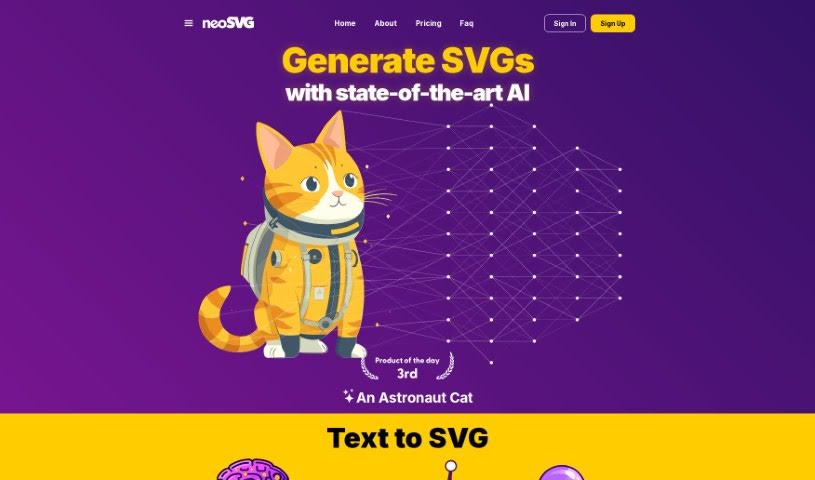
Screenshot of neoSVG

neoSVG

Discover what neoSVG is and how to use it effectively in 2025. Explore its features, benefits for designers, and how it stacks up against other design generators.

Screenshot

What is neoSVG?

NeoSVG is a really neat Text-to-SVG platform that uses AI to turn your text ideas into customizable vector graphics. It’s a Software as a Service (SaaS) tool, and it first came out in 2023. The main idea behind NeoSVG is to make creating cool SVG designs much simpler, cutting out a lot of the usual manual work. It’s designed to be easy for everyone, no matter their skill level, really boosting creativity and making design work flow more smoothly thanks to its AI smarts.

This tool is super user-friendly; you don’t need any special software knowledge to use it. For designers, it’s a real time-saver, streamlining their workflow and giving them unique SVG graphics almost instantly. You can create vector images just by typing in a text prompt, which really helps spark new creative ideas. NeoSVG’s AI is pretty clever – it quickly looks at your text and turns it into eye-catching vector graphics, making the whole design process feel seamless and efficient.

Now, neoSVG doesn’t offer offline access or team collaboration features, which is something to keep in mind. However, it really shines when it comes to generating SVGs, simplifying the design process, and saving designers valuable time. It’s a great fit for all sorts of designers, whether you’re a seasoned pro or just starting out. You can even create pretty complex vector images from simple text prompts. The platform offers different subscription plans, too, so you can pick one that best suits what you need.

Who created neoSVG?

A company called Nucleum Softwares Ltda. is behind neoSVG. It was launched in 2023 by the founder of NeoSVG, who had this vision to completely change how people create and work with vector graphics by using the power of AI. Their goal is to make it simple for anyone, regardless of their design experience, to create visually appealing and dynamic SVG designs, removing the need for all that tedious manual effort.

What is neoSVG used for?

  • It helps boost your creativity.
  • It’s easy for anyone to use, no matter their skill level.
  • It makes the whole design process much simpler.
  • It helps your design work flow more smoothly.
  • You get graphics generated instantly.
  • It lets you produce unique vector images.
  • It makes creating images really efficient.
  • It saves designers a lot of time.
  • It improves the overall design experience.
  • It offers unmatched SVG generation capabilities.

Who is neoSVG for?

  • Web designers
  • Mobile App Designers
  • Print Media Designers
  • AR/VR App Designers
  • UI/UX Designers
  • Logo Designers

How to use neoSVG?

Using neoSVG is pretty straightforward. Here’s how you can get started:

  1. Access the Tool: First, just head over to the neoSVG platform online.
  2. Input Creative Idea: Next, type in a simple text prompt that describes the design you have in mind.
  3. AI Processing: The AI algorithms will then analyze your text prompt and create a matching SVG graphic for you.
  4. View and Download: Take a look at the SVG illustration that’s generated and download it to use however you like.
  5. Subscription Options: neoSVG has different subscription plans available, like Basic, Standard, and Pro, each offering different amounts of credits and features to suit your needs.
  6. Enhance Creativity: Don’t be afraid to experiment! Try out different text prompts to discover all sorts of new design possibilities.
  7. User-Friendly Interface: The tool is designed with everyone in mind, making it super convenient whether you’re a beginner or a seasoned professional.
  8. Early Access: If you want to get in early, you can join the waitlist on the neoSVG website.
  9. Community and Engagement: Stay connected with neoSVG by following them on social media for the latest updates, helpful tutorials, and support.
  10. Continuous Updates: neoSVG is always working on improving its technology and features to make the user experience even better and expand its design capabilities.

By following these steps, you can easily use neoSVG to create unique and really stunning SVG graphics, all from simple text prompts.

Related AI Tools

Discover more tools in similar categories that might interest you

123RF AI Image Generator

Creative Image Generation
Learn More

Stay Updated with AI Tools

Get weekly updates on the latest AI tools, trends, and insights delivered to your inbox

Join 25,000+ AI enthusiasts. No spam, unsubscribe anytime.