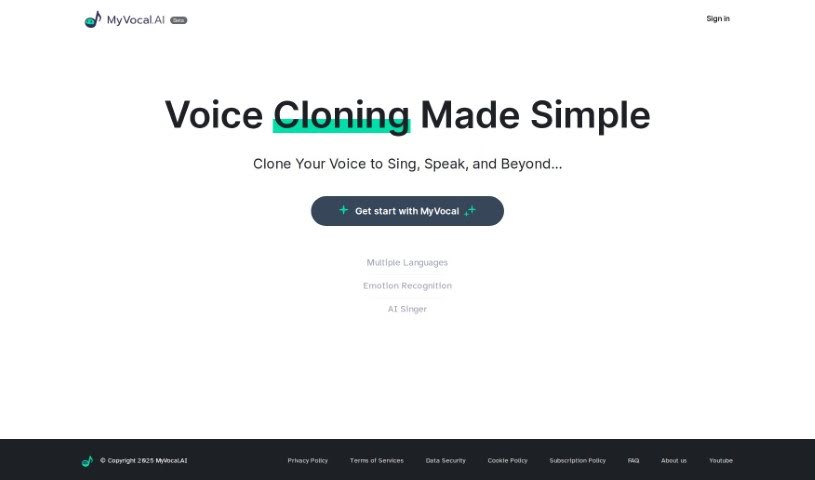
Screenshot of Myvocal.ai

Myvocal.ai

Discover what Myvocal.ai is and how you can use it effectively in 2025. We'll explore its features and see how it stacks up against other voice cloning tools.

Screenshot

What is Myvocal.ai?

Myvocal.ai is a really neat platform that uses AI to let you clone your voice in about 60 seconds. You can use it for singing or just speaking, and it gives you a unique AI voice to help you really stand out. The whole idea behind it is to make things super easy for creators, so you can generate music or other content without a hassle. Plus, Myvocal.ai has some handy features like Voice Templates and Text to Speech to really boost your digital presence. If you’re a developer, you can easily plug it into your own projects thanks to their clear API guides. They’re also serious about security and keeping your information private, aiming to help you make your audio content shine.

Who created Myvocal.ai?

We don’t have specific details about the founder of MyVocal.ai from the provided information. What we do know is that the company is all about offering Voice Clone services for both singing and speaking. They highlight a unique AI voice, that it’s free to start using, and how easy it is to integrate. Security and user privacy are also big priorities for them. For developers, they offer clear API references and pricing structures, making it simple to fit into their existing workflows.

What is Myvocal.ai used for?

  • Quick Voice Cloning: You can clone your voice in just 60 seconds, whether you’re singing or speaking.
  • Unique AI Voice: Get a distinctive pitch with your cloned voice to make sure you’re heard.
  • Free to Use: There’s no cost to start creating with your AI voice – it’s completely free.
  • Easy Integration: Developers can use clear API references to smoothly connect Myvocal.ai with other services.
  • Secure and Private: They’re committed to strong data security and clear privacy policies.

Who is Myvocal.ai for?

  • Musicians
  • Voiceover Artists
  • Podcasters
  • Content creators
  • Game developers
  • Advertisers
  • Filmmakers
  • Educators
  • Public speakers
  • Digital marketers

How to use Myvocal.ai?

Getting started with Myvocal.ai is pretty straightforward. Here’s a quick rundown:

  1. Sign Up: First, head over to the Myvocal.ai website and register. You’ll get a login link sent straight to your email.
  2. Clone Your Voice: Use the “Voice Clone” service. It only takes about 60 seconds to clone your voice for singing or speaking.
  3. Get a Distinctive AI Voice: You’ll end up with a unique AI voice that has a special pitch, helping you stand out.
  4. It’s Free! You can use the service without paying anything; it’s totally free to get started.
  5. Easy Integration for Developers: If you’re a developer, you can easily integrate Myvocal.ai into your workflow using their clear API references.
  6. Security and Privacy: Rest assured, they follow top-notch security standards and are really committed to user privacy.
  7. Explore More Features: Check out the Voice Template and Text to Speech options to really bring your digital presence to life.
  8. Try Different Languages: You can clone voices in several languages, including English, Spanish, Portuguese, French, German, and Arabic.
  9. See it in Action: You can try out the different language options using the demo links available on their website.

By following these simple steps, you can really make the most of Myvocal.ai for voice cloning and making your digital content even better.

Related AI Tools

Discover more tools in similar categories that might interest you

Stay Updated with AI Tools

Get weekly updates on the latest AI tools, trends, and insights delivered to your inbox

Join 25,000+ AI enthusiasts. No spam, unsubscribe anytime.