MyHeritage — AI Avatars & Family History Tools
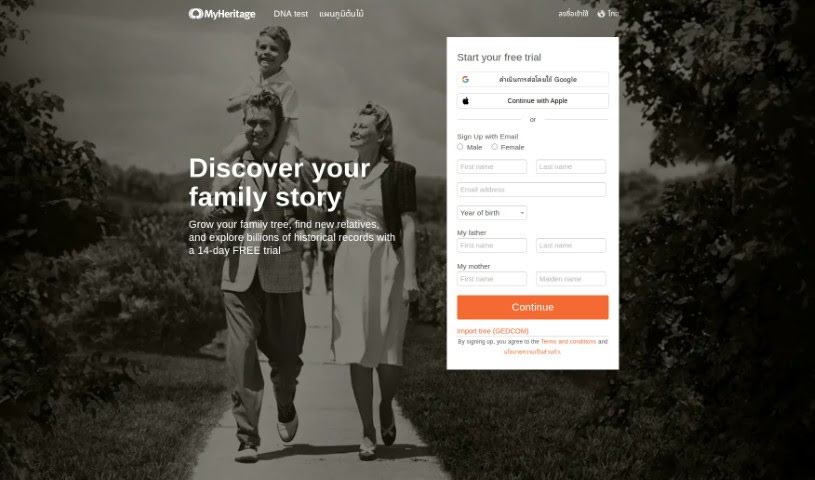
Screenshot of MyHeritage

MyHeritage

Discover what MyHeritage is and how its AI Time Machine creates avatars of you in different historical eras, plus family history tools like Deep Nostalgia.

Screenshot

What is MyHeritage?

MyHeritage offers AI avatar generation through its AI Time Machine, a feature that creates avatars of you in a variety of historical periods. It’s part of the platform’s Avatar Generation tools and can be used for AI art, unique profile pictures, and photo editing. The tool is built on Stable Diffusion, along with Bootstrap, PHP, jQuery UI, and jQuery. Users can also join a community to share their creations.

Who created MyHeritage?

The AI Time Machine feature was created by Daniel Jadran Maurice, who is from Australia. It is part of MyHeritage’s broader suite of tools and uses Stable Diffusion, Bootstrap, PHP, jQuery UI, and jQuery.

What is MyHeritage used for?

AI avatar features:

  • Avatar Generation — create digital representations of yourself in different historical eras.
  • AI profile pictures for social media.
  • AI art creation and photo editing with AI tools.
  • Avatars are generated using Stable Diffusion technology.

Family history features:

  • Animate family photos with Deep Nostalgia™.
  • Build a verified family tree and add names, dates, and stories.
  • Find new relatives and match with newfound relatives.
  • Explore billions of historical records and search a name to learn more about ancestors.
  • Discover your ethnic background.
  • Receive automatic discoveries such as Smart Matches and Record Matches.

Who is MyHeritage for?

  • Genealogists researching family history.
  • Historians interested in visualizing the past.
  • Photographers and artists looking for creative outlets.
  • Content creators, designers, and marketers needing unique visuals.
  • Writers who want to visualize characters or settings.
  • Anyone curious about AI avatar generation or their ancestry.

How to use MyHeritage?

  1. Go to the MyHeritage website and find the AI Time Machine feature.
  2. Sign up for a MyHeritage account, or log in if you already have one.
  3. Access the AI Time Machine tool under the Avatar Generation category.
  4. Choose from the available options: create AI avatars, edit photos with AI, or generate AI profile pictures.
  5. Upload your photos and experiment with the results.

Related

Related AI Tools

Discover more tools in similar categories

123RF AI Image Generator

Creative Image Generation
Learn more
New tools, in your inbox.

Weekly picks of the best AI tools we've researched and added — no spam, unsubscribe anytime.

Join 25,000+ AI enthusiasts. No spam, unsubscribe anytime.