123RF AI Image Generator
Creative Image Generation
Learn more
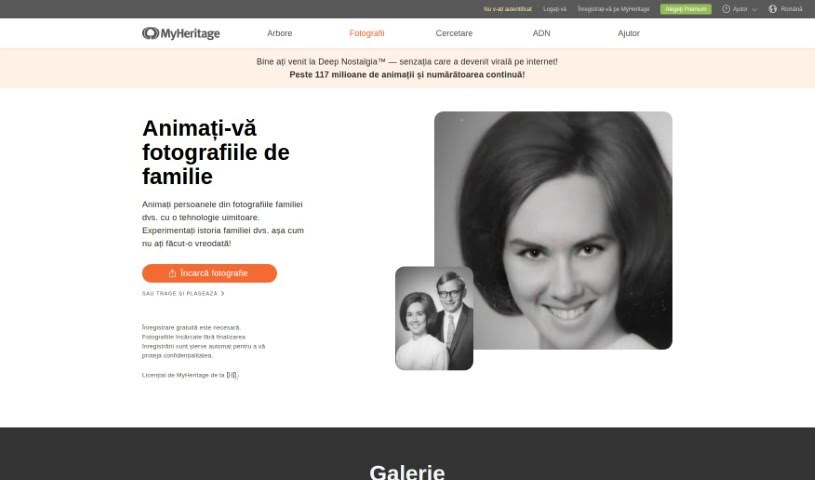
Discover what MyHeritage Deep Nostalgia is and how it animates the faces in old family photos using deep learning, bringing still pictures to life.
MyHeritage Deep Nostalgia is a feature from MyHeritage that brings still photos to life by animating the faces in them. It uses deep learning to make old family pictures move realistically — subtle nods, blinks, and gestures. The result is a short, nostalgic video that adds a new layer to exploring genealogy, making it easier to connect with ancestors in a vivid, relatable way.
Deep Nostalgia was created by MyHeritage, which licensed the photo animation technology from D-ID, a company specializing in deep video reenactment. MyHeritage integrated this technology to animate people in historical photos, producing high-quality, lifelike video clips.
The technology works using pre-made “drivers” — short video clips showing fixed movements and gestures. The system applies these drivers to a person in a photo, making them appear to move in a short video.
If you have old physical photos, you can scan them with the free MyHeritage mobile app, upload them to MyHeritage, and animate them with a single tap. Note that a MyHeritage account is required to animate photos with Deep Nostalgia.
Related
Discover more tools in similar categories
Weekly picks of the best AI tools we've researched and added — no spam, unsubscribe anytime.
Join 25,000+ AI enthusiasts. No spam, unsubscribe anytime.