What is Music AI?
Music.AI is a platform that uses artificial intelligence for music and audio, and it’s been around since 2019. They have a global team of over 80 people working from places like Salt Lake City, New York, Europe, and Brazil. What’s really important to them is showing respect for musicians and anyone who holds rights to music. They believe AI can actually make music better, not by replacing creators, but by giving them new tools to work with. It is a way to boost the creative process in audio and music, rather than taking the human element out of it.
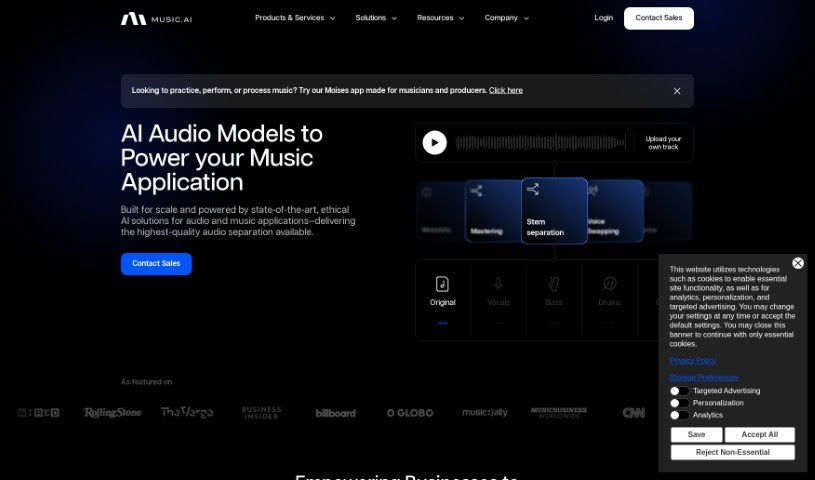
Music.AI offers a whole bunch of services and tools. You can use them for things like classifying audio and music, adding effects like limiters and reverb, encoding audio, separating stems (like isolating vocals or drums), mastering, mixing, and even transcribing audio. People like Music.AI because it has strong APIs, it’s easy to use, they really focus on privacy, and it processes things super fast. Developers all over the world trust it – they’ve handled over a billion minutes of audio and help millions of users every single day.
Who created Music AI?
Music.AI was actually built by a team that’s a mix of really smart tech people and folks who are truly passionate about music and audio. Their goal was to connect what’s happening in academic research with what’s actually needed in the industry. They started the platform back in 2019 and now have more than 80 employees spread across the globe, including in Salt Lake City, New York, Europe, and Brazil. They’ve also got support from tech investors in both the US and Brazil. Their main mission is to help people unlock their creative potential through music, offering AI-powered tools specifically for record labels, agencies, tech companies, and developers.
What is Music AI used for?
Here’s a look at what you can do with Music.AI:
- Transcription: Turn audio into text.
- Stem separation: Isolate different parts of a song, like vocals or drums.
- Style Transfer: Change the style of a piece of music.
- Audio solutions for development: Tools to help build audio features into apps.
- Stem separation capabilities: More ways to separate song elements.
- Time stretching feature: Change the speed of audio without changing the pitch.
- BPM detection: Figure out the beats per minute of a track.
- Overdrive, reverse & limiter functions: Various audio effects to shape sound.
- String, drums, backing vocals stems: Specific stem separation for these parts.
- Subtitle alignment: Syncing subtitles with audio.
- Vocal synthesis: Creating artificial voices.
- Lyrics transcription: Getting the words from a song.
- Video mixer: Tools for combining audio and video.
- Mastering: Polishing the final sound of a track.
- Mixing: Balancing different audio tracks.
- Effects (e.g., overdrive, reverb): Adding character to audio.
- Generators (e.g., text-to-speech): Creating audio from text.
- Enhancements (e.g., speech noise suppression): Improving audio quality, like removing background noise.
- Classification (e.g., synthetic voice detection): Identifying different types of audio, like whether a voice is AI-generated.
- Utilities (e.g., segmenting, audio activity detection): Helpful tools like breaking audio into parts or detecting when sound is present.
- Audio tagging: Adding labels to audio files.
- File metadata classification: Categorizing information about audio files.
- Language identification classification: Figuring out what language is being spoken.
- Music metadata classification: Categorizing information about music tracks.
- Music presence classification: Detecting if music is present in audio.
- Synthetic voice detection classification: Specifically identifying AI-generated voices.
- Vocal pitch map classification: Analyzing vocal pitch patterns.
- Vocal pitch tracker classification: Following changes in vocal pitch.
- Dynamic limiter effects: Audio effects that control volume levels.
- Limiter effects: Another type of audio effect for volume control.
Who is Music AI for?
Music.AI is a great resource for:
- Record Labels: To help with production and analysis.
- Agencies: For creative projects and audio production.
- Technology Firms: To integrate advanced audio features.
- Developers: To build new music and audio applications.
- Music Tech Players: Anyone working with technology in the music industry.
How to use Music AI?
Getting started with Music.AI is pretty straightforward. Here’s a simple guide:
- Access the Platform: First, head over to the Music.AI website. You’ll need to create an account to get access to everything the platform offers.
- Explore AI Models: Once you’re in, you can check out all the advanced AI audio models they have. These are ready to power your music projects.
- User-Friendly Interface: You’ll find the interface really easy to use. It’s designed with a drag-and-drop system, which makes bringing your creative ideas to life feel effortless.
- API Integration: If you’re a developer, you’ll love the possibilities with API integration. Plus, they offer native client support and comprehensive SDKs, making development much smoother.
- Ensure Data Security: You can feel confident using the platform because they have strong data protection measures in place. Your creations are safe, and your privacy is maintained.
- Customization: They offer over 50 different AI modules. You can mix and match these to build custom workflows that perfectly fit what your specific project needs.
- High Performance: Expect really fast processing speeds and great cost efficiency. The platform’s audio APIs are built with cutting-edge technology.
- Trusted Service: You’ll be joining a community of millions of users. They rely on Music.AI’s scale, dependability, and their ethical approach to working with music and AI together.
- Get Started: Ready to jump in? You can start your project by using their robust music APIs, the handy stem separation tools, BPM detection, and all the other features Music.AI provides.
By following these steps, you can really make the most of Music.AI. It’s a fantastic way to improve your music projects and make your development process much smoother.