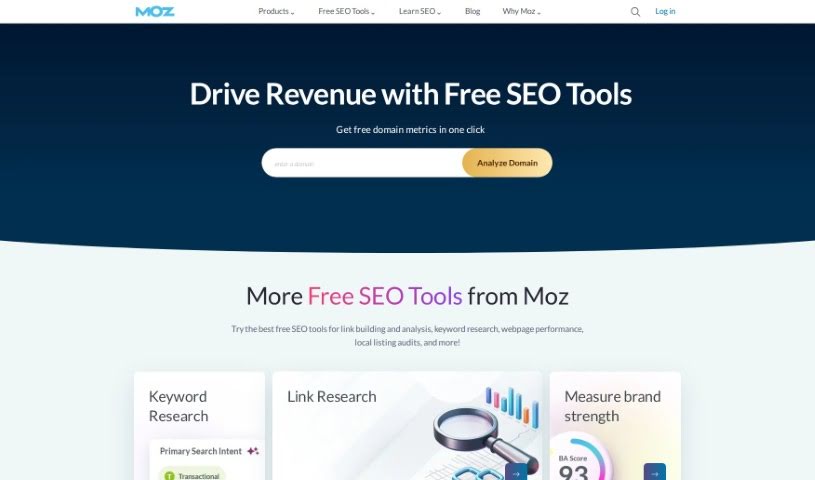
Screenshot of Moz

Moz

Discover what Moz is and how to use its powerful SEO tools effectively in 2025. We'll cover its key features and compare it to other popular SEO tools.

Screenshot

What is Moz?

Moz is a really well-known software company that focuses on SEO, or Search Engine Optimization. They offer a bunch of different solutions designed to help businesses boost their online visibility and how well they perform in search engine results. Think of tools for finding keywords, building links, checking your site’s health, and keeping an eye on your rankings. All of this helps you fine-tune your website to rank higher. Plus, Moz is a great source for learning; they share tons of helpful content like blog posts, webinars, and guides that break down how to do SEO right. They’re really dedicated to helping businesses succeed online, which is why they’re considered a go-to authority in the SEO world.

Who created Moz?

Moz actually started out as SEOmoz, founded back in 2004 by Rand Fishkin and his mom, Gillian Muessig. Rand Fishkin is a pretty big name in digital marketing, especially known for his deep understanding of SEO. Moz provides the software, tools, and resources that businesses need to improve their online presence and get their websites noticed by search engines. Over the years, the company has become a leading voice in the SEO space, offering a wide array of services to support marketers and businesses with their digital marketing efforts.

How to use Moz?

Here’s a straightforward way to get the most out of Moz:

  1. Pick the Right Tool: First, figure out which Moz tool best fits what you need to do. You’ve got options like Moz Pro, Moz Local, STAT, and the Moz API, among others.
  2. Head to the Tool: Just go to the Moz website and find the specific tool you’ve chosen. If you’re going with Moz Pro, for instance, head over to its homepage.
  3. Sign Up or Log In: If you’re new, you’ll need to create an account on the Moz site. If you’ve used it before, just log in with your usual details.
  4. Get to Know the Features: Take some time to explore what the tool you selected can do. Each one has different capabilities, like analyzing links, tracking your rankings, or figuring out how hard it is to rank for certain keywords.
  5. Use Their Resources: Don’t forget to check out the helpful guides, tutorials, and support they offer. They’re there to help you understand the tool and how to use its features better.
  6. Set Up Your Campaigns: If it makes sense for your work, set up specific campaigns within the tool. This helps you track and analyze particular parts of your website’s performance.
  7. Dive into the Data: Use the tool to gather the information you need for your SEO plans and goals. This data is key for making smart decisions to improve your website’s visibility and search ranking.
  8. Refine Your Strategies: Based on what you learn from Moz’s insights and data, tweak your SEO strategies. Make the necessary changes to boost your website’s performance.
  9. Keep an Eye on Progress: Regularly check in with your campaigns using the Moz tool. Monitor the important numbers to see how well your SEO efforts are working.
  10. Stay Current: Make sure you’re up-to-date with the latest Moz updates, new features, and best practices. This way, you’re always using the tool to its fullest potential.

By following these steps, you can really use Moz to improve your website’s SEO and hit your digital marketing targets.

Related AI Tools

Discover more tools in similar categories that might interest you

Stay Updated with AI Tools

Get weekly updates on the latest AI tools, trends, and insights delivered to your inbox

Join 25,000+ AI enthusiasts. No spam, unsubscribe anytime.