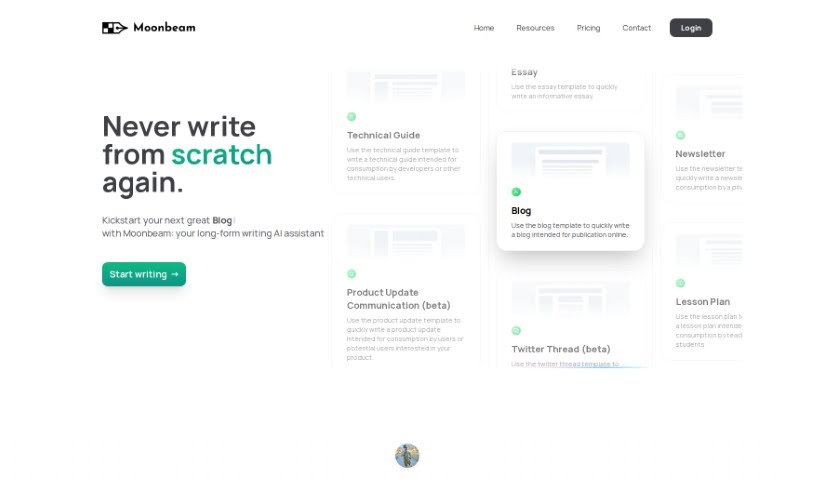
Screenshot of Moonbeam

Moonbeam

Discover what Moonbeam is and how to use it effectively in 2025. Explore its features, compare it to other AI writing tools, and learn how it can streamline your content creation process.

Screenshot

What is Moonbeam?

Moonbeam is your AI writing buddy, built to help you craft everything from essays and stories to articles and blog posts. It’s packed with features designed to make long-form writing feel less like a chore and more like a creative flow. You get a Smart Chat, powered by GPT-4, that gives you instant feedback as you write. Need content fast? Moonbeam can generate it with just a click, or help you build entire content clusters around a simple idea or keyword. It also offers robust editing tools, a “Boss Mode” for transforming your text, and ways to easily add rich media like images and links. Plus, if you work with others, its collaboration features make teamwork a breeze. They offer different subscription plans, including a Pro version with even more writing power, all aimed at simplifying your writing and helping you produce great content efficiently.

Who created Moonbeam?

It looks like Moonbeam was brought to life by someone named Billy. He’s a big fan of the tool himself, which suggests he was probably instrumental in starting the company behind it. Moonbeam itself is an AI-powered assistant specifically for long-form writing. It’s designed to really change how we create content, offering cool features like that GPT-4 powered Smart Chat we mentioned, and a neat Content Cluster tool that helps you generate a whole bunch of related content ideas. The goal is to make writing tasks smoother, whether you’re working on essays, stories, articles, blogs, or even product updates. They provide templates for all sorts of writing needs and make teamwork easy with something called Collaboration Mode.

What is Moonbeam used for?

Moonbeam can help you with a lot of writing tasks:

  • Writing Essays, Stories, and Blogs: It’s great for any kind of long-form content.
  • Organizing Your Thoughts: Turn messy notes into clear outlines and well-written paragraphs.
  • Real-time Editing: Get instant feedback and make changes on the fly with Smart Chat.
  • Content Clusters: Generate lots of content ideas, outlines, and even full blog posts from a single prompt or keyword.
  • Polishing Your Writing: Improve your text with advanced editing tools.
  • Teamwork Made Easy: Work together on documents seamlessly using Collaboration Mode.
  • Quick Outlines and Posts: Create detailed outlines and complete blog posts without much effort.
  • Variety of Templates: Choose from many templates designed for different writing needs.
  • Adding Visuals: Make your content more engaging by integrating rich media like links and images.
  • Saving Time: Use pre-set prompts to generate content faster.

How to use Moonbeam?

Here’s a simple way to get the most out of Moonbeam:

  1. Pick a Template: Moonbeam has templates for essays, stories, blogs, and more. Start by choosing one that fits what you’re writing to get going quickly.
  2. Chat with Smart Chat: Use the GPT-4 powered Smart Chat. It gives you feedback right away and lets you tweak your content as you go, making editing smoother and faster.
  3. Create Content Clusters: Just give Moonbeam a prompt or keyword. It’ll use GPT-4 to generate content ideas, detailed outlines, and even full blog posts in seconds.
  4. Explore the Editor: Check out the editor’s features. You’ll find advanced editing options, Boss Mode for a complete text overhaul, ways to add rich media, and one-click content generation to spark your creativity.
  5. Collaborate with Your Team: If you’re working with others, use Collaboration Mode. It works a lot like Google Docs but is built for AI-generated content, making teamwork simple.
  6. Consider Moonbeam Pro: For unlimited access to all the AI writing tools, Boss Mode, Moonbeam Chat, and Ask Luna, you might want to upgrade to Moonbeam Pro. It offers even more capabilities.
  7. Try it Risk-Free: Moonbeam offers a 100% money-back guarantee. If you’re not happy within 30 days, you can get a full refund, no questions asked.

By following these steps and using Moonbeam’s features, you can make your writing process much smoother, create better content, and get more done.

Related AI Tools

Discover more tools in similar categories that might interest you

Stay Updated with AI Tools

Get weekly updates on the latest AI tools, trends, and insights delivered to your inbox

Join 25,000+ AI enthusiasts. No spam, unsubscribe anytime.