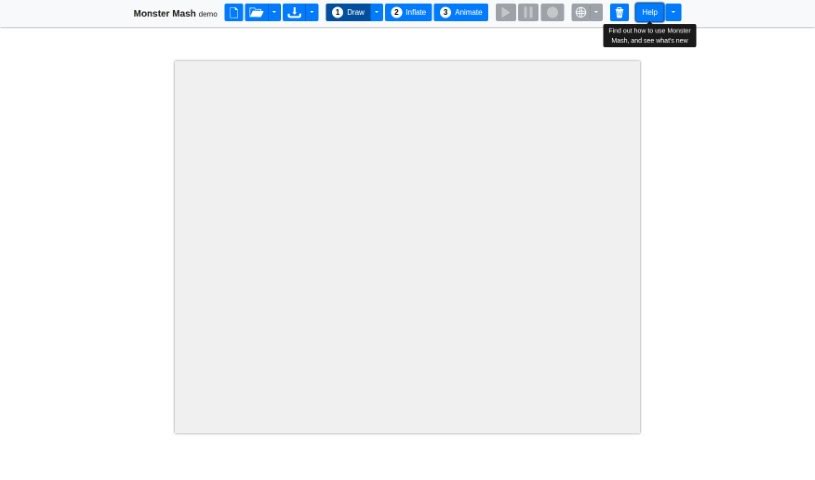
Screenshot of Monster Mash

Monster Mash

Discover Monster Mash, the sketch-to-3D character tool! Learn how to use its Draw, Inflate, and Animate modes effectively in 2025. See how it stacks up against other 3D model generators.

Screenshot

What is Monster Mash?

Monster Mash is a really cool tool that makes creating and animating 3D characters much simpler. It is a sketch-based modeling and animation program. What’s neat is you can just sketch out a character, turn that sketch into a 3D model, and then animate it, all right there on the sketching plane. You don’t need to get bogged down with complicated 3D manipulation. Monster Mash gives you three main ways to create: Draw, Inflate, and Animate.

In the Draw mode, you sketch out your character’s parts. You use strokes to outline different areas, and you can even tell the tool which parts are in front of others. This project was actually shown at the SIGGRAPH Asia 2020 conference. You can try it out for free for evaluation and research, and they’ve got a great user forum if you need support or want to share feedback.

Who created Monster Mash?

Daniel Sykora and his team at “GeometryFactory,” a research group at the Czech Technical University in Prague, are the masterminds behind “Monster Mash.” They teamed up with Google Research to bring this tool to life. It’s designed to let you sketch characters, then easily “inflate” them into 3D models, and finally animate them without a hitch. Their work was a highlight at the SIGGRAPH Asia 2020 conference, and you can find their research published in ACM Transactions on Graphics.

What is Monster Mash used for?

Monster Mash is handy for a bunch of tasks, like:

  • Starting up a new project.
  • Bringing in template images to work from.
  • Importing background images to set the scene.
  • Creating different layers from masks, which helps organize your work.

Who is Monster Mash for?

This tool is a great fit for anyone working with 3D characters or visuals:

  • 3D Modelers
  • Animators
  • Game Developers
  • Visual Effects Artists
  • Illustrators
  • Character Designers
  • Product Designers
  • Architects
  • Educators
  • Virtual Reality Developers

How to use Monster Mash?

Getting started with Monster Mash is pretty straightforward. Here’s a quick rundown:

  1. Getting Started:
    • You’ll need a modern browser that supports WebAssembly and WebGL 1.0 to access Monster Mash. It works best on tablets with larger screens.
    • You can use a mouse, your touch screen, or a stylus to control everything.
  2. Creation Modes:
    • Monster Mash offers three distinct modes to help you create: Draw, Inflate, and Animate.
  3. Draw Mode:
    • This is where you sketch your character. You draw part by part, using strokes to outline different areas. The tool helps you define the depth of these regions.
    • You can create new regions by drawing a single stroke. Plus, you can easily select, copy, or delete regions using the menu options.
  4. Inflate Mode:
    • This mode gives you a quick preview of your 3D model. You can rotate or pan around the model using different controls, depending on what device you’re using.
  5. Animation Mode:
    • Ready to bring your character to life? In this mode, you place and move control pins on your model to animate it. You can create these pins, move them around, select them, and delete them as needed.
  6. Final Steps:
    • The best way to learn is to dive in! Try drawing, inflating, and animating different characters to see what you can create with Monster Mash.

Don’t forget to check out the detailed instructions right inside the tool itself. They’ll give you a much deeper understanding of each mode and all the features. Have fun creating and animating your characters!

Related AI Tools

Discover more tools in similar categories that might interest you

123RF AI Image Generator

Creative Image Generation
Learn More

Stay Updated with AI Tools

Get weekly updates on the latest AI tools, trends, and insights delivered to your inbox

Join 25,000+ AI enthusiasts. No spam, unsubscribe anytime.