What is Monic?
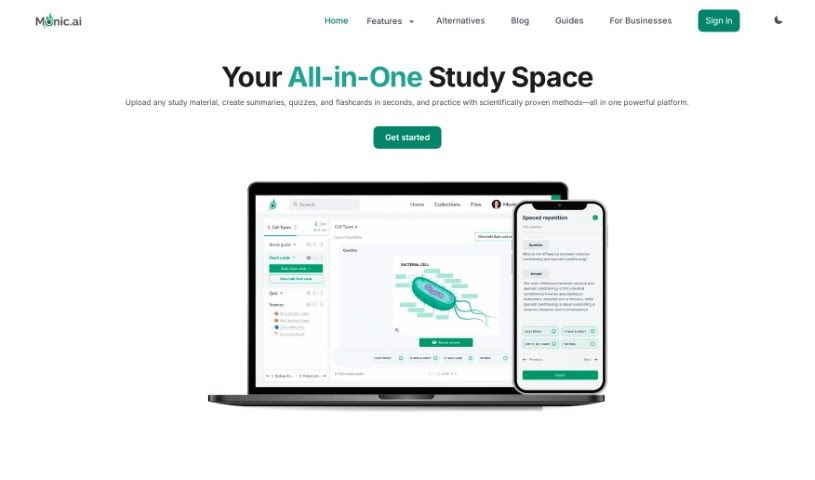
Monic is an AI-powered platform built to help students, teachers, and professionals with all sorts of educational and learning tasks. It is your smart study buddy! It’s packed with features like creating quizzes directly from your study materials, offering smart practice modes, generating summaries, letting you chat with AI for quick answers, making flashcards, and even providing AI tutoring for a truly personalized learning experience. Monic.ai also offers different pricing options, including a free basic plan. If you need more advanced features, higher AI token limits, or more storage, you can opt for their monthly or annual subscription plans. You’ll find it really boosts your learning with features like highlighting important parts of documents, uploading videos and audio, and using an exam simulation mode.
Who created Monic?
Monic was developed by Ashwin Sreenivas, and the platform first launched on January 26, 2023. Monic.ai is designed to be a comprehensive study tool, offering a variety of features like a quiz maker, summary generator, flashcard creator, and AI-powered chat support. It’s used by students, teachers, and professionals all over the world who are looking to learn, prepare for exams, or upskill.
What is Monic used for?
- Quiz maker: Easily create quizzes from your notes.
- Smart Practice Modes: Test yourself in ways that help you learn best.
- Summary Generator: Get quick summaries of long texts.
- Chat with files: Ask questions directly about your uploaded documents.
- Flashcard Creator: Make digital flashcards to memorize information.
- AI-tutor: Get personalized help and explanations from an AI.
Who is Monic for?
- Students: To help with coursework, studying, and exam prep.
- Teachers: To create engaging learning materials and quizzes.
- Professionals: For upskilling, learning new concepts, and staying current in their fields.
How to use Monic?
Here’s a simple guide to get the most out of Monic:
- Sign Up: First, head over to Monic.ai. You can create an account for free, or if you think you’ll need more advanced features, you can pick a paid plan that fits your needs.
- Upload Your Study Material: Once you’re signed up, upload the documents you want to study from. This could be anything from PDFs and presentations to lecture notes.
- Explore the Tools: Monic has a bunch of helpful tools. Try out the quiz maker, summary generator, flashcard creator, and smart practice modes to see how they can improve your learning.
- Chat with the AI: Don’t hesitate to use the AI-tutor for personalized learning support. You can also chat with the AI about your uploaded files to get concepts clarified and receive tailored explanations.
- Pick the Right Plan: Think about what you need. There’s the free Monic Basic plan, or you can upgrade to Monic Pro Monthly or Monic Pro Annual for extra features and more AI power.
- Practice and Review Regularly: Make sure to use Monic’s practice modes. Spaced repetition, timed exam simulations, and flashcards are great ways to test your knowledge and really lock in those key concepts.
- Interact with Your Files: You can have detailed conversations with your uploaded files using the advanced AI. Discuss topics, clear up any confusion, and really dig deeper into your understanding.
- Discover Extra Features: Depending on the plan you choose, you can also access things like manual image occlusion for studying visuals, processing YouTube videos, using exam simulation modes, and highlighting text directly in documents.
- Get Help and Share the Love: If you ever get stuck or need guidance, Monic’s support team is there to help. And if you really like the platform, consider becoming a Monic Affiliate or Campus Ambassador – you can earn rewards and help spread the word!
By following these steps, you’ll be able to fully utilize Monic.ai’s powerful study platform. It’s designed to really boost your learning, help you remember information better, and ultimately improve your academic performance.