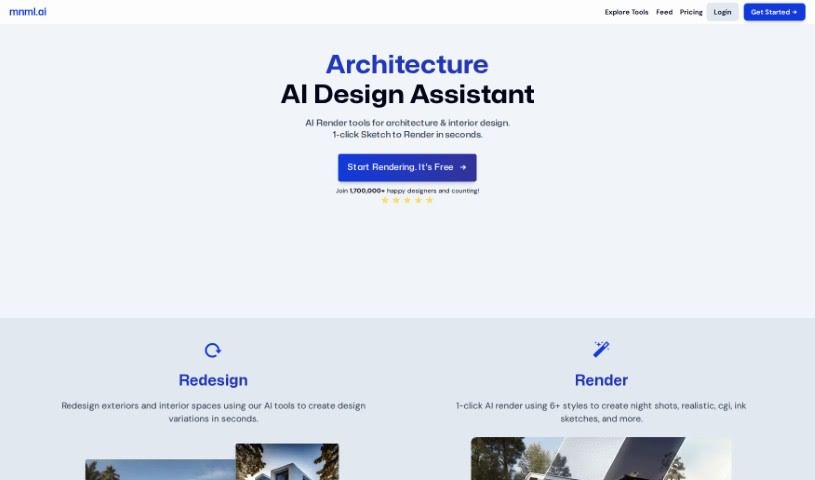
What is Mnml.AI?
Mnml.AI is an AI-powered platform designed specifically to help architects and interior designers. It’s built to quickly generate realistic renders and explore different design options for both exterior and interior projects. It is a super-fast assistant that can whip up visuals in seconds. The platform offers a suite of handy tools, including Sketch to Image AI, Exterior AI, Canvas AI, Interior AI, Landscape AI, and a Concept Generator. These tools are there to make your design process smoother, giving you more flexibility and control. The best part? You don’t need any special software or coding skills to use it. You can easily turn your sketches into professional-looking architectural concepts. It’s no wonder over 75,000 designers have already given it a thumbs-up for changing the game in architecture and interior design workflows.
Who created Mnml.AI?
Mnml.ai is the company behind Mnml.AI. They founded this platform with a clear goal: to really boost the workflow for architects and interior designers using AI rendering. They’ve packed it with features like Sketch to Image AI, Exterior AI, Canvas AI, Interior AI, Landscape AI, and a Concept Generator. These are all about making design work better, offering that crucial flexibility and control designers need. With more than 75,000 designers already on board, mnml.ai is definitely shaking things up and changing how people approach architecture and interior design.
What is Mnml.AI used for?
Mnml.AI is incredibly versatile and can help you with a bunch of design tasks:
- Sketch to Render: Turn your hand-drawn or digital sketches into beautiful, fully rendered images. You can even generate multiple design variations from a single sketch, which is pretty neat.
- Exterior Visualizations: Create impressive architectural visuals for exteriors in just seconds using the AI render tools. It works with models from popular software like Sketchup, Blender, or 3Ds Max, letting you quickly see different exterior possibilities.
- Design Modification: Need to tweak a specific part of your design? The Canvas AI tool lets you easily mask and highlight areas, so you can make precise changes or add things like landscaping or artwork.
- Interior Design: Reimagine any room with over 20 different interior design styles. You get full control over finishes, colors, and lighting to create exactly the look you want.
- Landscape Redesign: Tackle design challenges for building entrances, backyards, gardens, or any outdoor space. You can explore over 15 different landscape styles to find the perfect look.
- Concept Statements: Generate professional concept statements for your projects by simply using keywords.
- Broad Assistance: It’s a great tool for designers, project managers, sales professionals, students, and educators who need to generate design ideas quickly.
- Home Decor Ideas: Get inspiration for home decor, whether it’s for interior rooms or your home’s landscape.
- Workflow Improvement: Generally, it helps optimize your entire design workflow, allowing you to serve your clients more efficiently.
- Diverse Render Styles: Use the AI tools to create all sorts of looks, like night shots, realistic renders, or even ink sketches.
Who is Mnml.AI for?
Mnml.AI is a fantastic tool for a wide range of people involved in the design process:
- Designers of all kinds
- Project managers overseeing design projects
- Sales professionals looking to visualize concepts for clients
- Students learning about design
- Educators teaching design principles
- Anyone new to design who wants to experiment without a steep learning curve
- Architects needing quick visualizations
- Interior designers seeking inspiration and rapid rendering
How to use Mnml.AI?
Getting started with Mnml.AI is pretty straightforward. Just follow these steps:
- Upload Your Design: Begin by uploading your sketches, whether they’re hand-drawn or digital, onto the platform.
- Pick Your Tool: Choose the right tool for the job from the options available. You’ve got Sketch to Image AI, Exterior AI, Canvas AI, Interior AI, Landscape AI, and the Concept Generator.
- Generate Your Visuals: Use the tool you selected to create stunning, fully rendered shots or explore redesigns in just seconds, all based on what you uploaded.
- Tweak Your Designs: If you need to modify specific parts, the Canvas AI tool is your friend. Mask and highlight areas to make precise changes, or easily add elements like landscaping or artwork.
- Customize Interiors & Landscapes: Dive into Interior AI and Landscape AI to reimagine interior spaces with a variety of styles or to solve those tricky landscape design challenges.
- Save Your Work: Don’t forget to save your generated designs. They’re great for future reference or for presenting to clients.
- Consider Pro Plans: If you plan to use your designs for commercial projects, you might want to look into upgrading to one of the Pro plans. They offer more features and benefits.
- Flexible Pricing: You can choose a plan that fits your budget and needs, with options from Starter to Expert levels.
- Get Creative! The best way to learn is to play around. Experiment with the different tools and styles to create truly unique and eye-catching designs.
By following these steps, you can really boost your design workflow and create professional-looking renderings with Mnml.AI’s powerful features.