Mindsmith AI (Sales & Marketing)
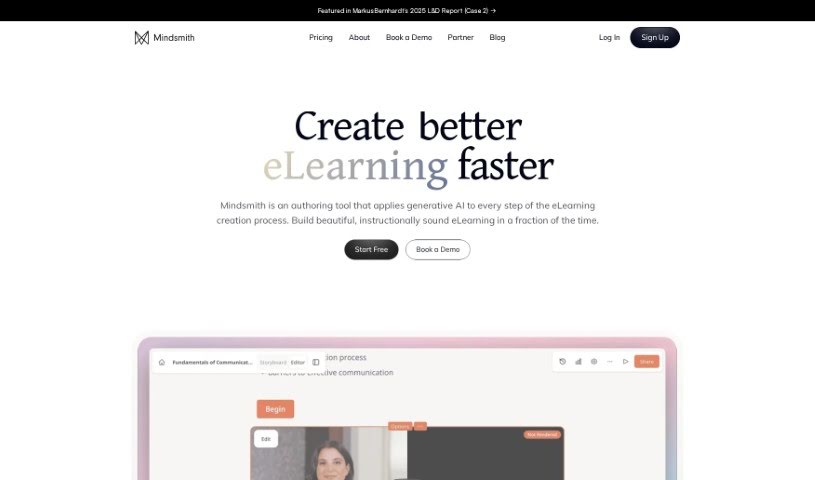
Screenshot of Mindsmith AI

Mindsmith AI

Discover what Mindsmith AI is and how it turns your documents into branded, AI-guided eLearning modules.

Screenshot

What is Mindsmith AI?

Mindsmith AI is a platform for creating learning content. It uses generative AI to simplify and speed up the creation of educational materials, turning existing documents into custom learning modules that match your brand. You can give the AI specific instructions — such as tone, difficulty level, or the learner’s role — to fine-tune how lessons are developed. Standout features include customizable learning, AI-assisted content creation, consistent branding, interactive guidance of the AI, and user control over the process.

Who created Mindsmith AI?

Mindsmith was co-founded by Zack Allen and David Blake. Ethan Webb is the CEO. The company focuses on smart learning design, offering AI tools for creating custom eLearning content. Its goal is to make instructional design smoother and more efficient through generative AI.

What is Mindsmith AI used for?

  • Turn static training materials into engaging, dynamic content.
  • Shape lessons around basic categories to customize training programs.
  • Deliver immersive scenarios powered by AI to learners.
  • Deepen custom learning experiences with an AI assistant that adapts in real time.
  • Transform internal documents into branded educational content.
  • Adjust the look and feel of learning modules to match your brand identity.
  • Fine-tune lessons to match specific learning goals, tones, levels, and roles.
  • Provide both detailed and high-level guidance while the AI develops lessons.
  • Speed up the creation of high-quality learning content.

Who is Mindsmith AI for?

  • Learning Designers
  • Instructional Designers
  • eLearning Creators
  • eLearning Developers

How to use Mindsmith AI?

  1. Sign up for an account on the Mindsmith website.
  2. Choose a plan: Mindsmith offers a free option plus professional plans with more advanced features.
  3. Create lessons using the AI lesson assistant and authoring tools to generate and customize eLearning content.
  4. Collaborate with the AI assistant, giving detailed instructions so lessons meet your learning objectives, tone, level, and role requirements.
  5. Share lessons once they are ready.

Related

Related AI Tools

Discover more tools in similar categories

New tools, in your inbox.

Weekly picks of the best AI tools we've researched and added — no spam, unsubscribe anytime.

Join 25,000+ AI enthusiasts. No spam, unsubscribe anytime.