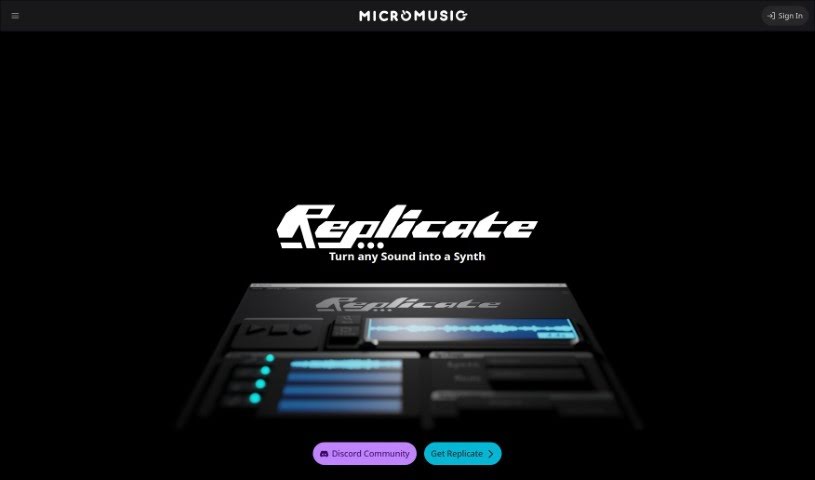
Screenshot of MicroMusic

MicroMusic

Discover what MicroMusic is and how to use it effectively in 2025. We'll explore its features and see how it stacks up against other Music Generators.

Screenshot

What is MicroMusic?

So, what exactly is MicroMusic? Think of it as a really smart AI tool that helps you create synthesizer presets. It’s designed to take the headache out of figuring out all those complex synth settings. A team of Software Engineering students from the University of Waterloo actually built it. They’re using some pretty advanced machine learning to whip up synth presets super fast, just from audio samples you give it.

Honestly, tweaking synth parameters can take ages, right? MicroMusic tackles that by automating the whole tuning process. You just drop in an audio sample, and MicroMusic spits out a fitting synth preset. No more endless manual adjustments! Plus, it’s got special AI models for different kinds of sounds and can even split out drum, bass, and vocal stems. This makes it super handy for music producers, no matter their experience level. It works with popular synths like Vital and Serum, so it’s a great way to get creative and design unique sounds for your music.

Who created MicroMusic?

MicroMusic was actually developed by a group of Software Engineering students at the University of Waterloo. Their journey with it began back in September 2022 as a Capstone project. Over time, they really polished it up through different prototypes and beta testing, finally launching it in June 2024. The idea came from their own experiences making music – they wanted to make setting up synthesizers much simpler by using AI and machine learning.

What is MicroMusic used for?

MicroMusic is a real game-changer for music production. Here’s a breakdown of what it does:

  • Creates Vital synthesizer presets: It’s specifically designed to generate presets for the popular Vital synth.
  • Automates synth configuration: Say goodbye to tedious manual tweaking; this tool handles it for you.
  • Transforms audio samples into presets: You can feed it an audio clip, and it’ll create a matching synth sound.
  • Saves you a ton of time: It cuts down on the back-and-forth of trying to get a sound just right.
  • Simplifies complex processes: It makes the intricate world of synth programming much more accessible.
  • Handles the tricky parts of configuration: It takes care of the challenging adjustments so you don’t have to.
  • Efficiently shapes sound design: It helps you sculpt your sounds effectively.
  • Encourages creative exploration: By speeding up the process, it frees you up to experiment more.
  • Accessible for everyone: Whether you’re a beginner or a pro, it’s designed to be easy to use.
  • Finds the closest preset match: It aims to give you a preset that sounds as much like your sample as possible.
  • Leverages state-of-the-art machine learning: It uses the latest AI tech to achieve its results.
  • Enhances sound design: It makes the process of creating unique sounds more efficient.
  • Removes the need for endless iteration: Get closer to your desired sound faster.
  • Offers a user-friendly interface: It’s built to be intuitive and easy to navigate.
  • Outputs Vital preset files: You get ready-to-use files for your Vital synth.
  • It’s free to download: You can grab it and start using it without any cost.

Who is MicroMusic for?

If you’re involved in making music, MicroMusic is likely a great tool for you. It’s particularly useful for:

  • Music producers: Anyone creating tracks, from electronic to pop.
  • Sound designers: Those who specialize in creating unique audio textures and effects.
  • Musicians: Anyone looking to expand their sonic palette and experiment with new sounds.

How to use MicroMusic?

Using MicroMusic is pretty straightforward. Here’s how you can get started:

  1. Input an Audio Sample: First, you’ll need to provide the audio sample that you want your Vital synthesizer to mimic. Just upload or select the sound you’re working with.
  2. Let the AI Work its Magic: Behind the scenes, the tool uses its advanced machine learning capabilities. It carefully analyzes your sample to figure out the best settings.
  3. Get the Optimal Configuration: MicroMusic then automatically adjusts the parameters within your Vital synthesizer. Its goal is to find the ‘closest matching preset’ to your original audio sample.
  4. Receive Your Preset: Once the processing is done, you’ll get a Vital preset file that’s based on the audio you provided.
  5. Download and Explore: MicroMusic is available as a download, giving you access to this AI-powered tool for creating synthesizer presets.

Basically, MicroMusic makes setting up synthesizers much simpler. It cuts out all the manual fine-tuning, which is a huge time-saver, especially for people at different skill levels. It’s specifically built for Vital synthesizers, offering really advanced machine learning solutions to help you with your sound design.

Related AI Tools

Discover more tools in similar categories that might interest you

Stay Updated with AI Tools

Get weekly updates on the latest AI tools, trends, and insights delivered to your inbox

Join 25,000+ AI enthusiasts. No spam, unsubscribe anytime.